Bluetooth-first weather loggers
If a sensor, storage device or other accessory needs your laptop’s USB port, a Bluetooth-capable mouse can leave that port free when your computer supports the connection.


If you need to leave a computer USB port free for weather-recording equipment, choose a Bluetooth-capable mouse only if your computer supports its Bluetooth connection; using a receiver still occupies a USB port. If wall sockets are scarce instead, a battery-powered mouse needs no wall socket while in use, although rechargeable models need periodic charging and AA-powered models need replacement batteries. For frequent spreadsheet work, consider hand fit and scrolling alongside the connection and power method.
If a sensor, storage device or other accessory needs your laptop’s USB port, a Bluetooth-capable mouse can leave that port free when your computer supports the connection.
If you enter observations repeatedly and navigate long tables or charts, check how the mouse fits your hand and how its wheel scrolls. Quieter clicks may also matter in a shared workspace.
If you move between computers or tablets, Bluetooth with a receiver fallback offers two ways to connect. Check compatibility on each device; receiver mode will occupy a USB port.
Work out whether the scarce connection is a computer USB port or a wall socket before comparing mouse features. Then consider how you enter records and navigate charts.
| Concern | What to check | Who this matters to |
|---|---|---|
| Keeping a USB port free | Check for Bluetooth pairing with your computer. A 2.4 GHz receiver uses a USB port when selected. | If a sensor occupies my laptop’s last USB port, I need a mouse that connects without its receiver; around 50% of consumers put keeping a USB port free first. |
| Comfort and navigation | Check the mouse’s shape against your hand and whether its wheel suits both individual rows and long pages. | When I spend long sessions entering observations and moving through charts, hand fit and scrolling matter; around 30% of consumers prioritise comfort and navigation. |
| Power and connection fallback | Compare AA power with USB charging, and check whether an alternative receiver mode works with your other device. | If I switch devices or cannot charge a mouse conveniently, I want a workable connection and power choice; around 20% of consumers put these fallbacks first. |
A wireless mouse can run without a wall socket yet still occupy a computer USB port through its receiver.
Identify which connection is scarce. For a USB-port shortage, check that the mouse and your computer can connect by Bluetooth; for scarce wall sockets, compare AA power with periodic USB charging.
Bluetooth requirements, supported operating systems and receiver accessories vary by model. Logitech, for example, says the Logi Bolt receiver for its MX Anywhere 3S is not included.
Check pairing requirements and operating-system support for your exact device, along with whether you need a receiver and whether it comes with the mouse.
A sensitivity figure does not tell you whether the mouse fits your hand or whether its wheel suits repeated row checks and long-chart navigation.
Assess shape, button placement, scrolling and connection method first. Use DPI as a deciding factor if you have a specific pointer-sensitivity need.
AA-powered mice need replacement batteries; rechargeable mice need periodic access to charging. Neither power method removes the need to deal with an old mouse responsibly.
Choose the power method that suits your available connections, and use an appropriate electronics-recycling route when the mouse reaches the end of its life.
Its Signature M550 and MX Anywhere 3S illustrate different Bluetooth-capable mouse options for this setup.
The M311-2.4G+BT is a dual-mode option to consider when Bluetooth and receiver fallback both matter.
Its listed mouse range includes wired and wireless options, so the connection method needs checking on the exact model.
These wireless mice offer connection choices relevant to keeping a computer USB port available while entering weather records. Check Bluetooth compatibility on your device and each mouse’s power method if wall-socket access also matters.
 No image available
Consider this model if you want Bluetooth for a free USB port and a receiver option for another device. The Joybuy listing specifies Bluetooth 5.1, 2.4 GHz connectivity and an included AA battery; receiver mode occupies a USB port. Check that its scrolling and device compatibility suit your records workflow.
 No image available
Consider its vertical shape if that grip suits your hand during long sessions. The title specifies Bluetooth and 2.4 GHz modes, six buttons and an adjustable 1600 DPI sensor. Confirm Bluetooth compatibility and how the scroll wheel handles rows and charts; using the receiver takes a USB port.
 No image available
The detachable wrist rest is worth considering if you prefer added support at your desk. For a limited-port setup, confirm Bluetooth pairing with your exact computer before relying on it. This rechargeable model needs periodic USB charging; check whether its scrolling suits detailed rows as well as long charts.
 No image available
Consider this model if switching devices and navigating charts are important to you. Check its Bluetooth compatibility with each intended device and whether its side-scrolling controls suit your spreadsheets. Its rechargeable battery requires periodic USB-C charging.
 No image available
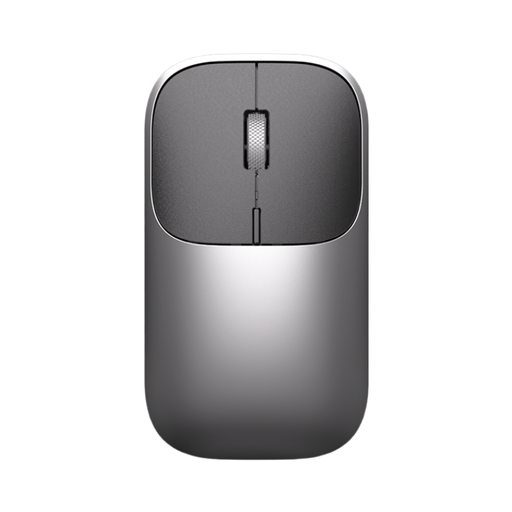
Bluetooth offers a way to keep a computer USB port free when your device supports it; the stated 2.4 GHz alternative uses a receiver. The product title also specifies adjustable DPI. If wall-socket access matters, check its battery or charging method before choosing it, along with device compatibility and scrolling.
A battery-powered wireless mouse does not occupy a wall socket while you use it. A rechargeable model still needs periodic charging, whereas an AA-powered model needs replacement batteries; check the exact model’s power method.
Use a mouse that explicitly supports Bluetooth with a compatible computer. A wireless mouse connected through a 2.4 GHz USB receiver still occupies a port, even if it uses no wall socket.
Not on its own. Check how the mouse fits your hand and whether its wheel gives you the control you want for individual rows and long charts; consider DPI in relation to your preferred pointer sensitivity.
Use an appropriate electronics-recycling or retailer take-back route rather than putting it in general waste. GOV.UK explains that UK rules on waste electrical and electronic equipment aim to reduce electrical waste; check which collection options are available to you.