Fixed-workstation checkout testers
If you repeat checkout checks on one desktop or laptop, a conventional wired USB mouse lets you work without pairing or managing a mouse battery.


Choose a wired USB mouse for repeated checks at one workstation, or a multi-device wireless mouse if you regularly move between compatible test machines. For longer manual sessions, hand shape and useful buttons may matter more, but an ergonomic design needs to suit your grip and any button-configuration software needs to work on your computer. A higher DPI figure does not tell you whether the checkout itself works correctly.
If you repeat checkout checks on one desktop or laptop, a conventional wired USB mouse lets you work without pairing or managing a mouse battery.
If your checks move between computers or operating systems, look at how many devices a mouse can connect to and which connection methods each machine supports.
If reproducing checkout issues involves extended form navigation and repeated actions, assess mouse shape and button placement alongside the connection method.
Start with where you test: one fixed computer, several machines, or long sessions with repeated navigation. Then check the connection and controls against that workflow.
| Concern | What to check | Who this matters to |
|---|---|---|
| Fixed-workstation control | Check for a wired USB connection and a cable that reaches comfortably across your desk. | If I run the same checkout checks at one computer, I want familiar controls without pairing or charging a mouse; roughly 40% of consumers put that straightforward fixed setup first. |
| Switching test machines | Check the supported number of paired devices, connection methods and operating systems. | When my tests move between machines, switching the mouse matters more than keeping it at one desk; around 30% of consumers prioritise that multi-device need. |
| Comfort and repeated navigation | Check handedness and shape, then confirm whether useful extra buttons can be configured on your workstation. | During longer sessions, I want a grip and controls that suit repeated form navigation; roughly 30% of consumers place comfort or shortcuts first. |
DPI relates to pointer movement, not whether form validation, payment steps or error handling behave correctly.
Choose pointer settings you can control comfortably, and test checkout behaviour through the relevant browsers, devices and test cases.
Logitech says the MX Anywhere 3S works with a Logi Bolt USB receiver, but that receiver is not included with its listed consumer version.
Check whether your test computer has Bluetooth and whether the exact variant you intend to buy includes the connection accessory you need.
Using a receiver with that version means obtaining a compatible one separately.
Razer describes the Pro Click V2 as right-handed with an extended thumb rest; that shape will not suit every hand or grip.
Check handedness, dimensions and the retailer’s return terms before choosing a specialised shape.
Dell specifies its Peripheral Manager software for the MS3220 as Windows-only. Moving the pointer and configuring programmable buttons are separate requirements.
If shortcuts are central to your testing routine, confirm software compatibility with the computer on which you will configure them.
Dell UK lists wired mice suited to both conventional controls and button-focused workflows.
Logitech UK positions the MX Anywhere 3S for use across compatible computers.
Razer positions the Pro Click V2 as a right-handed ergonomic wireless mouse with an extended thumb rest.
These mice cover three ways of approaching manual checkout-page testing: a wired mouse for one workstation, a vertical wireless design for repeated navigation, and a wireless mouse for moving between devices. Check each model against your test computers before choosing.
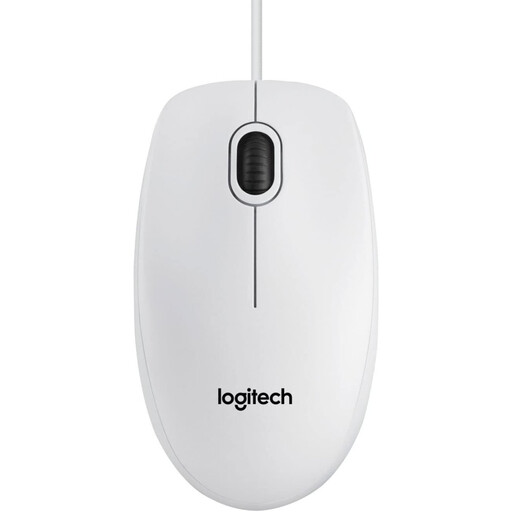 No image available
The wired USB connection suits a dedicated checkout-test workstation where you would rather avoid pairing and mouse-battery management. If mapped shortcuts are important, check whether this model offers the controls you need.
 No image available
Consider the vertical shape if grip is a priority during extended manual checks, but assess whether it fits your hand. The product name specifies six buttons and an adjustable 1600 DPI sensor; confirm compatibility with each test computer and check device-switching requirements separately.
 No image available
This is an option to assess when checkout testing moves between devices. Its product name specifies 2.4G+BT connectivity, adjustable DPI and one AA battery; confirm compatibility with every test platform you use and check which connection accessories come with the chosen variant.
Use wired USB if your checks stay at one computer and you want to avoid pairing and mouse-battery management. Wireless is worth considering when moving between compatible machines helps your workflow; check its pairing method, power requirements and any receiver you need.
No: a DPI specification concerns pointer control, not whether checkout validation, payment steps or browser behaviour work. Choose a controllable pointer setting and test the checkout flow itself with the relevant cases and devices.
For most qualifying online goods purchases, the statutory cancellation period ends 14 days after you, or a person you nominate other than the carrier, take physical possession of the goods, under the Consumer Contracts Regulations 2013. Check how to notify the seller and whether an exception applies; a retailer’s voluntary returns policy is separate from statutory cancellation rights.