Small-desk timetable comparers
If a laptop or compact keyboard leaves little room for a mouse, a slim shape may leave more usable space for notes, a phone or a ticket. Logitech and Lenovo both describe low-profile models relevant to this setup.


Choose a slim, compact mouse if desk space and switching between devices matter most; consider a fuller shape if you compare timetables for long sessions and need a fit that suits your hand. For dense rows and long results lists, look for both controlled and faster scrolling, but keep the mouse within easy reach rather than relying on its features to compensate for an awkward workstation layout.
If a laptop or compact keyboard leaves little room for a mouse, a slim shape may leave more usable space for notes, a phone or a ticket. Logitech and Lenovo both describe low-profile models relevant to this setup.
Comparing operators, dates and departure lists for an extended period makes hand fit, scrolling and mouse position important. Logitech offers size-specific Signature M650 variants, while the Health and Safety Executive advises keeping the mouse within easy reach.
If you move between a computer, laptop or tablet while planning a journey, check how many compatible devices a mouse can switch between. Logitech and Lenovo specify switching features for particular compact models.
Start with the space available beside your keyboard and the connection your devices need. Then decide whether hand fit or movement through long timetable pages is the more important trade-off.
| Concern | What to check | Who this matters to |
|---|---|---|
| Desk footprint | Compare the mouse’s shape and dimensions with the space beside your laptop or keyboard. Check device compatibility if you prefer a Bluetooth-only model. | If I need room for notes beside my laptop, I would put a compact shape ahead of a fuller grip; around 33% of consumers put desk space and portability first. |
| Hand fit | Look for a size and handedness option that suits you, and allow space to place the mouse within easy reach. | For extended route planning, I would rather have a shape that fits my hand than choose solely by size; roughly 27% of consumers prioritise sustained comfort. |
| Timetable navigation | Check whether the wheel offers controlled movement through individual rows as well as faster movement through long lists. | When I alternate between a particular departure and a long results page, scrolling control matters most; about 27% of consumers make navigation their primary concern. |
| Device connections | Confirm the switching method, operating-system compatibility and whether your intended connection requires a supplied receiver or an available port. | If I check plans across a laptop and another device, I want to switch without changing mice; around 13% of consumers put connection flexibility first. |
A low-profile mouse can free up desk space, but its shape may offer less palm support than a contoured design. Hand size and handedness also affect fit.
Assess compactness and comfort separately. If timetable comparison is a long, regular task, consider a size-specific or left-handed variant where available.
Connection options differ by model: some mice use Bluetooth only, while others also offer a 2.4 GHz receiver connection.
Check your computer’s Bluetooth capability, ports and operating system, then confirm the exact model’s connection modes and in-box accessories.
Scrolling modes and extra buttons do not remove the need to position a mouse comfortably. The Health and Safety Executive advises keeping it within easy reach and using it with a straight wrist.
Make room to use the mouse close to the keyboard. For prolonged laptop work, consider the position of the screen and keyboard as part of the whole setup.
Logitech describes the MX Anywhere 3S as compatible with a Logi Bolt receiver, but says that receiver is not included.
Check the in-box list for the exact model if you intend to use a receiver rather than Bluetooth.
Receiver-based use would require obtaining the compatible receiver separately.
These brands offer different mouse designs relevant to a small desk; the distinctions below apply to the named models, not every mouse each brand makes.
Its Pebble Mouse 2 M350s, Signature M650 and MX Anywhere 3S address different priorities: a slim shape, hand-size options and compact navigation features.
The Pro Plus Compact Mouse MS5120W is an option to examine when both Bluetooth and receiver-based wireless connection matter.
The 600 Bluetooth Silent Mouse is a low-profile option for either-handed use and switching between two Bluetooth devices.
The HP 430 Multi-Device Wireless Mouse is relevant if you want Bluetooth or a USB-A receiver connection and configurable controls.
These mice offer different starting points for a small desk: compact or low-profile shapes, connection choices, or adjustable pointer settings. Check the exact model’s scrolling behaviour and hand fit against the way you compare timetables.
 No image available
Consider this model if you want quiet clicks and a choice of wireless connections beside a laptop.
The product name specifies adjustable DPI and one AA battery. Check how its wheel handles individual timetable rows and long lists, and whether its shape fits your hand.
 No image available
Its low-profile shape is worth considering when you need mouse space beside a laptop and prefer quiet clicking.
Confirm the connection mode for this exact Pebble Mouse listing and your device; do not assume it has the three-device features of the separately named Pebble Mouse 2 M350s. Check the scroll feel if you regularly compare long lists.
 No image available
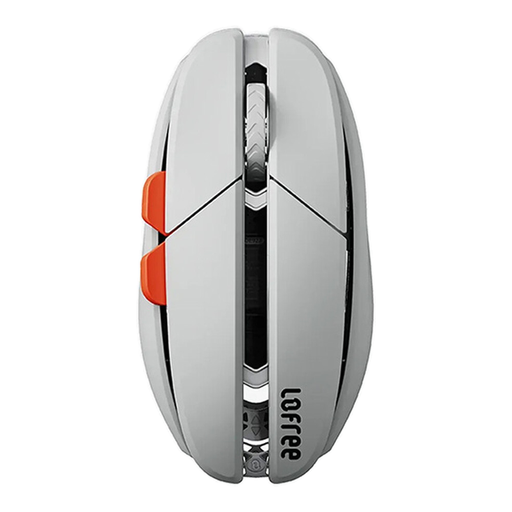
Consider its connection choices if you work across devices with different wireless or wired setups.
The named variant lists Bluetooth, 2.4G and wired modes, a magnesium-alloy frame and a PC shell. Check its dimensions against your desk space and its wheel behaviour against your timetable pages. The listing states that it is incompatible with Boot Camp dual-system mode on Mac devices.
 No image available
This model offers Bluetooth and 2.4G connection choices if your timetable work moves between device setups.
Its name specifies five DPI levels and an 800mAh battery. Check its dimensions, click noise and thumb-wheel behaviour if space or precise scrolling is a priority. The listing states that it is incompatible with Boot Camp dual-system mode on Mac devices.
 No image available
Consider this pocket-size, ambidextrous mouse if a receiver connection suits the laptop you use on a small desk.
The product name specifies a 2.4GHz nano receiver, four buttons and a 1600 DPI optical sensor. Check click noise, scrolling behaviour and hand fit if you expect long comparison sessions; the listing specifies Windows 10 and Windows 11 compatibility.
Choose a slim mouse when leaving room beside your laptop and storing the mouse easily matter most. If timetable comparison is a long seated task, consider a fuller shape that fits your hand, including a size-specific or left-handed variant where available.
A wheel with controlled and faster scrolling can help you move between individual departure rows and lengthy results lists. Logitech specifies both behaviours for the Signature M650 and MX Anywhere 3S; check the feel of the exact model you are considering.
Choose the connection your devices can use: Bluetooth avoids occupying a USB port, while a dual-mode mouse gives you a receiver option as well. Before ordering, confirm the port type, operating-system compatibility and whether the receiver is included with that exact model.
Keep it within easy reach and use it with a straight wrist. The UK Health and Safety Executive also advises positioning the mouse in line with the elbow; for prolonged laptop work, consider a separate keyboard and mouse so the screen can be positioned appropriately.