For repeated photo sorting, choose scrolling and assignable controls that work with your software; if hand fit or sideways reach matters more, compare a vertical mouse, a fixed-position trackball or a centred rollerbar. Apple’s Magic Mouse offers gestures for compatible Mac and iPad devices. Whichever design you choose, Health and Safety Executive guidance advises keeping the pointing device within easy reach and supporting the forearm where possible.
Who is this for?
Standing photo organisers
If you sort or select many images at a standing desk, scrolling, cursor travel and access to repeated actions may matter most. Health and Safety Executive guidance also makes the position of the mouse relative to the keyboard worth checking.
Comfort-first long-session users
If hand fit and reaching across the desk take priority over extra controls, compare a vertical mouse, trackball or centred pointing device against your hand size and keyboard layout.
Mac gallery browsers
If you prefer swiping and scrolling while browsing images, Apple’s Magic Mouse is an option for a Mac or iPad that meets its operating-system requirements.
What matters when choosing?
For photo-gallery work at a standing desk, identify the action that most interrupts your work, then check hand fit, desk position and device compatibility.
| Concern |
What to check |
Who this matters to |
| Gallery navigation and repeated actions |
Check scrolling in your photo application and whether its repeated commands can be assigned to mouse controls. |
If I spend much of a gallery session sorting images and switching between lists, I want quick access to repeated actions; roughly 31% of consumers put workflow controls first. |
| Comfort and hand fit |
Check grip size and handedness, and whether you can keep the mouse close with your forearm supported, as the Health and Safety Executive advises. |
During long standing sessions, I need a grip that fits without stretching my arm or raising my shoulder; about 31% of consumers prioritise hand fit and comfort. |
| Sideways reach and desk space |
Measure space beside and in front of the keyboard before choosing a fixed-position trackball or centred rollerbar. |
When moving a mouse sideways crowds my keyboard area, I would rather keep pointing control in a fixed or central position; around 23% of consumers make reduced sideways reach their main concern. |
| Mac and iPad gestures |
For Apple’s Magic Mouse, check for macOS 15.1 or later on Mac, or iPadOS 18.1 or later on iPad. |
For browsing images on my Mac or iPad, I want swipes and scrolling that work with my device; roughly 15% of consumers place compatible gestures first. |
Buying pitfalls
-
Choosing a vertical mouse just because the desk is raised
A standing desk does not establish that an upright grip fits your hand. Logitech positions Lift for small to medium hands, while Health and Safety Executive guidance also calls attention to mouse reach, wrist position and forearm support.
Check hand size, handedness and whether your forearm can rest comfortably at your usual desk height.
-
Assuming programmable controls will suit your photo software
Logitech’s MX Master 4 offers optional customisation through Logi Options+, but a control is useful for gallery work only if it can perform an action you actually repeat in your application.
Identify a few frequent sorting or navigation actions, then check operating-system and application support before relying on assigned shortcuts.
-
Overlooking the space needed for a low-reach device
Contour Design lists RollerMouse Red at 16.14 inches wide. A trackball stays in place but uses a different control technique from a conventional mouse.
Measure the clear area in front of your keyboard and check how the device connects before deciding which layout fits your workstation.
Brands to consider
Logitech
Logitech’s MX Master 4 represents the configurable-controls route, while Lift offers a vertical shape aimed at small to medium hands.
- Logitech lists an Actions Ring, MagSpeed scrolling and optional Logi Options+ customisation for MX Master 4; Lift comes in right- and left-handed versions.
- Check software support before relying on MX Master 4 shortcuts. Lift’s stated hand-size range should not be assumed to fit larger hands.
Kensington
The Expert Mouse Wireless Trackball K72359WW offers pointing control while the device remains in one place.
- Kensington lists a finger-operated ball, scroll ring, four customisable buttons and an ambidextrous layout.
- Kensington positions this model for average to larger hands; its TrackballWorks customisation on Mac requires the 2.4 GHz connection.
Contour Design
RollerMouse Red places pointing control centrally in front of the keyboard rather than beside it.
- Contour Design lists a central rollerbar, seven programmable shortcuts and 600–2,800 DPI adjustment.
- Its listed width of 16.14 inches calls for clear space in front of the keyboard; assess fit without treating the brand’s comfort claims as a personal outcome.
Apple
The USB-C Magic Mouse offers Multi-Touch swiping and scrolling for compatible Mac and iPad devices.
- Apple lists a rechargeable Multi-Touch surface for gesture-based navigation.
- Check the stated operating-system requirements; its low-profile shape is not an upright-grip alternative to a vertical mouse.
Joybuy mouse options
These mice offer conventional pointing options for gallery browsing and repeated navigation at a standing desk. Compare their controls and connection needs alongside the hand fit and desk layout discussed above.
 No image available
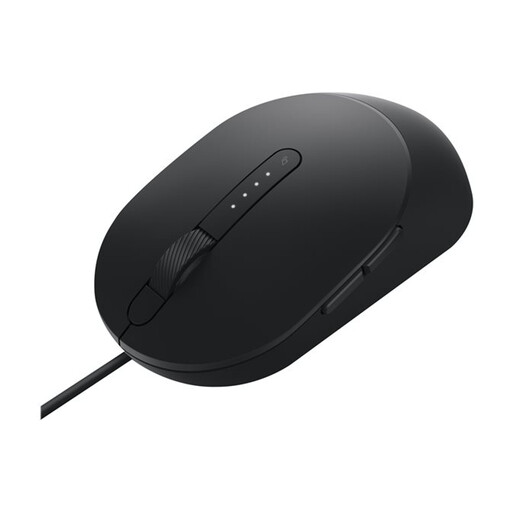
Dell MS3220 Laser Mouse
Consider this laser mouse if scrolling through image lists and accessing repeated commands are priorities. Check shortcut assignment in your photo application, as well as hand fit and Mac compatibility if relevant.
View on Joybuy
 No image available
Logitech MX Master 3S Ergonomic Black
Consider it when long image lists and repeated gallery actions make scrolling and configurable controls important. Before planning shortcuts, confirm Logi Options+ support for your operating system and photo software, and check the shape against your hand and desk setup.
View on Joybuy
 No image available
RAPOO Mice-MT760L-LG
Consider it if scrolling and repeat actions are central to your gallery workflow. Check the exact shape and hand fit rather than assuming a vertical grip; cross-computer cursor switching requires a driver and computers on the same Wi-Fi or Ethernet network.
View on Joybuy
 No image available
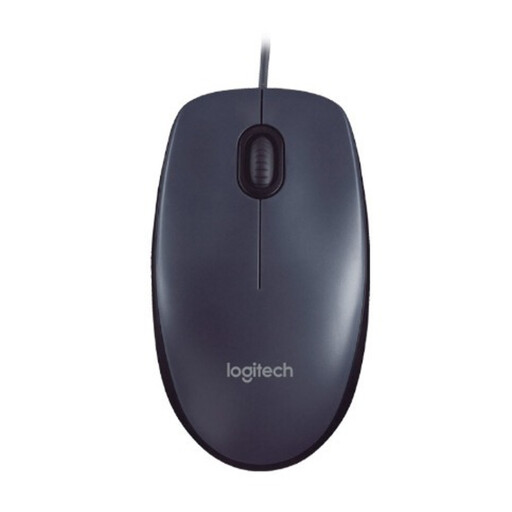
Logitech M91P Wired Mouse
Its wired design is an option for basic gallery browsing when assigned shortcuts are not your main requirement. Check the supported operating system, DPI settings and hand fit for your workstation.
View on Joybuy
Common questions
Does UK law require a particular mouse for standing-desk work?
No particular mouse type is prescribed in the cited Health and Safety Executive guidance. For workers who use display screen equipment daily, continuously for an hour or more as part of normal work, the HSE says employers must assess the workstation, the work and individual requirements.
Will a different mouse alone address discomfort at a standing desk?
Not necessarily. Health and Safety Executive guidance advises keeping the mouse within easy reach, using it with a straight wrist and supporting the forearm where possible; review desk height and keyboard position alongside mouse fit.
Should I check hand size before choosing Logitech Lift?
Yes, particularly if you have larger hands: Logitech describes Lift as suited to small to medium hands. Select the appropriate left- or right-handed version and check its fit at your desk.
Can I use Apple’s Magic Mouse on any computer?
No. Apple lists the USB-C Magic Mouse for a Mac running macOS 15.1 or later or an iPad running iPadOS 18.1 or later, so confirm your device and operating-system version before choosing it for gallery browsing.


