
24/7 Customer Support

Free returns

Same-day & Next-day Delivery

Quality Guaranteed

Unlock Your Welcome Offers: FREE Delivery | Up to 80% OFF | Free 30-day JoyPlus trial
Download the APP
Selecting the correct power supply unit (PSU) is a critical step in any PC build. It’s the component that powers every part of your system, from the processor to the graphics card. A mismatched or low-quality PSU can lead to instability, poor performance or even damage to your components. This guide is designed to help you understand the key factors in choosing an MSI power supply, ensuring you find a reliable and efficient unit for your specific needs, whether you're building an affordable office machine or a high-performance gaming rig.
As a Joybuy Product Recommendation Officer, my role is to provide clear, practical advice to help you make an informed decision. Let's look at what matters when selecting your next PC power supply unit.
Navigating the technical specifications of a power supply can be confusing. Here are three key considerations to simplify the process.
The most important factor is ensuring your PSU can deliver enough power to all your components. You can estimate your required wattage by adding the power consumption of your CPU and graphics card (the two most power-hungry parts) and then adding about 100-150 watts for other components and to provide a comfortable overhead.
The 80 PLUS certification indicates how efficiently a PSU converts AC power from your wall outlet to DC power for your components. A higher rating means less energy is wasted as heat, leading to lower electricity bills and a cooler, quieter system.
The cables on a PSU can significantly impact your build's neatness and airflow.
For future-proofing, look for an ATX power supply that supports the latest standards. An ATX 3.0 and PCIe 5.0 PSU is designed to handle the high power excursions of next-generation graphics cards, ensuring your system is ready for future upgrades.
Here are our recommendations for MSI PSUs, catering to a range of builds and budgets.
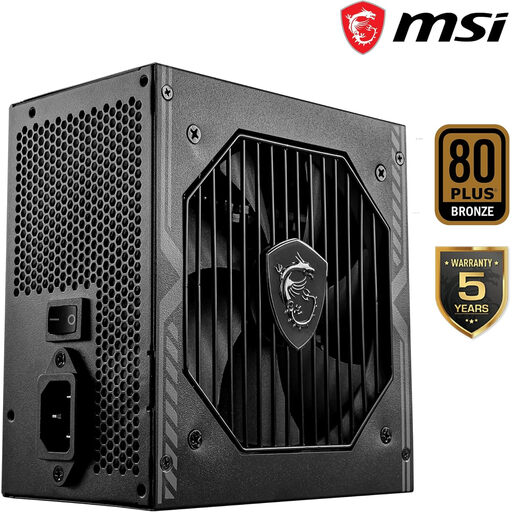
Why It Stands Out: The MAG A550BN is a practical and reliable choice that focuses on delivering stable power without unnecessary frills. Its non-modular design simplifies installation for first-time builders, and its efficiency is well-suited for everyday computing tasks.
Pros:
Who is it for? This MSI PSU is ideal for those building affordable systems for office productivity, web browsing, home media centres or entry-level 1080p gaming.
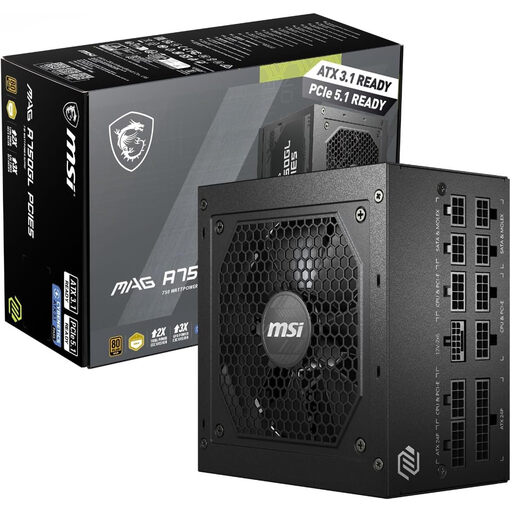
Why It Stands Out: The MAG A750GL hits the sweet spot for the majority of PC builders. It combines high efficiency, full modularity and future-proof standards, making it a versatile foundation for a powerful gaming PC power supply.
Pros:
Who is it for? This is an excellent choice for mid-to-high-performance gaming rigs and professional workstations that require stable power and clean aesthetics. It's perfect for builders who want a capable PSU that will support current and next-generation components.
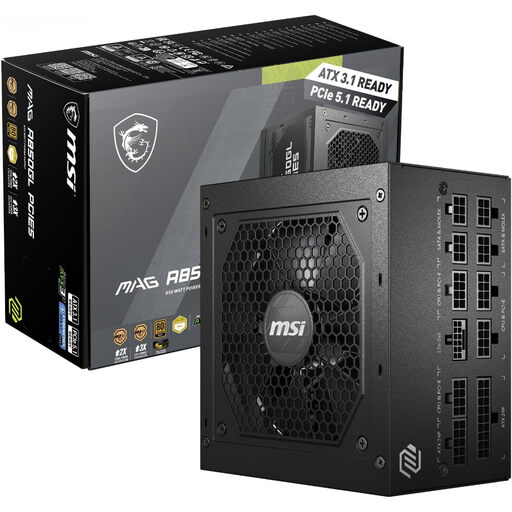
Why It Stands Out: For those pushing the limits of performance, the MAG A850GL provides the high wattage and robust features needed to power a top-tier system. Its support for the latest standards ensures it can handle the most demanding hardware on the market.
Pros:
Who is it for? This PSU is aimed at PC enthusiasts, hardcore gamers and content creators building high-end systems with flagship CPUs and GPUs. If you plan on overclocking or want significant headroom for future upgrades, this is the power supply to consider.
If these specific models don't quite fit your build's requirements, or if you're exploring different wattages and features, there are many other power supplies to consider.
Explore our complete collection to find the perfect match for your system in our Components & Replacement Parts category.
1. Is an MSI power supply good for a gaming PC? Yes, MSI offers a wide range of power supplies suitable for gaming. Models like the MAG A750GL and A850GL are specifically designed as a gaming PC power supply, featuring high efficiency, robust protection circuits and support for the latest PCIe 5.0 graphics cards, making them excellent choices for modern gaming rigs.
2. What is the difference between a modular and non-modular MSI PSU? The difference lies in the cables. A non-modular PSU (like the MAG A550BN) has all its cables permanently attached. A fully modular power supply (like the MAG A750GL and A850GL) allows you to connect only the cables your system requires. This reduces case clutter, improves airflow and makes the building process cleaner and easier.
3. How do I know what wattage MSI PSU I need? To determine the right wattage, you should check the recommended power supply requirements for your main components, particularly your graphics card and CPU. For a general guideline, a 550W PSU is suitable for basic builds, a 750W PSU is ideal for most gaming systems and an 850W PSU is recommended for high-end, enthusiast-level PCs. Always choose a PSU with slightly more wattage than your calculated total to ensure stability and provide room for future upgrades.