
24/7 Customer Support

Free returns

Same-day & Next-day Delivery

Quality Guaranteed

Unlock Your Welcome Offers: FREE Delivery | Up to 80% OFF | Free 30-day JoyPlus trial
Download the APP
Charging a phone, smartwatch, earbuds, tablet and laptop can quickly turn a desk or bedside table into a tangle of cables. A multi-device charger promises to simplify the setup, but not every charging stand or power solution suits every device.
The main buying mistakes usually come from three marketing traps:
A practical choice starts with your devices, charging habits and available space rather than the largest number printed on the box.
For a 3-in-1 wireless charger, check exactly which devices it supports. Common configurations include:
Qi-compatible phones and earbuds cases can often charge on a suitable wireless pad, but smartwatch charging requirements vary. Some models need a specific magnetic charging area, while others must connect through USB.
Magnetic alignment can make placement easier, particularly for compatible phones. However, a magnetic ring or compatible case may be required for older or non-magnetic devices. Always confirm the product description before assuming that an Apple or Android device will charge in every position.
A fast USB-C charger or GaN wall charger is generally more suitable for tablets and laptops than a low-output wireless pad. Wattage should be considered in two ways:
For example, a 100W or 140W USB-C charger may support several devices, but the available power can be divided between ports. A laptop may also need a compatible USB-C Power Delivery cable to receive higher output.
Wireless charging speeds are similarly dependent on the phone, charger, alignment and supplied power adapter. A stated 15W wireless output does not mean every handset will charge at 15W.
For UK homes and offices, check whether the product includes a UK plug charger or requires a separate adapter. Products supplied with an EU plug may need a suitable UK-compliant adaptor, which can add bulk and cost.
Look for clear safety information covering over-current, over-voltage, short-circuit and temperature protection. A stable base is also important for a desktop charging station. The charger should not slide when a phone is lifted or placed down.
Keep charging equipment in a dry, ventilated area. Do not place metal objects on wireless charging surfaces, cover a wall charger while it is operating or use a damaged cable or casing.
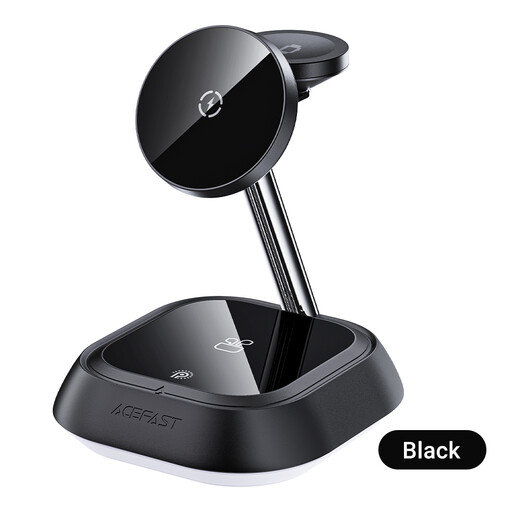
Why This Fits Their Persona: A straightforward choice for users who want one compact stand for a wireless phone, TWS earbuds and Apple Watch at home or in a study area.
It identifies separate charging areas rather than relying on one generic pad. It does require a USB-C power adapter with sufficient power for three devices.
Dedicated phone, TWS and watch positions; magnetic alignment for the watch area; one organised desktop footprint.
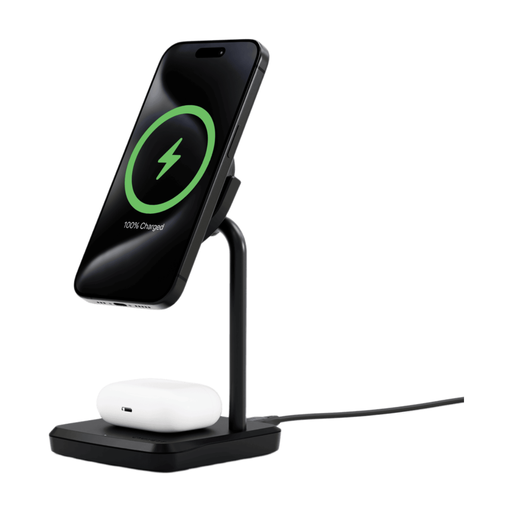
Why This Fits Their Persona: Suitable for a tidy bedside table or office where a phone and earbuds are the main daily charging requirements.
The two outputs are clearly specified as up to 15W for the phone and 5W for earbuds, helping set realistic expectations.
Qi2.0 charging; 80-degree swivel head; weighted non-slip base; supplied USB-C cable and MagRing.
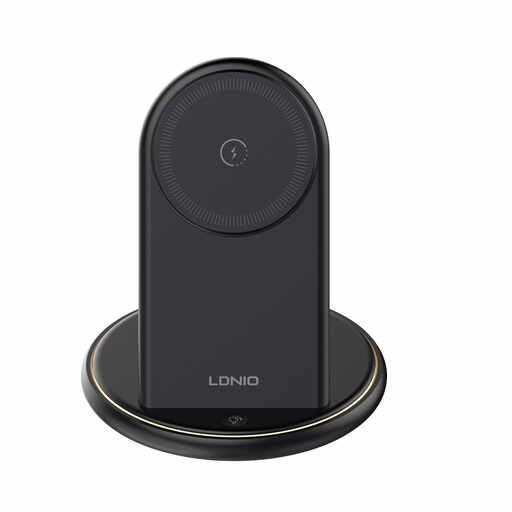
Why This Fits Their Persona: Designed for professionals, students and shared desks where several phones, earbuds or USB accessories may need power at the same time.
Its five-device layout is described by charging method: three wireless positions and two USB-A ports, rather than presenting five identical fast-charge outputs.
Up to 15W wireless phone charging; two USB-A ports; upright viewing angle; over-current, over-voltage, short-circuit and temperature protection.
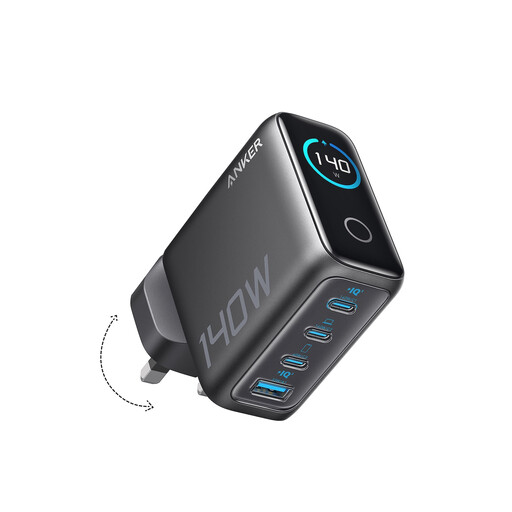
Why This Fits Their Persona: A practical option for people charging a laptop, phone, tablet and smaller USB-C devices from one wall outlet at home, in an office or while travelling.
Four ports and a stated 140W maximum make it easier to compare against actual wired charging needs. Output distribution still depends on which ports are used.
Four-device charging; dual high-speed USB-C ports; GaN construction; display showing charging status, temperature and port details.
We have compiled a complete, real-time list of products that fully satisfy these strict selection criteria and UK safety regulations.
Electricity use depends on charging time, power draw and your tariff. A higher-wattage charger does not automatically consume its maximum rating continuously; connected devices request power according to their needs. Unplugging unused adapters and avoiding unnecessary overnight accessories can reduce standby consumption.
For longer service life:
A wireless charging stand is convenient for phones and earbuds, while a USB-C fast charger is more suitable for laptops and tablets. Some households may benefit from both rather than forcing every device onto one charging format.
It can be, provided the phone supports the relevant wireless or USB charging standard. Qi-enabled devices may work with compatible wireless pads, while magnetic alignment features can require a compatible case, ring or built-in magnet. Check the phone, earbuds and smartwatch requirements individually.
The difference is usually linked to charging time, efficiency and standby draw rather than the number of devices alone. A single suitable charger can reduce the number of adapters left plugged in, but a high-wattage unit still uses power according to demand. Switching off unused chargers is a simple way to limit standby use.
Only if the charger provides sufficient USB-C Power Delivery output and you use a suitable cable. Check the laptop’s required wattage and the charger’s output when other ports are occupied. A multi-device charging station designed mainly for phones and earbuds may not provide enough power for a laptop.