
24/7 Customer Support

Free returns

Same-day & Next-day Delivery

Quality Guaranteed

Unlock Your Welcome Offers: FREE Delivery | Up to 80% OFF | Free 30-day JoyPlus trial
Download the APP
A single socket often has to serve a phone, tablet, laptop, lamp and several desk accessories. That is why multi-port USB chargers and hubs are useful for UK homes, home offices, student rooms and travel. However, a high port count does not automatically mean better value.
Before buying, watch for three common traps:
The right choice depends on whether you need faster charging, more laptop connections, extra mains sockets or a compact travel power adapter.
For phones and smaller accessories, a compact dual-port charger may be sufficient. The ACEFAST A8, for example, is listed with 32W PD output and two charging ports, making it suitable for everyday devices where portability matters.
For laptops and higher-demand equipment, look for USB-C Power Delivery (PD). A 65W USB-C charger can suit many laptops, tablets and phones, although the actual requirement varies by device. A 140W USB charger is designed for a higher power ceiling, but the connected device must also support the relevant charging input.
Check:
A GaN USB charger can offer a compact design and efficient power conversion, but GaN alone does not tell you the exact charging speed or safety performance. The published output specifications remain important.
A 4-port USB hub is primarily for connecting peripherals. The Targus model listed here provides four USB-A ports, supports USB 2.0 speeds of up to 480 Mbps, and is bus-powered through the laptop. That makes it appropriate for devices such as keyboards, mice, basic flash drives and printers.
A USB-C 7-in-1 hub offers broader expansion. Depending on the model, it may include HDMI, USB-A data ports, SD and TF card slots, plus a USB-C PD input. These connections are useful for remote workers, students and photographers who need a laptop connectivity hub.
Do not assume that a hub’s USB-C PD port charges the laptop by itself. The Baseus Metal Gleam model, for example, requires a separate power supply connected to its PD input for laptop charging. HDMI resolution, refresh rate and data speed should also be checked against your laptop and monitor.
A UK multi-socket adaptor should be rated for the intended load. The Morrisons 3 WAY ADAPTOR PLUG WITH USB is specified for 13A maximum, with a maximum power rating of 3250W and two shared USB charging ports. Its USB output is listed as 5V DC, 2.1A maximum, so it is more suitable for everyday USB charging than high-speed laptop power delivery.
An EU plug power adapter is not automatically suitable for UK wall sockets. Confirm the plug standard before purchase and use only a suitable, compliant travel adaptor where necessary. Never exceed the stated current or wattage, and do not daisy-chain adaptors.
For products combining sockets and USB charging, useful features may include shutters, overload protection and a flame-retardant housing. These features reduce certain risks but do not replace correct use, ventilation and adherence to the product instructions.
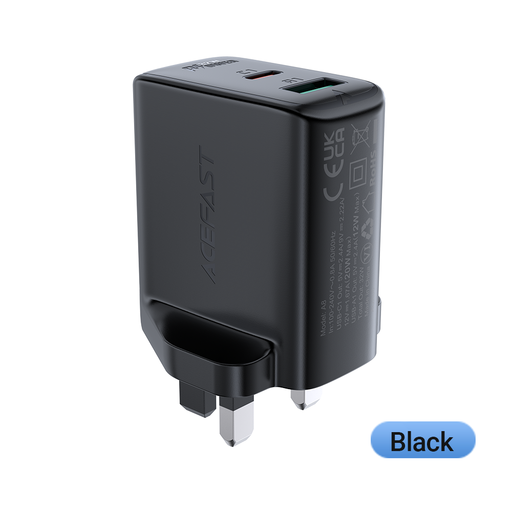
Why This Fits Their Persona: A practical option for charging a phone and a second personal device from a standard UK socket without carrying a large desktop charger.
Its stated 32W output and two-port layout make the charging capacity clearer than relying on an unspecified port count.
UK plug format; two charging ports; 32W PD output listed.
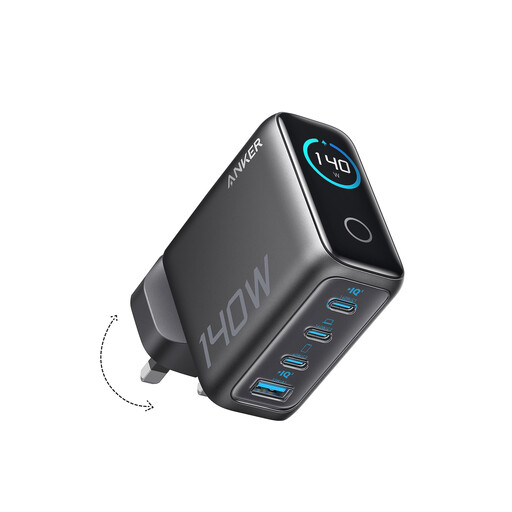
Why This Fits Their Persona: Suits users who regularly charge several devices, including compatible laptops, tablets and phones, from one desktop location.
The product listing identifies four ports, two USB-C ports and a 140W maximum output, giving buyers more detail than a generic “fast charger” label.
GaN design; four-device charging; display showing charging information is listed.
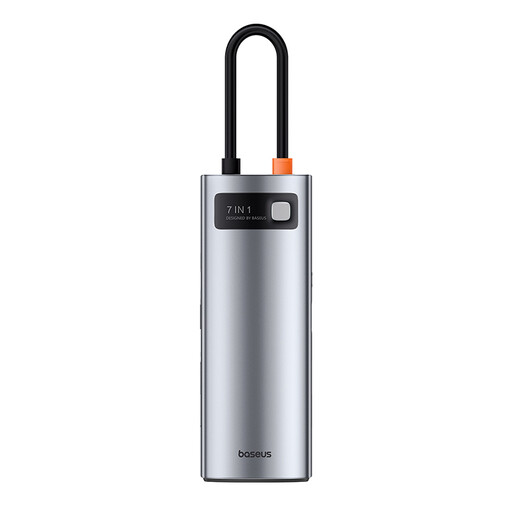
Why This Fits Their Persona: Designed for laptop users who need monitor output, USB accessories and SD or TF card access from one USB-C connection.
Its port list separates HDMI, USB-A data, card slots and PD input, while clearly noting that an additional power supply is needed for laptop charging.
Seven-in-one layout; HDMI up to 4K at 60Hz; USB 3.0 data ports listed at up to 5Gbps.
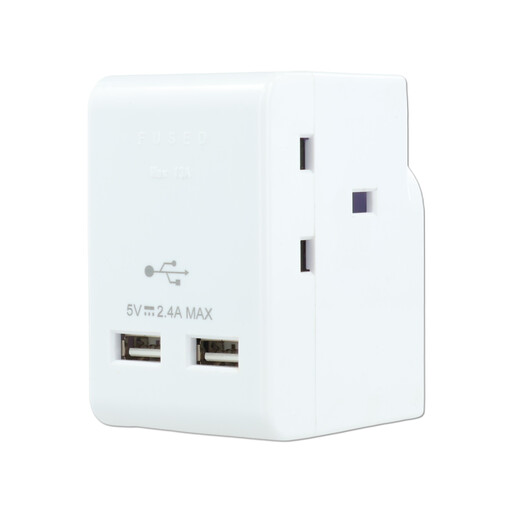
Why This Fits Their Persona: Useful where one UK wall socket needs to power several standard appliances alongside low-power USB devices.
The stated 13A, 3250W and shared 2.1A USB limits help set realistic expectations and discourage overloading.
Three UK sockets; two USB ports; compact plug-in format.
We have compiled a complete, real-time list of products that fully satisfy these strict selection criteria and UK safety regulations.
They can reduce the number of plugged-in power supplies and simplify cable management, but running cost depends on the devices connected, charging time and standby consumption. Compare the charger’s specifications and unplug it when it will not be used for extended periods.
Not necessarily. Many bus-powered hubs draw power from the laptop and are intended for data peripherals. A hub with USB-C PD pass-through may support laptop charging when connected to a suitable external charger, but check the product’s input and output requirements first.
Lifespan depends on heat, dust, cable strain, socket loading and frequency of use. Keep chargers ventilated, avoid covering them, do not exceed their ratings and replace any unit showing cracks, unusual heat, smoke or a damaged cable. Always follow the supplied instructions and check the product label before use.