What should you check first?
Identify where and when the connection struggles, then choose a way to reach those rooms that fits the home’s layout and available wiring.
| Priority |
What to check |
Your needs |
| Room coverage |
Compare Wi-Fi near the router with the weak rooms. Check its position, the distance between rooms and intervening walls before deciding whether one router, mesh nodes or wired access points are needed. Ofcom notes that brick internal walls can make coverage harder. |
I get a usable connection near the router, but it weakens upstairs or in rooms farther away. |
| Device activity |
Note whether slowdowns happen during simultaneous streams or large downloads, as Ofcom advises. Separate those periods from problems confined to particular rooms; new in-home equipment does not increase the broadband line’s speed. |
Several of us use connected devices at once, and I need to know whether the slowdown follows that activity or where a device is located. |
| Wired connections |
Check which rooms have Ethernet and whether the intended mesh units support wired backhaul. An access point needs an Ethernet connection to the network; a switch can add ports where needed. |
I can reach a weak room with cable and would rather feed Wi-Fi there through a wired connection than rely on a wireless link between nodes. |
| Powerline suitability |
Confirm the intended sockets are on the same electrical circuit. TP-Link says the advertised powerline rate is a physical-layer maximum, not the throughput a household will receive; wiring and interference affect the result. |
Running Ethernet is difficult, so I want to assess whether the home’s electrical wiring could carry a connection to the weak room. |
| Ongoing support |
Check the manufacturer’s security-update information for the exact connected device and confirm that its supply details suit the relevant UK market. |
I want to know how the equipment will be supported before adding it to the household network. |
Relevant brand references
These brands illustrate different equipment routes; the features described need checking on the exact model and variant.
TP-Link
Its Deco mesh range, compatible router equipment and powerline adapters are relevant to several ways of extending a home network.
- TP-Link describes Ethernet backhaul for compatible Deco units and says wired and wireless backhaul can be mixed; check the model and operating mode before planning the wiring.
- TP-Link says powerline adapters need a suitable electrical circuit and that advertised rates are not actual throughput.
NETGEAR
Its router and Orbi mesh ranges provide examples of single-router and router-plus-satellites setups.
- NETGEAR describes Ethernet backhaul for some Orbi arrangements; check support on the precise system being considered.
- Confirm the supplied units, ports and update information for the exact model rather than assuming every Orbi configuration is alike.
devolo
Its powerline range is relevant when a household is considering existing electrical wiring as a route to another room.
- devolo describes adapters that carry a network connection over household electrical wiring.
- Check circuit suitability and performance in the intended home rather than assuming the advertised connection will work equally well in every installation.
Joybuy options for multi-room networks
These options cover mesh systems for several rooms, a powerline Wi-Fi kit for a room that is difficult to cable, and a switch for adding wired connections. A switch needs separate Wi-Fi equipment to improve wireless coverage.
 No image available
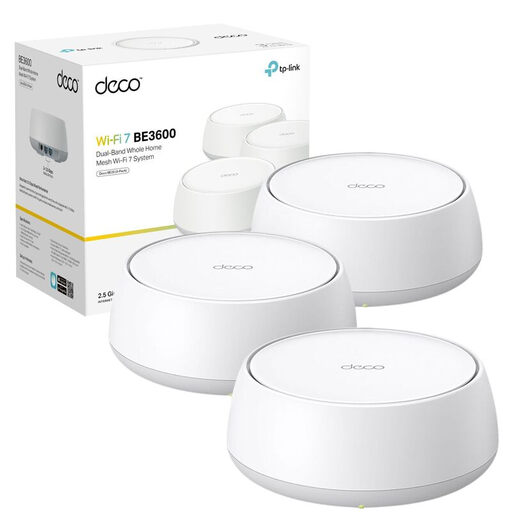
TP-Link Deco BE22 (3-Pack) BE3600 Wi-Fi 7 mesh system
This three-unit mesh system is an option when Wi-Fi needs to reach several rooms. Plan node positions around the home’s layout, and check the exact version’s UK-market suitability and security-update information.
View on Joybuy
 No image available
TP-Link Deco BE25 Wi-Fi 7 mesh system (3-Pack)
This three-unit mesh option is relevant when several rooms need coverage. If you plan to connect its units by Ethernet, confirm the exact model’s wired-backhaul mode and wiring requirements before buying.
View on Joybuy
 No image available
NETGEAR Orbi 370 RBE373 Wi-Fi 7 mesh system, 3-Pack
This dual-band BE3600 system is a three-unit option for multi-room Wi-Fi; its product name also specifies 2.5Gbps Ethernet. Check whether this exact model supports the wired-backhaul arrangement you intend to use, and plan unit positions for the home’s construction.
View on Joybuy
 No image available
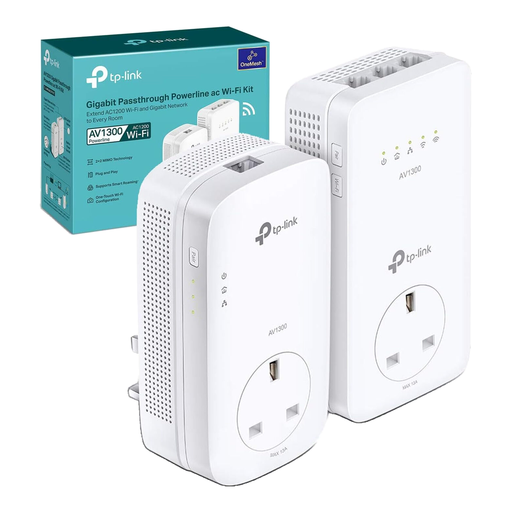
TP-Link TL-WPA8631P KIT AV1300 powerline Wi-Fi extender
This powerline Wi-Fi kit is an alternative when running Ethernet to a weak room is difficult. Check that the intended sockets are on the same electrical circuit; AV1300 is an advertised powerline rate, not a promise of household throughput.
View on Joybuy
 No image available
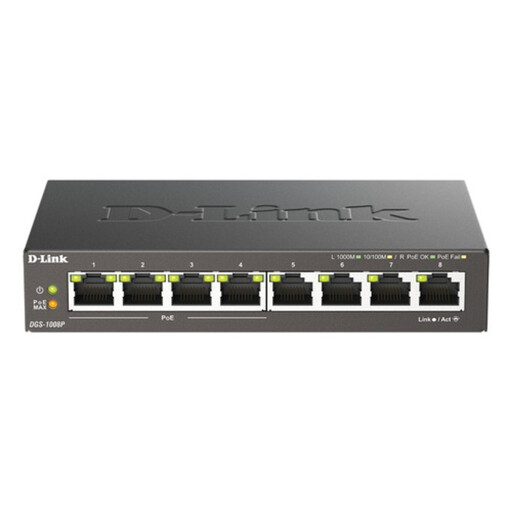
D-Link 8-port Gigabit PoE unmanaged desktop switch
This switch can add wired ports where Ethernet cabling already reaches network equipment. It does not provide Wi-Fi by itself: extending coverage requires a separate access point or compatible mesh equipment, with power requirements checked for any PoE-connected device.
View on Joybuy
Frequently asked questions
How can I tell whether the problem is Wi-Fi or my broadband connection?
Compare the connection close to the router and in the problem room, then note whether slowdowns happen when other devices are busy. If the connection itself is unreliable even close to the router, check for a provider fault before buying equipment to extend in-home Wi-Fi; Ofcom advises checking both service problems and data-hungry household activity.
When is Ethernet backhaul worth considering for mesh?
Consider Ethernet backhaul when cable already reaches the floors or rooms where mesh units would sit, particularly if a wireless link between units is unreliable. Confirm wired-backhaul support and the required wiring arrangement for every intended component; TP-Link’s guidance applies to compatible Deco units, not every mesh system.
Can a wired access point replace a mesh node?
A wired access point can provide local Wi-Fi where an Ethernet cable reaches the weak area. RS describes access points as connecting to a wired router or switch; check cabling and power requirements before choosing one instead of a wireless mesh node.
Will a powerline kit work between any two rooms?
No: TP-Link says its powerline adapters must be on the same electrical circuit to communicate. It also explains that actual throughput depends on household wiring and interference, so the advertised AV rate should not be treated as the speed available in either room.
What support information should I check on new network equipment?
Check the manufacturer’s security-update information for the exact router, mesh unit or Wi-Fi-capable adapter, along with its supply details for the relevant UK market. This helps distinguish ongoing support for the model you intend to connect from features listed for a broader product range.


