Occasional community-fundraiser organiser
You print a limited batch of A4 ticket sheets for an event and want to scan or copy paperwork on the same device. Check that the printer accepts your chosen ticket paper before settling on a compact model.


Choose a multifunction printer by checking the paper path against your intended ticket sheets before comparing capacity and print speed. An A4 model can suit occasional sheets; recurring batches make paper capacity and refillable ink more relevant, while A3 printing is worth considering only if your layouts or other event materials need larger sheets. Check the rules for your type of raffle separately from the printer choice.
You print a limited batch of A4 ticket sheets for an event and want to scan or copy paperwork on the same device. Check that the printer accepts your chosen ticket paper before settling on a compact model.
Regular draws or several batches make paper reloads, ink refills and document handling more consequential. Compare capacity and stated speed alongside the feed path you would use for ticket stock.
You need larger ticket layouts, posters or signs as well as ordinary paperwork. Check how the printer feeds larger sheets: A3 printing does not necessarily mean every tray handles A3 or ticket card.
Settle on the ticket sheet and layout first, then compare the amount of paper handling your print runs will require.
| Concern | What to check when buying | Who this matters to |
|---|---|---|
| Ticket stock and wording | Check the exact sheet size, weight, coating and perforation against the model’s permitted media and feed path. Leave room in the design for any information required for your type of raffle. | If I am printing on card or pre-perforated sheets, I need them to feed reliably and the ticket details to remain readable. Around 42% of consumers put ticket-stock compatibility and required information first. |
| Repeat batches | Compare paper capacity, refillable-ink arrangements and stated print speed; allow for proof sheets and reprints when planning a run. | When I print tickets regularly, stopping to reload paper or deal with ink interrupts the job. Roughly 33% of consumers prioritise the demands of repeat runs. |
| Sheet size and other event work | Confirm the maximum print size and which feed accepts larger sheets; check scan and copy sizes separately if you need those functions. | If the same printer must produce larger ticket layouts or event signs, A4-only output may limit what I can make. About 25% of consumers place format and wider event work first. |
Requirements depend on the type of raffle or lottery. The Gambling Commission distinguishes incidental lotteries at events from small society lotteries, which require registration with the local licensing authority.
Identify the type of draw before finalising ticket wording or printing the full run, and check the Gambling Commission guidance that applies to it.
A tray’s capacity does not establish whether it accepts coated, heavy or pre-perforated ticket sheets. Those sheets may need a different feed path from ordinary paper.
Match your exact stock to the printer’s media and feed specifications, then print a small proof batch before numbering the full run.
Manufacturer page-yield figures describe defined document-printing conditions. A ticket design with dense colour, logos or repeated proofs can use ink differently.
Use stated yields for planning rather than as a promise for your design, and include proof sheets and reprints in your print-run estimate.
A3 output adds a larger-format capability, but it does not establish that a printer accepts your chosen ticket stock or feeds it from the everyday tray.
Choose an A3-capable model when larger ticket sheets, posters or signs are part of your workflow; otherwise, concentrate on A4 media handling.
Brother UK lists both the A4 DCP-T580DW ink-tank multifunction printer and the A3-capable MFC-J5955DW, covering different sheet-size and paper-capacity needs.
Canon UK positions the MAXIFY GX6050 as a refillable-tank multifunction printer with a 250-sheet cassette and 100-sheet rear tray.
Epson United Kingdom lists the A4 EcoTank ET-5800 and the ET-15000, which prints A3 through a rear media feed.
These options span occasional A4 ticket sheets, recurring A4 runs and event work that may need A3 output. For every model, check the exact ticket stock against its permitted feed route before committing to a full print run.
 No image available
Consider this for recurring A4 ticket batches when you also need to scan or copy event paperwork. Confirm which feed accepts your chosen card or pre-perforated sheets.
 No image available
An option for occasional A4 ticket sheets when print, scan and copy functions are useful. Brother UK specifies a 150-sheet tray and one-sheet manual feed for this model; check the permitted weight and feed route for your exact ticket stock.
 No image available
Consider this A4 option if recurring ticket runs and scanning or copying event paperwork are both part of the job. Check the accepted ticket-paper type, weight and feed route before choosing your sheets.
 No image available
Consider this model if larger ticket layouts or other A3 event materials are part of your plans. Confirm the feed path and permitted stock for the particular sheets you will print.
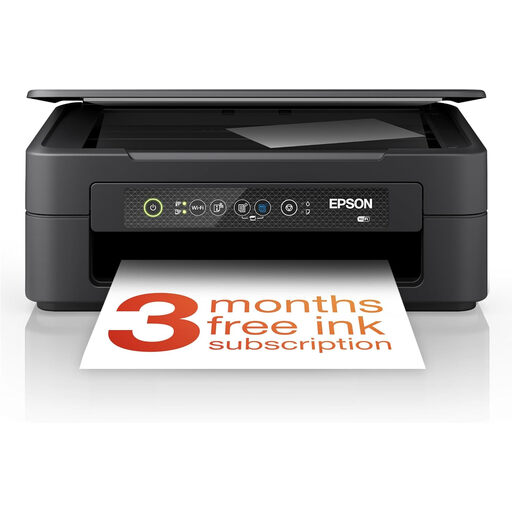 No image available
An option to assess for small A4 ticket runs that also call for scanning or copying. Check the supported weight and feed route for your exact card or pre-perforated sheets.
No: establish the type of raffle or lottery before finalising the ticket. The Gambling Commission says tickets for a society lottery registered with a local authority must state the society’s name; check its ticket-information guidance for the other details applicable to that lottery type rather than assuming event raffles follow identical rules.
The Gambling Commission says a small society lottery does not need its licence, but it must be registered with the local licensing authority. That answer applies to the small-society-lottery route, not automatically to every raffle; identify your draw type before designing or printing tickets.
No printer should be assumed to accept every ticket sheet. Check the exact model’s supported media, weight range and feed path against your card or pre-perforated stock, then print a proof sheet before the full numbered batch.
Print on both sides only if your design needs the reverse and the printer permits duplex printing with your chosen stock and feed path. An automatic duplex feature for ordinary paper does not establish that coated or heavy ticket sheets can use it.
Consider A3 when larger ticket-sheet layouts, posters or signs are part of the event work. For tickets laid out on A4 sheets, check ticket-media compatibility and the paper handling needed for your batch before choosing a larger format.