Occasional register printers
Students who mainly need black-and-white A4 register sheets, with copying or scanning now and then, rather than colour output or capacity for sustained printing.


Choose a mono multifunction printer if the flat mainly prints black-text A4 visitor registers; choose colour if notices, coursework or other documents need it. An automatic document feeder matters when completed sheets must be copied or scanned in batches. Consider a refillable-tank model when printing regularly extends well beyond the register, rather than choosing its capacity for occasional forms alone.
Students who mainly need black-and-white A4 register sheets, with copying or scanning now and then, rather than colour output or capacity for sustained printing.
Residents who need to print from several phones or laptops and want to plan where the printer will sit and how its supplies will be replaced.
People who expect register copying, coursework and other documents to keep the printer in regular use, making a refillable-tank model worth considering.
Decide whether the flat needs colour, then consider how often it will print and whether completed sheets will be handled one at a time or in batches.
| Concern | Buying checks | Who this matters to |
|---|---|---|
| Supplies for frequent printing | Compare the exact models’ supply systems and stated yields against the flat’s expected volume; check what supplies are included. | When registers and coursework keep the printer busy, I want supplies that are straightforward to replenish. Around 36% of consumers would put ongoing supply planning first. |
| Black-text registers | Confirm A4 print, copy and scan functions, and whether automatic two-sided printing matters for your forms. | If the required sheets are black text, I want clear register printouts without choosing colour capability I will not use. Roughly 29% of consumers would make monochrome register printing their primary concern. |
| Shared access and scanning | Check device compatibility and connection options, plus whether an automatic document feeder is included for multi-page copying or scanning. | Sharing with flatmates means I need practical ways for everyone to connect and to handle completed sheets. About 21% of consumers would prioritise shared access and document handling. |
| Occasional colour | Confirm that colour printing is needed for other documents and that the model’s intended use suits the flat’s printing frequency. | I sometimes need coloured notices or coursework alongside blank registers, but do not expect frequent printing. Roughly 14% of consumers would put occasional colour first. |
Colour output is useful only if the required forms or other flat documents call for it. A mono multifunction model can still provide printing, copying and scanning.
Check the documents residents actually expect to print before deciding between mono and colour.
Cartridges, separate toner and drum units, and refillable tanks involve different replacement arrangements. The printer alone does not show what keeping it supplied will involve.
Check the exact model’s included supplies, replacement items and stated yield conditions against the flat’s expected use.
Without an automatic document feeder, several completed sheets may need to be placed on the scanner glass individually.
If batch copying or scanning matters, confirm that the exact model has an automatic document feeder and check its sheet capacity.
Feeding sheets individually also takes time when a register has several completed pages.
Visitor details on a printed sheet may be visible to people who do not need them. How the register should be handled depends on who operates it and why.
Keep completed sheets somewhere access can be controlled. If an accommodation provider, university or organiser runs the register, follow its collection and retention instructions.
Brother’s DCP-L2620DW illustrates a mono laser route for text-heavy A4 registers, while other Brother models cover different printing needs.
Canon offers both a colour all-in-one for occasional documents and a refillable-tank model aimed at more sustained use.
Epson’s EcoTank ET-4950 is a refillable-tank multifunction option to consider when the flat expects sustained document printing.
HP’s DeskJet 4310 is a colour multifunction example for modest home printing and occasional copying or scanning.
These models offer different ways to handle student-flat registers: mono printing for text forms, colour for other documents, and multifunction options to consider when printing extends beyond the register. Check the exact model’s copying, scanning and connection options against your flat’s routine.
 No image available
Consider this model if the flat regularly prints documents beyond visitor registers. Joybuy identifies the MAXIFY GX6150 as a three-in-one MegaTank inkjet printer; before choosing it for a shared space, check its placement requirements and how often its capacity would be used.
 No image available
This colour wireless model is worth considering if residents need colour documents as well as register sheets. If completed registers will be scanned in batches, confirm the document feeder’s suitability and check that the printer fits its intended location.
 No image available
Consider this model if the flat expects regular document work alongside visitor registers. Its title identifies A4 printing, scanning and copying with Wi-Fi; check the included-ink details and the printer’s measurements before planning where it will sit.
 No image available
This mono laser model suits a flat whose required printouts are black-text registers rather than colour documents. Its flatbed scanner means completed pages need to be handled individually when copying or scanning a batch; check the exact model’s functions against that routine.
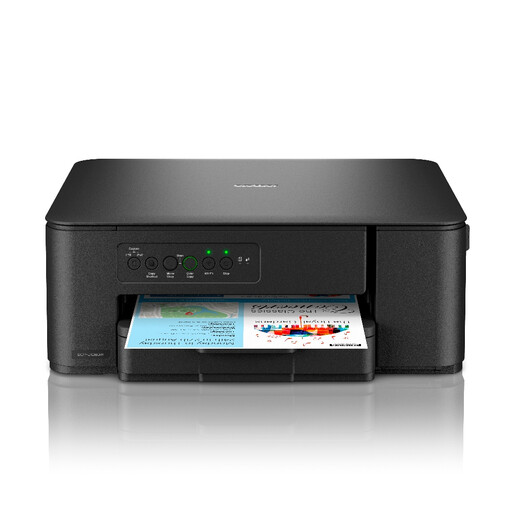 No image available
This model suits occasional register printing when the flat also needs colour documents. Joybuy describes it as a three-in-one colour inkjet printer for printing, scanning and copying; its flatbed scanner requires individual page handling for multi-page jobs.
Not if every required register is a black-text form. Choose colour when notices, coursework or other documents the flat expects to print need it; otherwise, check that a mono model covers the required A4 printing, copying and scanning.
It is useful when several completed register sheets need copying or scanning in one session. Canon UK specifies a 35-sheet feeder for both the PIXMA TS7750i and MAXIFY GX2051; if the flat only prints blank sheets, feeder capacity may matter less.
Consider a subscription only after comparing its current terms with how often the flat expects to print. HP offers Instant Ink as an optional arrangement for the DeskJet 4310; check the page allowance, supply arrangements and terms for changing or cancelling a plan before signing up.
Check an appropriate electrical-equipment collection or reuse route rather than putting it straight into ordinary waste. GOV.UK describes the UK waste electrical and electronic equipment framework as supporting recovery, reuse and recycling.