What matters when choosing?
Decide whose speech must be clear and whether the narrator stays put before choosing a microphone format. Then check how it connects to the recording device.
| Concern |
What to check |
Who this matters to |
| Fixed-position narration |
Check that the narrator can remain in front of the microphone and that its output connects to the recording device. |
When I can speak from one marked position, I want my commentary to remain clear without wearing a microphone. Around 36% of consumers put fixed-position narration first. |
| Speech while moving |
Check how the microphone stays close to the speaker, how its receiver connects and what needs charging. |
If I walk between displays, I need my voice captured as I change position. Moving-speaker consistency comes first for around 29% of consumers. |
| Pupil questions |
Check whether a handheld can be passed between speakers or the kit has enough transmitters for those who need them. |
When pupils’ contributions are part of the commentary, I need a way to record their voices rather than just the guide’s. Around 21% of consumers prioritise recording multiple speakers. |
| Room atmosphere |
Check whether adjustable stereo recording is useful and whether the microphone can sit near the sound you want to include. |
If the sound of the room or exhibit is part of the project, I want to preserve some context alongside speech. That is the primary concern for around 14% of consumers. |
Joybuy microphone choices
These choices cover wireless kits for a moving commentator or two close-miked speakers, plus a desk-based kit for commentary from a fixed position. Match the transmitter count and recording-device connection to your session.
 No image available
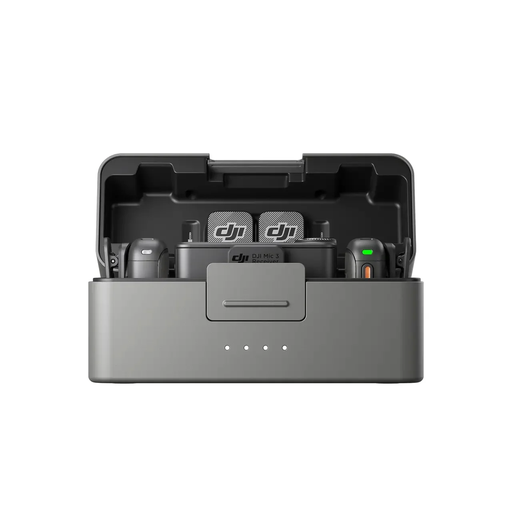
DJI Mic 3, 2 TX + 1 RX + Charging Case
Consider this kit when the moving commentator and one other contributor each need a close microphone. The listed configuration has two transmitters, one receiver and a charging case; check the intended device connection and whether the number of transmitters covers the session.
View on Joybuy
 No image available
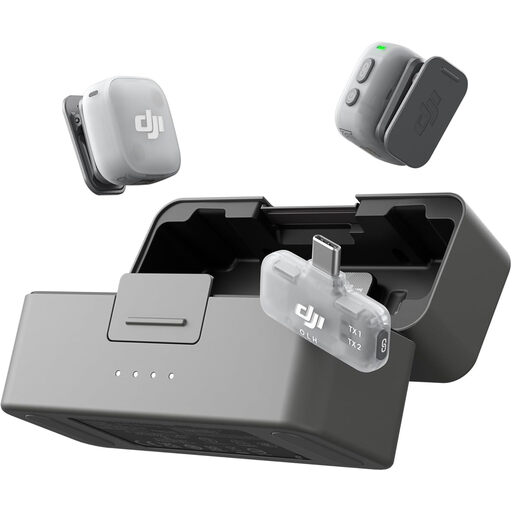
DJI Mic Mini 2, 2 TX + 1 Mobile RX + Charging Case
Consider the mobile-receiver configuration for a moving commentator and a second close-miked speaker using a phone-based setup. It lists two transmitters and a charging case; confirm that the receiver works with the intended phone and recording app.
View on Joybuy
 No image available
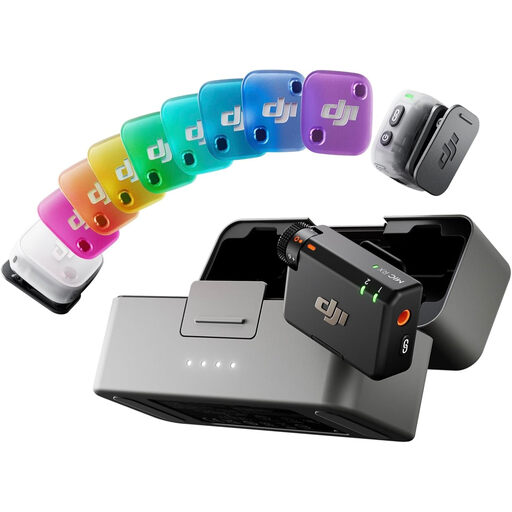
DJI Mic Mini 2, 2 TX + 1 RX + Charging Case
This two-transmitter kit is another option when commentary and a second speaker both need close microphones. Check how its receiver connects to the device you will use, whether the recording app accepts that input and whether two transmitters are enough.
View on Joybuy
 No image available
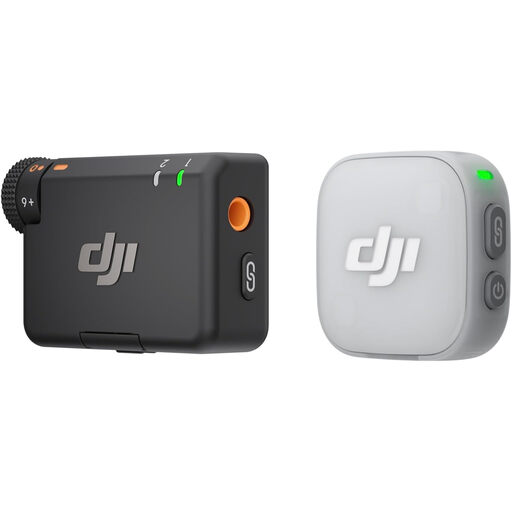
DJI Mic Mini 2, 1 TX + 1 RX
Consider the single-transmitter configuration for one moving commentator. Its listed one-transmitter, one-receiver arrangement does not give a second speaker their own microphone; confirm the receiver connection and recording-app compatibility before choosing it.
View on Joybuy
 No image available
FIFINE K688CTW White Dynamic Microphone Kit with Boom Arm
Consider this desk-based kit when the narrator can record from a fixed position rather than walk between displays. The product title lists USB and XLR connections, a boom arm and a headphone jack; check the recording device, app and desk position you intend to use.
View on Joybuy
Common questions
Should I use a lapel or directional microphone for museum commentary?
Use a close-worn lapel microphone when the commentator moves; consider a directional microphone when they can stay in front of it. University of the West of England classroom guidance links appropriate lapel placement with more consistent audio during movement and cautions that directional pickup depends on speaker position.
Will one microphone record both the guide and pupil questions?
Do not rely on a microphone close to the guide to capture questions from pupils spread around the room. If those questions must be intelligible, plan a handheld microphone that can be passed between speakers or a system with enough transmitters for the contributors.
Do wireless microphones need a licence in the UK?
The answer depends on the microphone’s frequency and applicable requirements. Ofcom lists 173.8–175 MHz, 863–865 MHz and 2400–2483.5 MHz as licence-exempt ranges, but notes that shared use can cause interference. Check the chosen model’s frequency and UK documentation before using it.
What if identifiable pupil questions will be recorded?
Follow the school’s approved recording and data-protection procedures before capturing or sharing identifiable pupil voices. Information Commissioner’s Office guidance notes that audio can include several people’s personal information; check the school’s arrangements for the recording’s purpose, privacy information, retention and sharing with its data-protection lead where needed.
What should I test before recording the full commentary?
Make and play back a short recording in the intended room. Check that the app has selected the right microphone, then try the narrator’s expected positions and any planned pupil questions; for a wireless system, listen for interruptions as well as room noise.


