Mobile museum guides
If you speak while moving between exhibits, a microphone worn close to you can follow your voice while a compatible receiver connects to the phone or camera doing the recording.


For a guide speaking while moving between exhibits, choose a wearable wireless microphone that can stay close to their voice; for a voiceover recorded at a desk, choose a close-positioned USB or XLR spoken-word microphone. A camera-mounted directional microphone is an option when the narrator remains near the camera, but it cannot replace close placement if they walk away. Check the connection to your recording device and the museum’s rules for the equipment, recording and intended publication before buying.
If you speak while moving between exhibits, a microphone worn close to you can follow your voice while a compatible receiver connects to the phone or camera doing the recording.
For commentary recorded at a desk or in a quiet room, you can stay close to a fixed microphone and choose a USB or XLR connection to suit your recording setup.
A compact camera-mounted microphone keeps the rig together when you can speak near the camera. It is less suited to narration delivered several steps away.
Start with where the narrator will be relative to the microphone, then check the recording device and the museum’s rules.
Choose when: A guide needs to speak while walking and can wear a transmitter close to their voice.
Trade-off: The transmitter and receiver need charging and pairing, and the receiver must work with the recording device.
Choose when: Commentary will be recorded at a fixed position, with the narrator speaking close to the microphone.
Trade-off: The setup stays in one place; an XLR-only microphone also needs a compatible interface or recorder.
Choose when: The camera and narrator remain close together and a separate wearable system would complicate the rig.
Trade-off: Moving away from the camera also moves the voice away from the microphone; check the device’s microphone input and power supply.
| Concern | What to check | Who this matters to |
|---|---|---|
| Voice clarity | Can the narrator wear the microphone or speak close to a fixed one? Check how you will monitor a recording before an important take. | If I am recording speech in a busy or reflective gallery, I want my voice near the microphone rather than relying on one mounted at a distance. Roughly 33% of consumers put close voice capture first. |
| Movement | Check the transmitter’s attachment method and battery runtime, plus the receiver connection to your phone or camera. | When I move between exhibits, I need the microphone to move with me, even if that means managing charged, paired units. Around 27% of consumers prioritise recording while walking. |
| Device connection | Match the exact recording device to the microphone’s USB, 3.5 mm or XLR connection; check any required adapter, interface or plug-in power. | I want to start recording with the device I already use, without discovering that its socket cannot take the microphone input. About 20% of consumers place a straightforward compatible connection first. |
| Venue rules and equipment | Check the museum and exhibition policy for recording, equipment and the intended use of the finished commentary. | If I plan to record in a gallery or publish the result, I need a setup the venue permits, not merely a compact microphone. Roughly 20% of consumers make that practical permission question their first concern. |
Deity describes the V-Mic D4 Mini as forward-focused, but its position remains fixed to the camera. A guide moving away also moves farther from the microphone.
For walking commentary, consider a wearable wireless setup. If you use a camera-mounted microphone, plan to keep the narrator near the camera.
Deity specifies a 3.5 mm TRS connection and 1–5 V plug-in power for the V-Mic D4 Mini. A socket’s shape alone does not establish microphone-input or power compatibility.
Confirm the recording device’s input and plug-in-power support, including what an adapter passes through.
A compatible adapter or separate recorder may become part of the setup.
The Victoria and Albert Museum has different arrangements for personal gallery use and commercial or press filming. Permission at one venue does not establish permission at another.
Check the specific museum and exhibition policy before recording, and ask the venue about commercial, broadcast or monetised use.
Shure’s MV7X uses XLR rather than a direct USB connection. The computer connects through a compatible audio interface or recording chain.
If you want to connect a microphone directly to a compatible computer, look for USB. Otherwise, check the interface, cable and monitoring arrangement alongside the XLR microphone.
The MV7+ and MV7X are spoken-word microphones to consider for commentary recorded at a fixed position.
Wireless ME is a compact wireless option for presenter-led commentary recorded to a compatible phone, camera or computer.
The V-Mic D4 Mini is a camera-position option for commentary delivered close to the camera.
These choices cover a desktop microphone for fixed-position narration and two wireless microphone variants for commentary recorded while moving. Choose the receiver variant by the recording device’s actual microphone-input compatibility.
 No image available
Consider this desktop microphone for commentary recorded with the narrator at a fixed position, rather than for a guide walking between exhibits.
The product name specifies USB and XLR connections, a headphone jack, mute button, RGB light and desktop stand. If you plan to use XLR, check the required interface and cable for your recording device.
 No image available
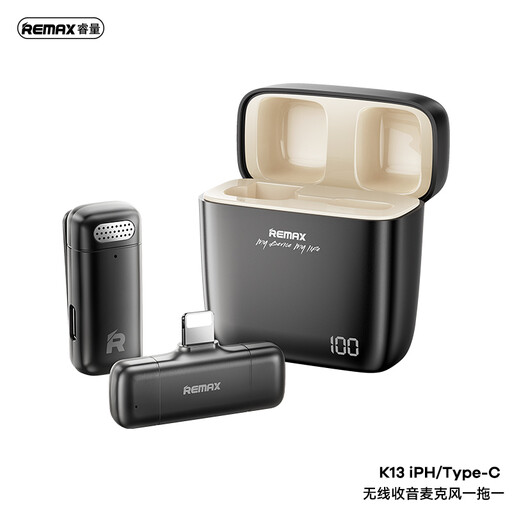
This wireless variant is relevant to mobile commentary when the recording device accepts its Lightning receiver.
Check compatibility with your exact device, as well as the transmitter’s attachment method and battery runtime for the planned recording session.
 No image available
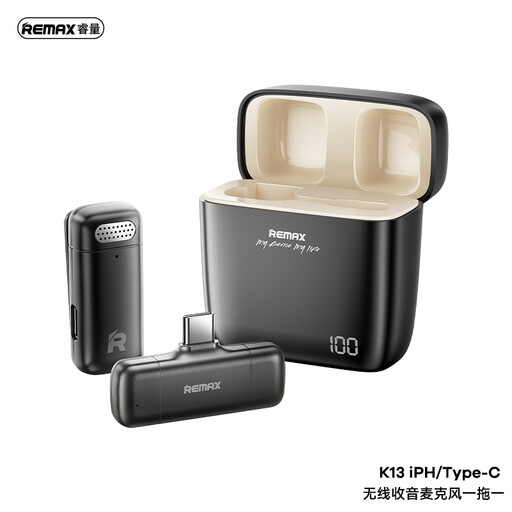
This wireless variant is relevant to mobile commentary when the recording device accepts its USB-C receiver.
Confirm microphone-input compatibility with your exact device, and check the transmitter’s attachment method and battery runtime before planning a session.
Do not assume that one museum’s permission applies at another. Check the policy for the venue and exhibition: the Victoria and Albert Museum, for example, allows hand-held cameras and phones for personal use but prohibits equipment including tripods, monopods, gimbals and selfie sticks in its galleries.
Ask the specific museum before recording for that purpose. The Victoria and Albert Museum directs commercial use, including public broadcast or streaming, through a separate permission route and sets arrangements for commercial and press filming; those are its venue policies, not blanket rules for all UK museums.
Check the rights before including third-party material in a published recording. The UK Intellectual Property Office explains that copyright exceptions apply in specific circumstances; permission to record at a venue does not by itself clear rights in artwork, video, audio or other exhibition material.
Choose a compatible USB microphone if you want a direct computer connection; choose XLR when you have a suitable interface or recorder in the recording chain. Shure’s MV7X, for example, is XLR-only, so it is the connected interface rather than the microphone that the computer uses.