What matters when choosing?
Decide how you want to connect your recordings, then make sure the speakers and any additional components will fit where you can place them.
Passive stereo pair
Choose when: You want a conventional left/right setup and are willing to select a compatible amplifier.
Allow for: An amplifier and speaker cable, plus space for the whole system rather than just the cabinets.
Powered stereo pair
Choose when: You want two speakers for a computer-centred room without buying a separate amplifier.
Allow for: Mains power and a check that the pair has the inputs your playback devices require.
Wi-Fi speaker system
Choose when: App-based streaming and possible multi-room use matter more to you than assembling a conventional hi-fi system.
Allow for: App and network use, and check whether you need a compatible second speaker or an adapter for an analogue source.
| Concern | What to check | Who this matters to |
|---|
| Voices and stereo staging |
Check whether you are buying two speakers that can be positioned apart, with a practical listening position near speaker height. |
When a lead voice gives way to a chorus, I want to follow the parts across a left/right setup rather than rely on louder sound alone; around 31% of consumers put voices and staging first. |
| Room fit and placement |
Measure the shelf, desk or stand space; check wall clearance if the model has a rear bass port. |
If cabinets crowd my work area, I cannot position them where I want to listen; compact fit is the primary concern for around 31% of consumers. |
| Source connections |
Match the speaker inputs to your laptop, phone, TV or other source, and check whether an amplifier or adapter is needed. |
I switch between recordings on my computer and phone and want both devices to connect without rebuilding the setup; around 23% of consumers put straightforward source connection first. |
| Disturbance and private listening |
Consider volume control near shared walls and whether a headphone connection or separate headphones would suit late listening. |
When others are nearby, I need a way to keep listening without making the speakers everyone else’s problem; avoiding disturbance comes first for around 15% of consumers. |
Joybuy product choices
These bookshelf and desktop speaker choices relate to a hobby-room setup. Check the supplied speaker count and required components for each model if a separated stereo pair is your priority.
 No image available
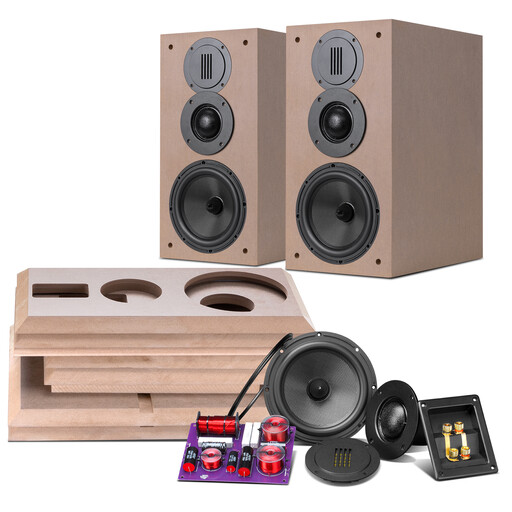
HiVi-Swans DIY3.1 passive bookshelf speakers, 6.5-inch pair
Consider this listed pair if you want to place left and right passive speakers apart for cast recordings.
The product name specifies 6.5-inch speakers and one pair. You will need a compatible amplifier and speaker cable; check the cabinet dimensions against your intended position.
View on Joybuy
 No image available
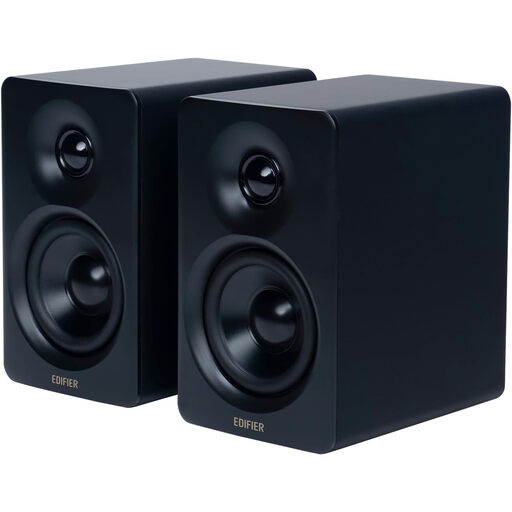
Edifier M60 multimedia speakers, Bluetooth 5.3
Consider the M60 for a desktop playback source if its connections match your devices.
The product name lists USB-C and AUX inputs, Bluetooth 5.3 and 66 W RMS. If separated stereo playback is essential, confirm how many speakers the purchase includes.
View on Joybuy
 No image available
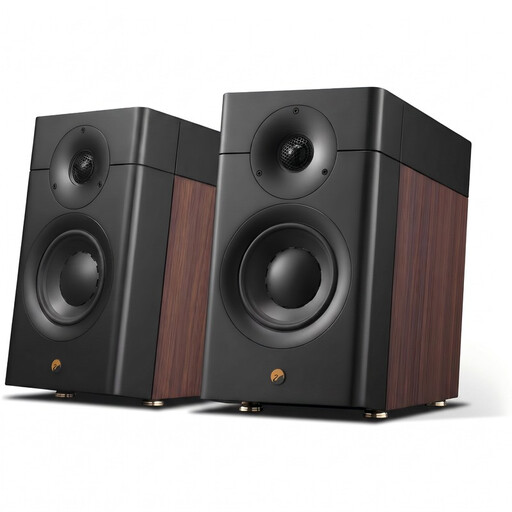
HiVi-Swans D3.1MKII passive bookshelf speakers
Consider this passive bookshelf model if you are planning a separate amplifier-based setup.
The product name specifies a 6.5-inch mid-bass driver, 28 mm tweeter, rear bass reflex, 8 Ohm impedance and a 10–120 W power-handling range. Check amplifier matching, space behind the cabinets and whether the purchase includes two speakers.
View on Joybuy
Common questions
Do passive bookshelf speakers need an amplifier?
Yes. Passive bookshelf speakers need a compatible amplifier or AV receiver and suitable speaker cable; check how your phone, laptop or other source will connect to that amplifier.
Where should I place speakers for musical-theatre recordings?
If you choose a stereo pair, leave room to position the left and right speakers apart and aim for a listening position near speaker height. Richer Sounds also advises space behind rear-ported models and stands or isolation where furniture resonance is a concern.
Can I connect a laptop or TV directly to powered speakers?
You can if the chosen system has an input compatible with that device’s output. KEF lists USB-C and HDMI ARC for LSX II, while Audioengine lists USB, RCA and 3.5 mm inputs for HD4; check your exact laptop or TV connection before ordering.
Can I connect an analogue source to Sonos Era 100?
Yes, with the Sonos Line-In Adapter. Sonos specifies that adapter for an auxiliary connection, so check whether it is supplied with the items you plan to buy.
What should I check before ordering a speaker system?
Confirm the exact product’s supplied speaker count, required cables or adapters, mains plug and retailer warranty and return terms. These checks are particularly important when a stereo pair or an additional amplifier is part of your plan.


