Platform-first mystery players
If you play on PS5, Xbox, PC, mobile or Switch, start with the exact controller variant and your game’s controller support. A familiar model name alone does not establish that it will work with your device.


Choose a controller that works with your playing device and the particular mystery game before weighing up extra features. A bright room makes screen placement and reflections a separate consideration: controller lighting cannot make on-screen clues easier to read. Check the controls in your usual lighting, and treat advanced feedback as a bonus only where the game and connection support it.
If you play on PS5, Xbox, PC, mobile or Switch, start with the exact controller variant and your game’s controller support. A familiar model name alone does not establish that it will work with your device.
If daylight or room lighting makes small clues and menus difficult to see, assess screen reflections separately. Choose controls you can identify comfortably in that lighting, rather than expecting the controller to fix the display.
If you spend time navigating dialogue, maps and puzzles, consider the layout, your preferred connection and how you want to manage controller power during longer sessions.
Start with device and game compatibility, then assess the bright-room set-up and the controller’s feel and power arrangement. PlayStation, Microsoft and 8BitDo document different device support across the controllers and variants discussed here.
| Concern | What to check | Who this matters to |
|---|---|---|
| Device and game compatibility | Match the exact model and connection method to your device; check the game’s controller-support information. | If I switch between a console and another device, I need to know that the controller connects and the mystery game accepts its input. Around 42% of consumers put compatibility first. |
| Bright-room usability | Try identifying the controls in your usual lighting; assess screen angle, reflections and in-game visual settings separately. | When daylight catches the screen, I want to follow small clues without also struggling to find the right button. For roughly 33% of consumers, bright-room usability is the primary concern. |
| Comfort and power | Consider the grip and button layout, and whether the controller uses replaceable batteries, a compatible battery pack or a cable. | During a long puzzle session, I want controls that feel manageable and a power routine that suits how I play. About 25% of consumers prioritise comfort and power. |
8BitDo specifies Windows and Android support for the Ultimate 2C Wireless, but Switch and Switch 2 support for the separately named Ultimate 2C Bluetooth. Similar names do not mean interchangeable platform support.
Check the full variant name and its stated connection method against your device before ordering.
Valve notes that gamepad-only input styles work only with games that support gamepads. PlayStation also makes DualSense advanced feedback dependent on the game and, for PC haptics, the connection.
Check the individual game’s controller-support information before relying on gamepad input or a particular feedback feature.
Lights or a different controller colour do not change reflections on the display or make on-screen clues larger.
Check screen position and in-game visual options separately, then select the controller for device fit and controls you can use comfortably.
Microsoft Xbox Support lists AA batteries and a compatible rechargeable battery pack as power options for the standard Xbox Wireless Controller.
Decide whether replacing AAs or using a compatible rechargeable pack suits your routine.
Using AAs means keeping replacements available; a rechargeable pack is a separate item to account for if you choose that option.
For players considering the DualSense Wireless Controller primarily for PS5, with connection options for PC, Mac and supported mobile devices.
For players considering the standard Xbox Wireless Controller across Xbox consoles, Windows PC, iOS or Android.
For players comparing Ultimate 2C variants by the device and connection they actually intend to use.
These controllers cover Xbox, PS5 and Switch-oriented choices, including a wired Xbox option. Match the individual listing and your game’s controller support to your device; none of these choices resolves screen glare.
 No image available
Consider this model if you play mystery games on Xbox One, Xbox Series X/S or PC and want the Series 2 variant. Check support for your particular game before choosing it for that set-up.
 No image available
Consider these twin pads for Switch play if their stated device compatibility and the controls required by your mystery game match your set-up.
 No image available
This PS5 controller is a choice to examine if you want the DualSense Edge variant. Confirm your mystery game’s controller and feature support; customisable controls do not address screen reflections.
 No image available
Consider this standard Xbox controller for Xbox or another device listed as compatible by Microsoft, provided your mystery game supports gamepad input. Microsoft lists a hybrid D-pad and textured grips; plan for AA batteries or a compatible rechargeable pack.
 No image available
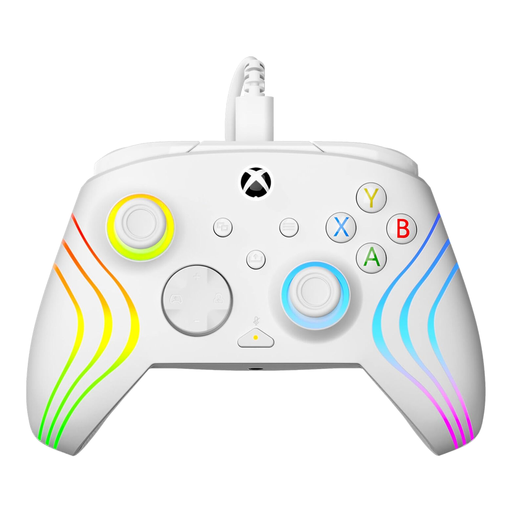
Consider this wired Xbox or Xbox Series option if a cable suits where you play. Check your game’s controller support and your connection requirements; its lighting is not a solution to display glare.
No special controller feature should take priority over support for your device and game. Valve notes that gamepad-only input styles require a game that supports gamepads; check that first, then decide whether the layout and any optional feedback matter to you.
Only if the game supports it and the DualSense controller is connected by USB, according to PlayStation. Check the individual game’s feature information rather than assuming that a compatible controller enables haptics in every title.
Microsoft Xbox Support lists AA batteries or a compatible rechargeable battery pack for the standard Xbox Wireless Controller. If you prefer a rechargeable set-up, check which pack is compatible and what the product listing includes.
Take batteries and electrical products marked with the crossed-out wheelie-bin symbol to an appropriate recycling collection point rather than putting them in household rubbish, according to the UK Office for Product Safety and Standards.