Console players who use wired headsets
If you play narrative puzzles on PS5, Xbox or Switch 2 and want to plug a headset into the controller, check the controller jack, your headset plug and any connection conditions for your console.


Choose a controller compatible with your main gaming device, then check how your headphones will connect in that exact setup. Microsoft Xbox specifies a 3.5 mm headset jack on its Xbox Wireless Controller, while PlayStation says the DualSense headset jack requires a wired controller connection on PC and Mac; Nintendo specifies a CTIA-standard 3.5 mm jack on the Switch 2 Pro Controller. Extra controls matter most when they serve a particular shortcut or control preference.
If you play narrative puzzles on PS5, Xbox or Switch 2 and want to plug a headset into the controller, check the controller jack, your headset plug and any connection conditions for your console.
If you play compatible games on Windows or Mac, check controller support in the game as well as whether controller-side headset audio works with your chosen USB or wireless connection.
For sessions involving dialogue, exploration and puzzles, you may care more about a layout you find comfortable and straightforward to use than additional response-focused features.
Start with your main device and the game’s controller support. Once those fit, work out where your headphones will plug in; comfort and optional controls can then narrow the choice.
| Concern | What to check | Who this matters to |
|---|---|---|
| Platform and game support | Check the stated console or operating-system compatibility and the game’s controller support. | If my main device or game cannot use the controller as intended, its other features will not settle the choice. Around 40% of consumers put platform and game fit first. |
| Headphone connection | Check the controller jack, headset plug and whether audio works with your host device and wired or wireless controller connection. | I want dialogue through headphones plugged into the controller, without finding out that my connection mode prevents it. For around 30% of consumers, that audio route is the primary concern. |
| Comfort and familiar controls | Consider the layout you know, grip shape and your preference for the D-pad or sticks. | During longer stretches of reading and exploration, I would rather use controls that feel familiar than adjust to an unfamiliar layout. Around 20% of consumers make comfort their first priority. |
| Optional controls | Decide whether extra buttons or remapping would serve a specific shortcut or control preference. | I want to place a frequently used action where it is easier for me to reach. Optional control changes come first for around 10% of consumers. |
Controller input and audio through a controller-mounted jack are separate questions. PlayStation says DualSense headset-jack use on PC and Mac requires a wired controller connection.
Check the controller, host device, connection mode and headset plug together. Decide whether the headphones will connect to the controller or directly to your gaming device.
8BitDo states Windows and Android compatibility for the Ultimate 2C Wireless Controller; that does not establish support for PlayStation, Xbox or Nintendo Switch. Controller features can also depend on the host device or game.
Start with the manufacturer’s compatibility statement for your main device, then check the connection method and the game you intend to play.
PlayStation’s DualSense haptics and adaptive triggers depend on game support. Extra mappable buttons are useful only if they serve a control need you have identified.
Settle platform compatibility and the headphone connection first. Consider additional controls when you know which action you want to remap.
The Xbox Wireless Controller is Microsoft Xbox’s controller route for Xbox consoles and compatible Windows, Android and iOS devices.
DualSense is PlayStation’s PS5 controller and can connect to compatible PCs, Macs and mobile devices.
The Nintendo Switch 2 Pro Controller is a conventional-controller option for Switch 2 play.
The Ultimate 2C Wireless Controller is an 8BitDo option stated for Windows and Android.
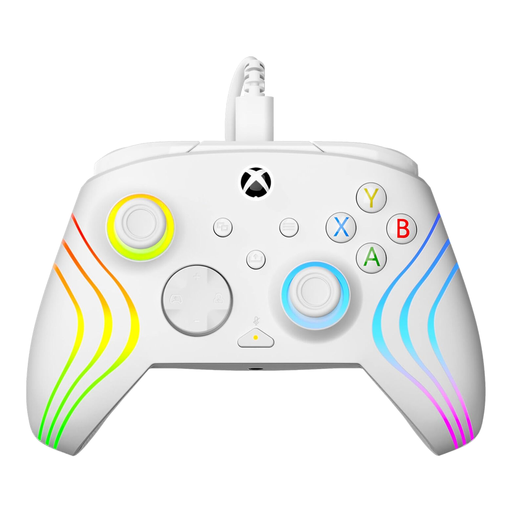
These wired controllers are options to consider for Xbox or Windows narrative-puzzle play. If you want headphones connected through the controller, check the audio path for your headset and host device before choosing either model.
 No image available
Consider this model if you play on one of its stated Xbox or Windows platforms and are happy to keep the controller connected by cable.
Allow for the wired connection in your seating setup. If you plan to plug headphones into the controller, confirm that your headset plug and host-device audio setup work with its stated 3.5 mm jack.
 No image available
Consider this wired controller for a compatible Xbox or Windows setup if you want mappable controls for a particular shortcut.
Plan for a USB-C connection. Before relying on headphones plugged into the controller, confirm that the model provides the connection you need and that it works with your host device and headset.
Yes: Microsoft Xbox specifies a 3.5 mm stereo headset jack for a compatible headset. Check that your headset and the connection to your gaming device support the audio setup you intend to use.
Not for controller-connected headset audio: PlayStation Support says the DualSense headset-jack feature requires a wired controller connection on PC and Mac. It is not compatible with mobile devices.
Nintendo specifies a 4-pole, 3.5 mm stereo mini plug using the CTIA standard. Check your headset plug and any adaptor against that specification before relying on the controller jack.