
24/7 全天候客户支持

免费退货

当日/次日达

品质保障

开启新人专享福利: 全场免邮 | 低至 2 折 | 免费试用 30 天 JoyPlus 会员
下载 Joybuy
Buying paper for a UK office, school or professional service firm can appear straightforward until the first jam, faint colour print or storage problem occurs. Navigator printer paper is available in several formats, weights and pack sizes, but the right choice depends on your equipment, document type and printing volume.
Before ordering, watch for three common purchasing traps:
A4 paper measures 210 × 297mm and is the standard choice for letters, invoices, internal documents, reports and school administration. Most office printers, copiers and multifunction devices are designed around A4.
A3 paper measures 297 × 420mm. It is useful for posters, spreadsheets, diagrams, plans and larger presentation documents, but your printer or copier must have an A3 tray and support the format.
Do not rely solely on the product name. Confirm the listed dimensions, paper size and printer compatibility. This is particularly important when comparing Navigator A3 paper with A4 products that may have similar pack descriptions.
Grammage describes the weight of paper in grams per square metre.
For double-sided documents, opacity matters as much as grammage. A bright white sheet with strong opacity can help limit show-through, but results will also depend on ink coverage and the printer itself.
A smooth matt paper surface can support consistent feeding and clean-looking text without the shine associated with glossy media. Brightness and whiteness are separate measurements, so check the actual figures where provided.
For example, the Navigator A4 Eco Paper White 75GSM product lists 169 CIE whiteness, 93% opacity and a matt finish. It is also described as EU Ecolabel certified. The 120gsm colour document paper lists 169 CIE whiteness, a smooth matt finish, FSC certification and EU Ecolabel approval.
If sustainability is part of your procurement policy, record the specific certification rather than relying on general environmental language. A box of 5 reams also reduces the frequency of deliveries, but make sure your storage area is dry, stable and large enough for the quantity.
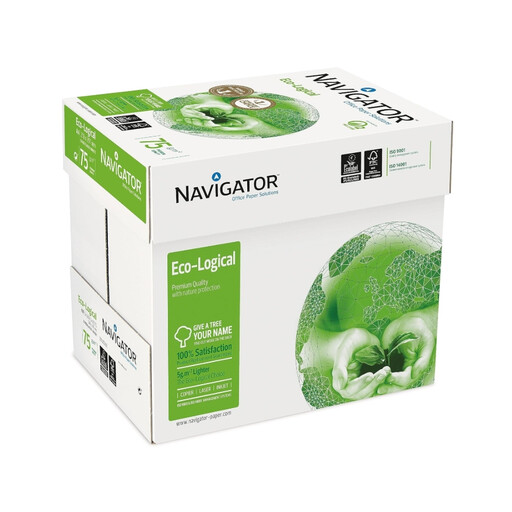
Why This Fits Their Persona: A suitable everyday option for small offices, start-up teams and schools needing 2,500 A4 sheets for routine black-and-white and mixed printing.
The 75gsm format is clearly specified, while the listing identifies compatibility with laser, inkjet, copier and multifunction devices. EU Ecolabel certification is also stated for this product.
2,500 sheets per box; 169 CIE whiteness, 93% opacity and a smooth matt finish.
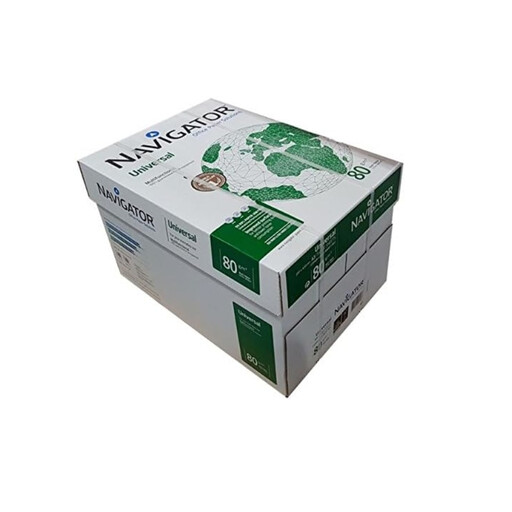
Why This Fits Their Persona: Designed for teams wanting a smoother-feeling 80gsm sheet for reports, presentations, graphics and general office printing.
The listing provides a stated 80gsm weight, ultra-smooth finish and 2,500-sheet quantity. However, its product title says A3 while the supplied specifications say A4, so confirm the delivered format before purchase.
Ultra-smooth finish; described as suitable for inkjet printers, laser printers, copiers and multifunction devices.
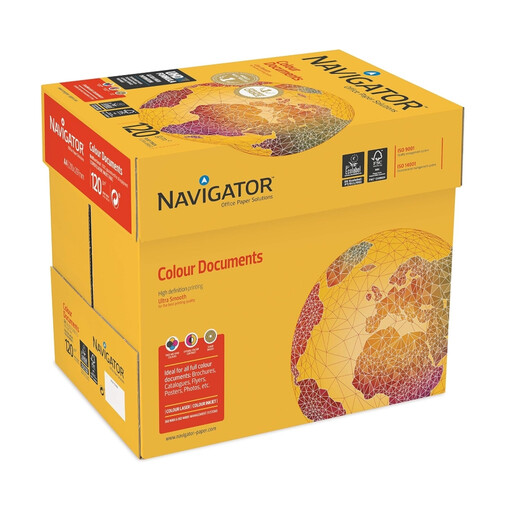
Why This Fits Their Persona: A practical match for firms producing client proposals, brochures, presentations and other colour documents regularly.
Its heavier 120gsm construction is clearly identified, helping buyers avoid using thin everyday paper for presentation work. Check printer media limits before loading it.
Eight reams supplied; smooth matt finish, 169 CIE whiteness, FSC certification and EU Ecolabel approval are listed.
We have compiled a complete, real-time list of products that fully satisfy these strict selection criteria and UK safety regulations.
It can be suitable for routine documents when the printer supports 75gsm media. It is commonly considered for letters, drafts, forms and high-volume internal printing. For important double-sided documents, check opacity and run a small print test first.
Not automatically. 80gsm copy paper is a familiar general-purpose specification, while 75gsm paper may help reduce material use for high-volume jobs. The correct choice depends on the copier’s permitted media range, feeding performance and the appearance required.
There is no single lifespan for stored paper. In a dry, stable environment and unopened packaging, it can remain usable for an extended period. Moisture is the main practical risk because it can cause curl, feeding problems and inconsistent print results. Buy bulk office paper only when your storage conditions and usage rate are appropriate.