
24/7 全天候客户支持

免费退货

当日/次日达

品质保障

开启新人专享福利: 全场免邮 | 低至 2 折 | 免费试用 30 天 JoyPlus 会员
下载 Joybuy
Buying printer paper in bulk can appear straightforward, but the wrong choice may lead to paper jams, poor colour definition, show-through or unnecessary storage costs. Whether you manage an office, school, print room or home workspace, selecting Navigator printer paper requires more than comparing the price per box.
Three common buying pitfalls deserve attention:
Paper weight is measured in grammes per square metre (gsm). It affects handling, stiffness, opacity and the overall impression of a printed document.
A higher gsm rating does not automatically make paper suitable for every task. For internal documents, heavier paper may add cost and bulk without a meaningful benefit.
Navigator A4 paper measures 210 × 297mm and is the standard choice for most UK office printers, copiers and multifunction devices. A3 paper measures 297 × 420mm and is suitable for posters, spreadsheets, diagrams and larger-format documents.
Before buying A3 printer paper, confirm that the printer has an A3 tray or manual-feed function. Also check whether the product description consistently identifies the sheet size. One Navigator listing uses “A3” in its product name while the supplied specifications describe A4 sheets, so checking the order page and packaging details is sensible before placing a large order.
For everyday use, look for paper labelled as compatible with laser printers, inkjet printers, copiers and multifunction printer paper systems. This helps reduce the risk of buying a stock designed primarily for one print technology.
Whiteness and brightness influence contrast, while opacity affects how much printing from the reverse side can be seen. A paper specification such as 169 CIE whiteness or 93% opacity provides more useful information than vague wording such as “high quality”.
A matt or smooth finish can support consistent toner and ink coverage. Smooth paper may also feed more predictably through office equipment, although performance depends on the individual printer, humidity and correct tray settings.
For environmentally conscious procurement teams, look for recognised marks such as FSC certification, the EU Ecolabel and, where stated, ISO 14001. These credentials relate to defined environmental or sourcing standards; they should not be confused with a guarantee that a product has no environmental impact.
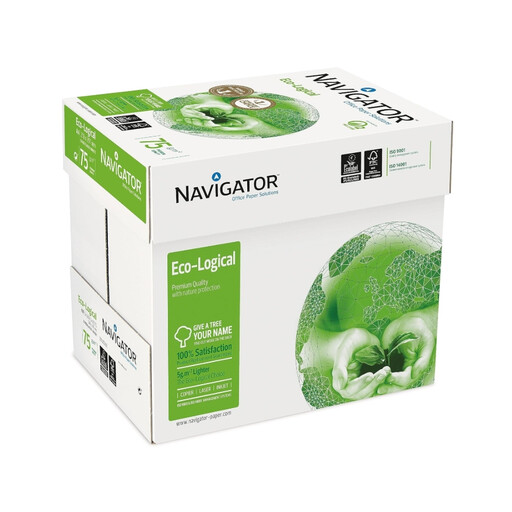
Why This Fits Their Persona: A suitable starting point for offices, charities and small businesses printing large volumes of routine A4 documents.
Its stated 75gsm weight helps avoid paying for heavier paper when internal printing is the main requirement. The A4 format and multifunction compatibility should suit standard office equipment.
2,500 sheets per box, 93% stated opacity, 169 CIE whiteness and EU Ecolabel certification.
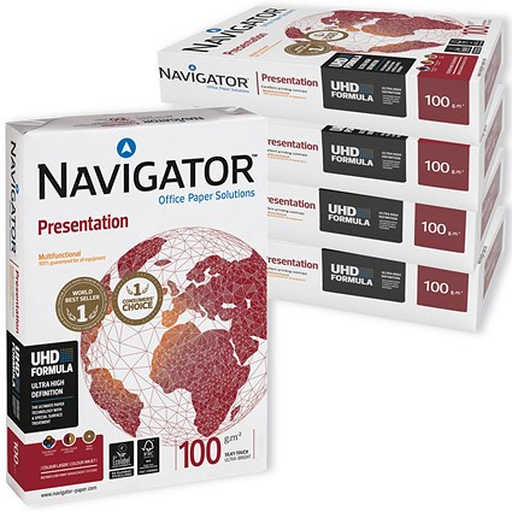
Why This Fits Their Persona: Designed for teams preparing client-facing reports, proposals and presentation packs that need a more substantial feel than standard copier paper.
The 100gsm construction offers a clearer step up from 75gsm or 80gsm without moving directly to heavyweight 120gsm stock. Confirm duplex support before regular double-sided use.
A4 smooth matt finish, compatibility with inkjet, laser and copiers, plus FSC and EU Ecolabel credentials.
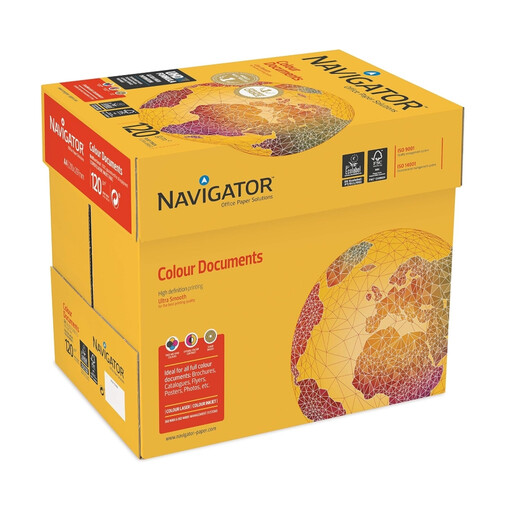
Why This Fits Their Persona: A practical match for print rooms, marketing teams and organisations producing colour brochures, formal packs or presentation documents.
The stated 120gsm weight makes the use case clear, reducing the risk of treating ordinary copier paper as presentation stock. Check printer feed and duplex limits first.
Smooth matt A4 surface, 169 CIE whiteness, inkjet and laser compatibility, and FSC and EU Ecolabel approval.
We have compiled a complete, real-time list of products that fully satisfy these strict selection criteria and UK safety regulations.
Before ordering bulk printer paper, check the following:
Yes, 80gsm paper is commonly used for letters, reports, forms and general copier work. It can be used in laser, inkjet and multifunction devices when the printer supports the stated format and stock type.
It can be, but compatibility depends on the printer’s feed path and duplex specifications. Check the manual before loading heavier paper. Correct tray selection and storage in a cool, dry place can also help maintain reliable feeding.
Keep reams sealed in their original packaging until needed. Store them flat in a dry room at a stable temperature, away from moisture and direct heat. Allow paper that has been moved between environments to acclimatise before printing, particularly during damp UK weather.