
24/7 Customer Support

Free returns

Same-day & Next-day Delivery

Quality Guaranteed

Unlock Your Welcome Offers: FREE Delivery | Up to 80% OFF | Free 30-day JoyPlus trial
Download the APP
Choosing Nintendo Switch controllers and accessories can improve comfort, multiplayer sessions and control, but the wrong purchase may leave you with an unusable controller, missing features or an accessory that does not fit your console. Before comparing colours, themes and promotional claims, check how each product connects, which Switch model it supports and whether its features match the games you play.
A controller may be described as a Joy-Con alternative but only work when attached to the original Nintendo Switch console. Others connect wirelessly but cannot be used with a Switch Lite in handheld mode because the Lite has no detachable controller rails.
For example, a full-size handheld controller such as the HORI Split Pad Pro is designed for handheld mode only. It connects directly to the Switch rails, has no Bluetooth connection and does not require a separate battery. That can be useful for portable play, but it is not a replacement for a wireless controller used with a television.
A long quoted battery figure does not remove the need to check charging arrangements. Wireless controllers need pairing and regular charging, while a Nintendo Switch wired controller needs access to the console dock. A wired model may suit a desk or television setup, but its cable can be inconvenient in a small UK living room.
Also check whether “up to” battery life refers to ideal conditions. Vibration, motion controls and lighting can affect real usage. If you regularly play with several people, a Switch controller charging dock can be more practical than managing several separate charging cables.
Turbo, programmable rear buttons, motion controls, rumble and decorative lighting all have different value depending on your games. Some compact or wired models omit motion control, HD rumble, NFC and IR functions. That is not automatically a drawback, but it matters if you play titles that rely on those features.
Confirm whether the product supports:
Nintendo Switch 2 accessories are not always compatible with the original system. The Joy-Con 2 Wheel Pair and Joy-Con 2 Straps, for instance, are specifically for Joy-Con 2 controllers. They should not be treated as universal Switch accessories.
A Nintendo Switch wireless controller offers freedom from the dock, but it relies on pairing and battery charging. A Nintendo Switch wired controller generally connects to the Switch dock through USB and does not need a battery. Check cable length before buying: a 3-metre cable is helpful for television play, but excess cable should be kept away from walkways.
For competitive play, some buyers prefer wired input because it avoids wireless pairing and charging interruptions. However, do not assume every wired model includes motion controls or rumble. Check the specification list rather than relying on terms such as “pro” or “performance”.
An ergonomic Switch controller with larger grips may be more comfortable for long handheld sessions, while a compact pad can suit children or smaller hands. A traditional D-pad is particularly relevant for 2D platformers, fighting games and retro titles. A GameCube-style Switch controller may feel familiar in games designed around that layout, but it may not provide every modern controller feature.
For families, a twin pack or two-controller bundle can reduce the need to buy separate pads. For racing games, wheel grips offer a more familiar steering shape without replacing the Joy-Con 2 themselves.
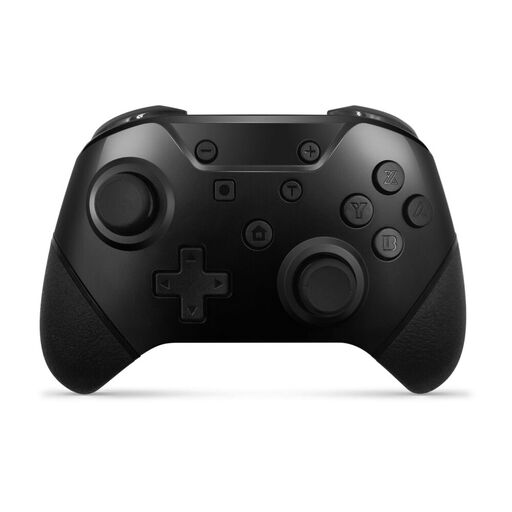
Why This Fits Their Persona: The two-controller pack suits families and flatmates who need extra pads for local multiplayer without buying two separate units.
It clearly offers both Bluetooth and USB-C wired connection, so buyers can choose between wireless play and charging through a cable. Check the listing for the exact console compatibility before ordering.
Two controllers, rechargeable batteries, motion controls, vibration and programmable rear paddles.
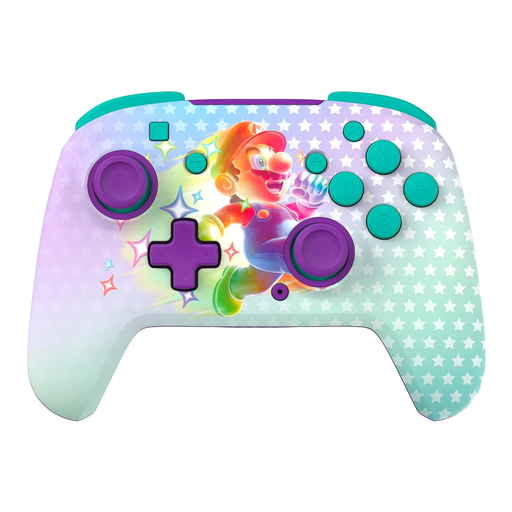
Why This Fits Their Persona: This is suited to players wanting wireless freedom, a themed finish and customisable controls for regular docked or tabletop gaming.
The listing states the controller is wireless, rechargeable and compatible with the Switch family, with the C Button unavailable when used with Switch 2. That limitation is clear before purchase.
Up to 40 hours of stated battery life, motion controls and two mappable quick-action buttons.
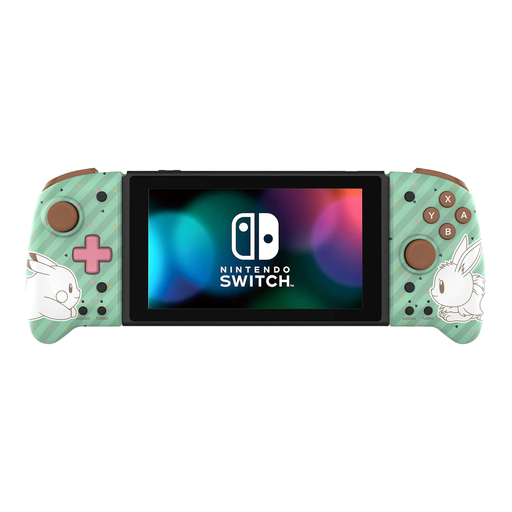
Why This Fits Their Persona: Dedicated handheld players who find standard Joy-Con grips small may prefer this full-size Pokémon Switch controller for longer portable sessions.
Its handheld-only design and lack of Bluetooth are stated clearly, preventing buyers from expecting docked or wireless operation.
Larger grips, larger analogue sticks, a precision D-pad, Turbo function and assignable rear triggers.
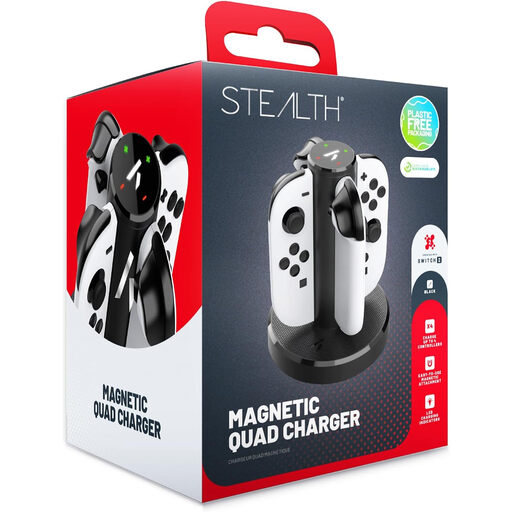
Why This Fits Their Persona: Families and regular local multiplayer groups can charge four compatible Joy-Con 2 controllers in one upright, compact unit.
It is designed specifically for Switch 2 Joy-Con controllers, so the compatibility limit is clear. LED indicators also show individual charging status.
Four simultaneous charging positions, magnetic contacts and USB-powered placement.
We have compiled a complete, real-time list of products that fully satisfy these strict selection criteria and UK safety regulations.
Compatibility varies by model. Some wireless controllers support both systems, while certain accessories are designed only for Switch 2 or Joy-Con 2. Always check the product listing for the exact console and connection requirements. A controller may function on Switch 2 while lacking newer features such as the C Button.
A wired controller does not require battery charging, so it can be simpler for occasional docked play. A wireless model uses rechargeable power but offers more flexible seating and fewer cables. Running costs are usually modest for either type; the practical difference is whether you value convenience or continuous plug-in use.
Lifespan depends on storage, cleaning, cable handling and usage. Avoid moisture, extreme temperatures and modifications, and follow the manufacturer’s charging instructions. Check buttons and analogue sticks periodically, particularly if the controller is used heavily by several players.