What should you check before buying?
Check whether the camera can be positioned and powered without drilling, then assess the actual window view after dark. Decide how footage will be stored and what the outward-facing frame will capture before settling on a model.
| Concern | What to check | Who this matters to |
|---|
| Night viewing through glass |
Check night-vision controls and review a recorded clip from the intended position after dark; Google Home and Nest Help and TP-Link both identify infrared reflections from glass as a cause of poor images. |
If I need to see activity outside at night, a clear daytime picture is not enough. Around 29% of consumers put a usable after-dark window view first. |
| Removable placement |
Confirm a supported flat-surface or removable-mount arrangement, socket reach and safe cable routing without obstructing the window. |
When I cannot drill or add fixed wiring, the camera has to stay stable and reach a socket without making the room awkward to use. Removable placement is the main concern for around 36% of consumers. |
| Recording and storage |
Check the exact model’s local-storage requirements or included cloud history, and whether the required recording mode needs a separate card or plan. |
If I need to review older clips, I want to know how they will be kept before choosing a camera. Around 21% of consumers make recording arrangements their primary concern. |
| Privacy of the outdoor view |
Map the frame before installation; check whether you can narrow or mask it and turn off unnecessary audio. The Information Commissioner’s Office advises capturing your own property where possible. |
If my window faces neighbours or a shared space, I need to limit what the camera records, even though it sits inside. Privacy is the first concern for around 14% of consumers. |
Joybuy cameras for removable indoor setups
These two plug-in choices take different approaches to avoiding a drilled mount: one is described with an adhesive window mount, while the other can stand on a flat surface. Neither should be chosen for night viewing through glass without checking a recorded clip from the intended position.
 No image available
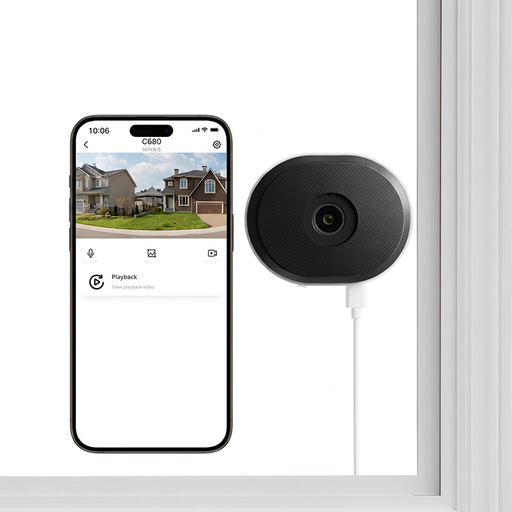
ZOSI C680 3MP 2K Wi-Fi window camera, 1 PCS – UK
Consider this plug-in window-mounted option if a removable adhesive arrangement suits your glass and tenancy terms. The listing names 2.4/5GHz Wi-Fi and a UK single-camera variant; check mount suitability and the cable route, then review recorded night footage before relying on its advertised night-vision modes.
View on Joybuy
 No image available
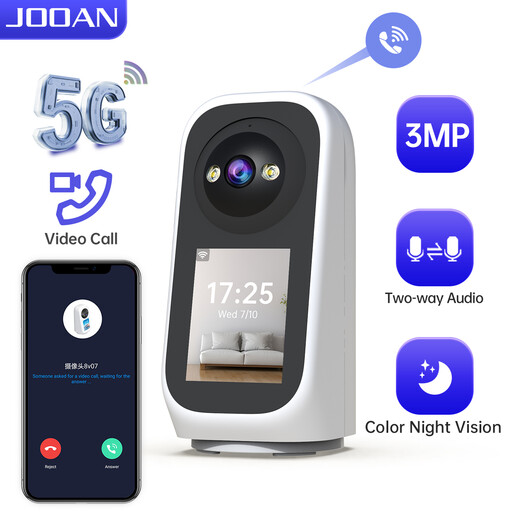
JOOAN 5G WiFi indoor camera with screen, 2K 360° PTZ
Consider this plug-in camera if you have a stable flat surface near the window. Its title specifies a screen, 2K video, pan-and-tilt control and SD-card or cloud storage options. Check socket reach, recording requirements and the night view through your glass; pan-and-tilt operation does not remove infrared reflection.
View on Joybuy
Questions about no-drill window cameras
Can an indoor camera see outside through a window at night?
It may record a view, but infrared night vision alone is not proof that the footage will be usable through glass. Google Home and Nest Help and TP-Link describe reflections from windows or glass that can obscure images; test a recorded clip at the intended position after dark.
What is a low-installation option if I cannot drill?
A plug-in camera designed for a stable table or shelf is one removable option if a socket and safe cable route are available. Reolink documents flat-surface placement for the E1, and Google lists a tabletop option for the Nest Cam Indoor (wired, 3rd gen); check the view and Wi-Fi coverage at your window.
When do UK data-protection rules apply to a camera inside my home?
According to the Information Commissioner’s Office, data-protection law applies if home CCTV captures someone else’s property, a public area or a communal space, even when the camera is inside. Aim it at your own property where possible and consult current ICO guidance before setting up an outward-facing view.
Should I leave audio recording on when the camera faces outside?
Do not leave it on by default if it could record public conversations. The Information Commissioner’s Office says such recording is normally highly intrusive and unlikely to be justified without clear, robust supporting evidence; check the camera’s audio controls before use.
Do I need a card or a cloud plan to keep recordings?
That depends on the exact camera and how long you need to retain footage. Tapo says compatible microSD cards are sold separately and support varies by model, while Google Store says continuous 24/7 history on the Nest Cam Indoor (wired, 3rd gen) requires a separately sold Google Home Premium Advanced plan.


