What to check before buying
Start with the files and software you need between connections. Then match the laptop and charging source to your time away from hook-up, checking electrical compatibility before considering capacity or portability.
| Concern | What to check | Who this matters to |
|---|
| Working time away from hook-up |
Check your laptop charging input, intended work pattern and the rated output and capacity of the exact power source. Capacity alone does not establish runtime. |
If I will be away from mains power for several nights, I need enough reserve for my work pattern rather than a battery-life headline. Around 36% of consumers would put working time away from hook-up first. |
| Offline files and mobile-data use |
Store essential files locally or make them available offline, then test your document and email workflow without a connection. |
When mobile data is limited, I need to edit the files I brought without depending on a cloud connection. Roughly 29% of consumers would prioritise offline access and controlled data use. |
| Charging compatibility and safety |
Match the laptop charger or USB-C input to the source’s stated output, and check cables and equipment condition. The Health and Safety Executive advises using equipment suited to its electrical supply. |
If I am considering an inverter or external charger, I need to establish that the equipment works safely together before relying on it. About 21% of consumers would make compatible charging their primary concern. |
| Compact backup charging |
Confirm USB-C charging support and compare the bank’s single-port output with the laptop’s requirement; check output when other devices are connected. |
If I mainly need a top-up between charging stops, I would rather carry a smaller reserve than plan around several devices. Around 14% of consumers would put compact backup charging first. |
Joybuy products for this setup
These products cover laptops for prepared offline work, a separate power reserve, local file storage and a USB-C charging top-up. Choose the laptop and files first, then check any charging accessory against that laptop’s requirements.
 No image available
ASUS Vivobook 14 X1407QA-LY003W, Snapdragon X, 16GB RAM, 512GB SSD, Quiet Blue
Consider this laptop for documents kept locally, provided you install software suited to your offline work. It has the listed Snapdragon X processor, 16GB RAM and 512GB SSD.
Before choosing a power bank or station, confirm the laptop’s charging requirements and expected battery endurance for your workload.
View on Joybuy
 No image available
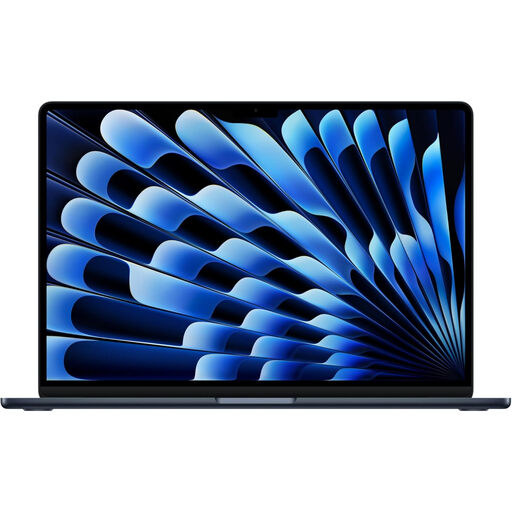
Apple 13-inch MacBook Air (2026), M5, 24GB, 1TB SSD, Midnight
This is a laptop option if your chosen macOS software can work with files prepared for offline access. The listed configuration has an M5 chip with a 10-core CPU and 10-core GPU, 24GB memory and a 1TB SSD.
Check endurance for your document workload and the charging input required by any external power source.
View on Joybuy
 No image available
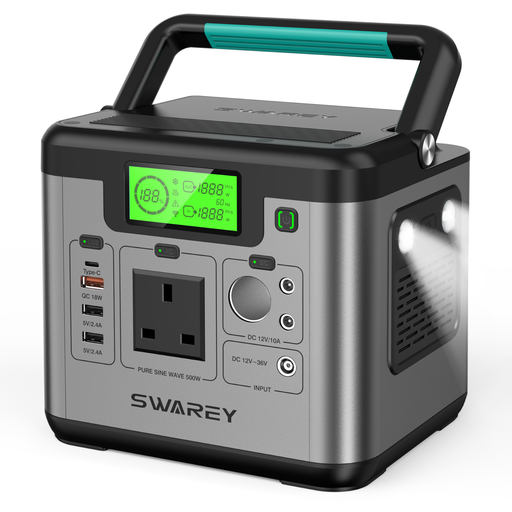
S500 portable power station, 518Wh, 500W rated output
Consider a separate power reserve if your laptop battery alone will not cover the time between hook-ups. This station is listed at 518Wh capacity, 500W rated output, 1000W peak output and 65W USB-C charging.
Match the intended connection to your laptop and check the station’s weight and recharge options for your trip; its ratings do not promise a particular runtime.
View on Joybuy
 No image available
Samsung T7 Shield portable SSD, 1TB, USB 3.2 Gen 2, Blue
Use an external drive to carry a separate local copy of work files rather than depending solely on cloud access. This variant is listed with 1TB storage and a USB 3.2 Gen 2 connection.
Check its connection with your laptop and maintain another copy of important files; an external drive alone is not a complete backup routine.
View on Joybuy
 No image available
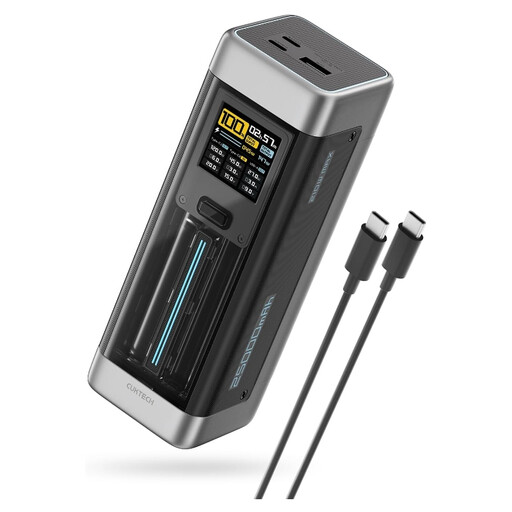
CUKTECH NO.20 P23 power bank, 25,000mAh, 140W USB-C, Grey
Consider this power bank for a travel top-up only if your laptop accepts a compatible USB-C charging source. Its listed capacity is 25,000mAh, with up to 140W USB-C output and three ports.
Check the laptop’s input requirement and the output available when several ports are used. Follow the product’s caution against leaving the bank in a hot car.
View on Joybuy
Frequently asked questions
Can I edit documents without using mobile data?
Yes, if your software and files are ready for offline use. Microsoft Support and Google Docs Editors Help describe preparation steps for cloud files; a downloadable desktop suite is another option. Test the documents you need before leaving coverage.
Can I read and draft email while offline?
You can use email material saved on the device and prepare drafts in an app that supports offline work, but sending and synchronisation wait for a connection. Microsoft Support says New Outlook for Windows can save selected mail, calendar and contact information locally.
Should I choose a power bank or a portable power station?
Choose a compatible USB-C power bank for an occasional laptop top-up; consider a portable power station when you need a separate reserve for several devices or longer gaps between hook-ups. In either case, match output to the exact devices and check weight and recharge options rather than assuming a stated capacity translates into working days.
Does a USB-C port mean my laptop can charge from a power bank?
No: confirm that the laptop accepts charging through that port and compare its required input with the bank’s stated output. Lenovo’s charger guidance cautions that a USB-C charger can be unsuitable for a notebook that does not support it.
What should I check before using an inverter?
Check that the equipment is suitable for the electrical supply and is in good condition, as the Health and Safety Executive advises. An inverter listing or marking does not settle compatibility with your vehicle and laptop; seek competent advice for questions about the vehicle’s electrical installation.


