What matters when choosing?
Start with the files and devices that need protection, then decide how quickly they must be restored and where an independent copy will live.
Rotated portable drive
Consider it when: One person can make backups, disconnect the drive and keep it securely away from the workplace; choose an encrypted removable option when the contents and risks call for it.
Trade-off: The business must manage rotation, physical security, passwords where used and restore tests.
Network-attached storage
Consider it when: Several devices need a central local backup destination and someone can manage the networked equipment.
Trade-off: A NAS at the main workplace still needs a separately protected off-site copy.
Cloud backup
Consider it when: Files spread across working locations need an off-site service and the plan covers the required devices and accounts.
Trade-off: The business must configure and monitor recovery and security controls; the National Cyber Security Centre says cloud backups are not ransomware-resistant by default.
Hybrid local and cloud backup
Consider it when: The business wants a local restore route as well as a separately protected copy outside its premises.
Trade-off: Two destinations mean more setup, monitoring and restore-testing work.
| Concern |
What to check |
Who this matters to |
| Recoverability and separation |
Can you restore priority files from a copy separate from live data and the main workplace? Test the restore against your acceptable downtime. |
If my working files are lost or damaged, I need an independent copy that actually opens. Roughly 33% of consumers put recoverability and separation first. |
| Coverage across locations |
Check the required devices, folders and cloud applications, and how staff can start a restore when the office is unavailable. |
Files change wherever my team works, so I need those working locations covered. Around 27% of consumers make cross-location coverage their primary concern. |
| Personal-data security |
Check encryption setup, authorised recovery access and controls for retained versions and deletion. |
When backups hold personal information, I need to protect the copy without losing the ability to recover it. Approximately 20% of consumers prioritise this security and retention need. |
| Local capacity and control |
Size the protected data and retained versions, then establish who will maintain and rotate the local equipment. |
I can manage local hardware, but it must hold the copies I intend to keep and fit the work involved. About 20% of consumers put local capacity and control first. |
Local backup hardware on Joybuy
These portable drives and a diskless NAS are local destinations to consider within an off-site backup plan. A portable drive needs a managed disconnection and storage routine; a NAS at the main workplace needs another protected copy elsewhere.
 No image available
Western Digital My Passport 2TB, black
A portable choice if someone can disconnect the backup and keep it away from the main workplace.
2TB capacity. If the copy will contain personal information, check the encryption setup and how authorised staff would regain access.
View on Joybuy
 No image available
Western Digital My Passport Ultra for Mac 5TB, silver
Consider this portable drive when a managed off-site rotation suits the business and the intended computers can use the Mac variant.
5TB capacity. Confirm compatibility, recovery access and the applicable warranty before purchase; test a restore before relying on the drive.
View on Joybuy
 No image available
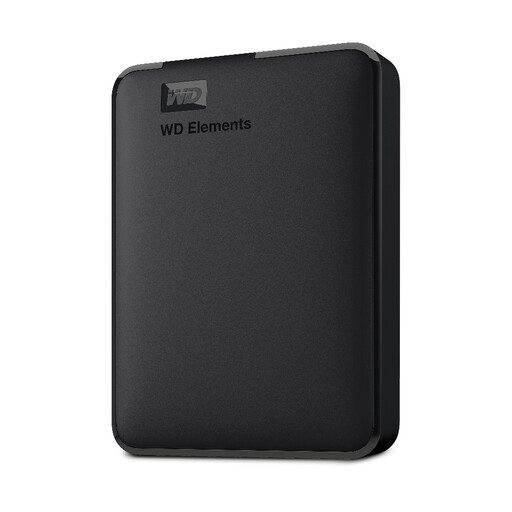
Western Digital Elements Portable 4TB, black
A portable destination for a backup routine in which someone disconnects the drive and stores it elsewhere.
4TB capacity; the product name specifies USB 3.0. Check formatting for the computers you will use, along with any encryption or automated-backup requirements.
View on Joybuy
 No image available
Western Digital Elements Portable 1TB
This portable capacity is worth assessing for a smaller protected file set if the business can rotate a copy away from the workplace.
1TB capacity. Allow for growth and retained versions, check formatting for the intended computers and establish whether the required security features are available.
View on Joybuy
 No image available
Synology DS225+ two-bay diskless NAS
A network-attached storage option to assess when several devices need a central local destination and the business can manage its setup.
Two-bay, diskless configuration: choose compatible storage drives and check usable capacity, device coverage and restore behaviour. Add a separately protected off-site route.
View on Joybuy
Common questions
Is an office NAS or external drive enough on its own?
No, not when the aim is recovery after the main workplace becomes unavailable. The Information Commissioner’s Office advises keeping an external backup device away from that workplace; use a NAS as a local destination alongside an independently protected off-site copy.
What should we test before relying on a backup?
Restore priority files and check how long the process takes, including whether staff can use it when the normal workplace or live system is unavailable. The Information Commissioner’s Office advises checking backups and says security measures should support timely restoration of personal data.
Does cloud backup automatically protect against ransomware?
No. The National Cyber Security Centre says cloud and on-premises backups are not ransomware-resistant by default. Check the service plan’s protection against deletion or alteration, available earlier versions, alerts and administrator controls, then test a restore.
How should we assess encryption for backups containing personal information?
Assess it against the information stored and the risks of loss or unauthorised access. The Information Commissioner’s Office advises security appropriate to the processing risk and identifies encryption as protection for personal information on backup media; check that any chosen encryption is enabled and that authorised staff can recover the data.
Can we keep backup copies containing personal information indefinitely?
Set retention according to the business purpose and applicable legal requirements rather than leaving copies in place without a plan. The Information Commissioner’s Office advises documenting retention periods and what happens to personal information afterwards, such as deletion, archiving or anonymisation.


