
24/7 Customer Support

Free returns

Same-day & Next-day Delivery

Quality Guaranteed

Unlock Your Welcome Offers: FREE Delivery | Up to 80% OFF | Free 30-day JoyPlus trial
Download the APP
By Joy, Joybuy Product Recommendation Officer
Stocking a home office, a small business or even just the family study can feel straightforward, but the world of office and printing supplies is filled with hidden traps that cost UK consumers both time and money. From printers that suddenly reject "compatible" cartridges to important documents looking faded and unprofessional, making the wrong choice can be frustrating. Before you click "buy," let's look at the common pitfalls and how to sidestep them.
The "Compatible" Ink Cartridge Gamble: Low-cost, third-party ink cartridges often promise the same performance as original manufacturer versions for a fraction of the price. However, this can be a false economy. Many users report issues ranging from poor colour accuracy and streaky prints to clogged printer heads. In a worst-case scenario, some printer models may refuse to recognise the cartridge after a firmware update, leaving you with a useless product and potentially voiding your printer's warranty.
The False Economy of Cheap Printer Paper: A ream of unbranded, low-weight paper might seem like a bargain. The hidden cost often appears in the form of frequent paper jams, which can damage your printer's internal rollers over time. Furthermore, low-quality paper has poor opacity and a dull finish, leading to prints that lack sharpness and vibrancy, making a poor impression for any professional or academic work.
The Moisture Menace in 3D Printing: For the growing community of 3D printing enthusiasts, the quality of your filament is paramount. Many filaments, especially materials like PETG and Nylon, are hygroscopic, meaning they readily absorb moisture from the air. Printing with damp filament results in weak, brittle and stringy models, wasting hours of print time and expensive material. Simply buying a spool without considering proper storage is a recipe for failure.
To ensure you get value and performance, focus on a few core parameters rather than just the price tag. These specifications are the true indicators of quality for your home office essentials.
When selecting printer paper, two numbers are crucial: weight and whiteness.
For consumables like ink and address labels, compatibility is everything.
For high-quality 3D prints, managing your materials is as important as the printer itself.
Instead of a one-size-fits-all approach, we've matched some standout products to the people who will get the most from them.
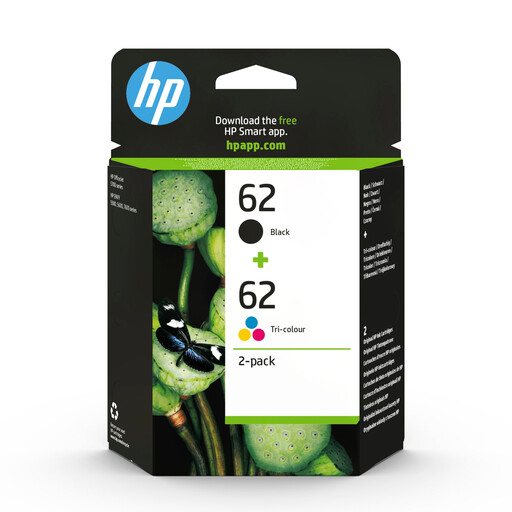
Why This Fits Their Persona: This is for the user who needs their printer to work reliably, every time. This original manufacturer combo pack removes the guesswork for printing reports, invoices and schoolwork, ensuring consistent quality without fuss.
It directly counters the "compatible cartridge gamble" by guaranteeing performance and compatibility with select HP printers, protecting your hardware investment.
Delivers sharp text and vibrant colours consistently. The 2-pack format provides both black and tri-colour cartridges for complete replacement.
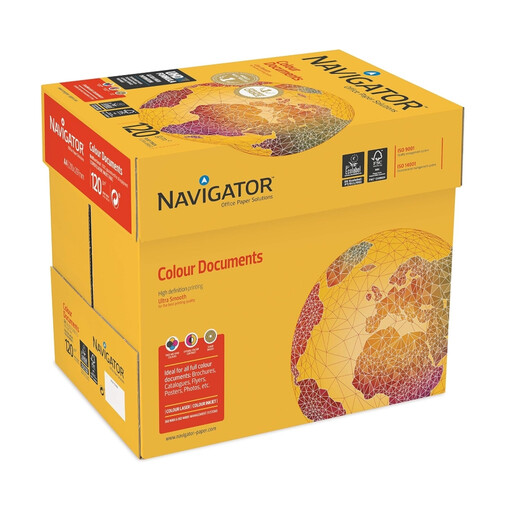
Why This Fits Their Persona: For businesses producing client-facing proposals, brochures or reports, presentation matters. This bulk box of heavyweight paper ensures a professional impression without constant re-ordering.
This sidesteps the "false economy of cheap paper." Its 120gsm weight and high 169 CIE whiteness provide a tangible quality that prevents jams and produces superior colour prints.
The heavyweight feel adds authority to documents. It is also FSC certified and EU Ecolabel approved, supporting corporate responsibility goals.
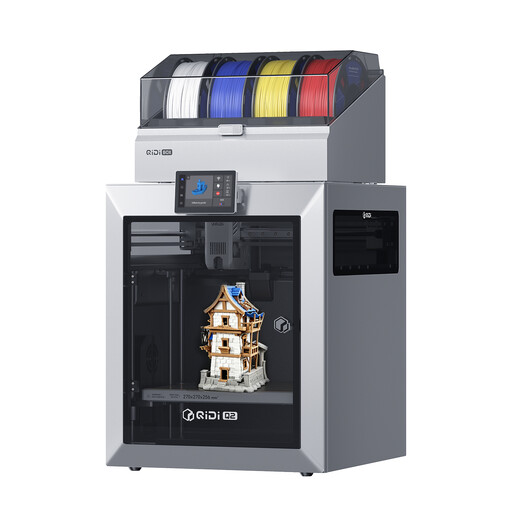
Why This Fits Their Persona: This is for the creator moving beyond basic models. The enclosed, heated chamber and multi-material capabilities are ideal for experimenting with engineering-grade filaments like ABS, PC and composites.
It directly tackles the "moisture menace." The 65°C heated chamber and integrated drying system create a stable environment, ensuring filament is in optimal condition for printing and preventing failures.
Enables high-speed printing up to 600mm/s and supports up to 16-colour/multi-material printing with the included QIDI BOX, offering huge creative potential.
We have compiled a complete, real-time list of products that fully satisfy these strict selection criteria and UK safety regulations.
To extend the life of your ink, try printing in "draft" or "economy" mode for non-essential documents. Using the "print preview" function helps you spot errors before printing, avoiding wasted pages. Additionally, some fonts use significantly less ink than others; standard fonts like Times New Roman and Arial are generally more efficient than bold, heavy ones.
Think of 80gsm as your standard, everyday paper. It's lightweight and cost-effective, making it suitable for internal memos, drafts and high-volume copying. 120gsm paper is noticeably thicker and more durable. It has a more premium feel, is less transparent, and is the preferred choice for important external documents like presentations, proposals and CVs where you want the output to feel substantial and professional.
If you only print with PLA in a relatively dry room, you might get by without one. However, for anyone using more hygroscopic (moisture-absorbing) materials like PETG, Nylon, ABS or TPU, a 3D printer filament dryer is a critical piece of equipment. Even in a typical UK home, ambient humidity is high enough to degrade these filaments over time, leading to poor print quality. A dryer removes this moisture, ensuring your material performs as the manufacturer intended.