Readers who do not want to rely on signal
Regular passengers who mainly want books or long documents available without mobile data or onboard Wi-Fi, and do not need a colour screen for their main journey activity.


Choose the device around what you most need to do when a train loses signal: an e-reader for books, a tablet for eligible downloaded media, or a laptop with files saved locally for desktop work. Headphones and a power bank can support that setup, but neither makes online content available offline; check downloads, storage and charging before you travel.
Regular passengers who mainly want books or long documents available without mobile data or onboard Wi-Fi, and do not need a colour screen for their main journey activity.
People who need keyboard input, desktop applications or specified work files stored locally, rather than files that are merely visible in a cloud folder.
Passengers planning to watch or listen through signal gaps, for whom app download rules, available storage and charging all affect the setup.
Start with the activity you cannot interrupt, then check that its files or media will open without a connection. In Ofcom’s February–March 2026 measurements on trains across England, Scotland and Wales, mobile performance was poor in 58%–83% of tests depending on the network; the findings are indicative, not a prediction for every journey.
| Concern | What to check | Who this matters to |
|---|---|---|
| Work files and desktop tools | Check that required applications work offline and essential files are stored locally. Compare laptop battery claims against your expected workload. | If I need to edit work files between stations, seeing them in a cloud folder is not enough; they must open without signal. Around 31% of consumers put work continuity first. |
| Reading without frequent charging | Check document formats and transfer methods, screen size and the conditions behind any battery-life claim. | For a journey spent mostly reading, I would rather carry a device suited to books than choose a screen for video I will not watch. Roughly 31% of consumers make reading their primary need. |
| Downloaded entertainment | Check each app’s download eligibility, device limits and storage needs before choosing a tablet or audio setup. | If I plan to watch films or listen through signal gaps, the content needs to be downloaded on the device I will carry. About 23% of consumers put offline media first. |
| Power and private listening | Match a power bank’s USB-C output and cable to the device’s charging requirements; check how headphones connect to the playback device. | When several devices need to last until the return journey, I care most about keeping them charged and my audio available. Around 15% of consumers prioritise power and listening support. |
Microsoft distinguishes OneDrive’s online-only files from files set to remain available locally. An online-only file may not open when the connection drops.
Set the exact files or folders you need to be always available offline, then try opening them with the connection switched off before travelling.
A tablet’s storage or a pair of headphones cannot override a service’s title eligibility, subscription or device limits. Netflix, Spotify and YouTube apply different rules.
Check your intended app and content on the device you plan to use, and complete the downloads while connected.
A mAh figure does not establish whether its USB-C output and cable meet a laptop’s charging requirements.
Compare the device’s required input with the bank’s single-port output, shared output and cable specification.
Electrical Safety First advises buying power banks and chargers from reputable retailers so product information and recall support are easier to access.
Keep the purchase record, register the product if offered, and stop using a battery product that is damaged, swollen or overheating.
A book-focused e-reader range to consider when reading is the main journey activity.
iPad tablets offer an app-based route for passengers combining reading, media and lighter tasks.
Galaxy Tab models provide Android tablet options for reading, media and travel tasks.
Windows laptops are relevant when the journey calls for desktop applications, a keyboard and local work files.
Headphones can provide private playback from audio already downloaded to a compatible source device.
Portable charging products can support a phone, tablet or other compatible device away from a socket.
These choices cover e-readers for book-focused journeys and accessories for listening, charging or carrying files with a compatible device. Choose the main device for your activity first; an accessory cannot replace the apps, local files or downloads that activity requires.
 No image available
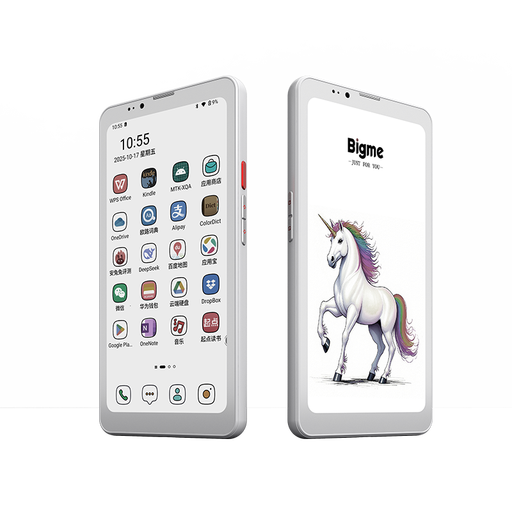
Consider this for a journey centred on reading, once you have checked how your books or documents will reach the device.
The product name specifies a 36-level front light and Android 14. Confirm that your required formats and reading apps work as intended offline.
 No image available
This is a reading-focused option if you want a colour e-paper screen and plan to prepare content before travelling.
The product name specifies Android 14. Check whether your chosen reading or media apps permit the downloads you need on this model.
 No image available
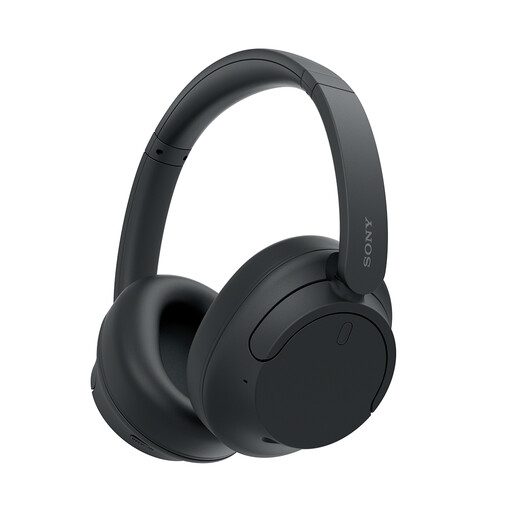
Pair these with a compatible phone, tablet or laptop if private listening is part of your journey.
Download the audio to your source device before departure; the headphones do not provide offline content on their own. Check charging and connection options for your setup.
 No image available
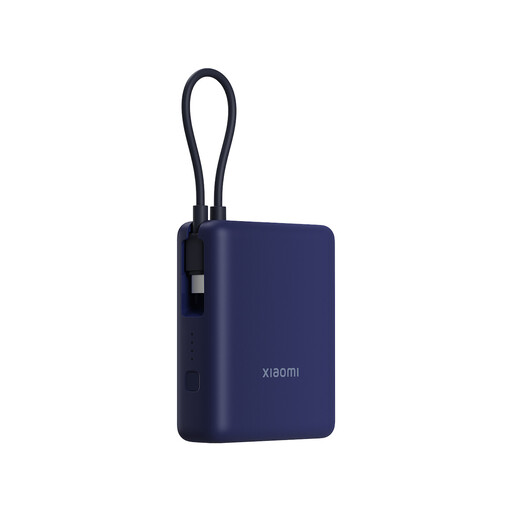
Consider a power bank when a compatible device may need charging before the return journey.
The stated capacity and 33W rating do not establish charging suitability for every device. Check its output and cable against your device’s input requirements.
 No image available
This external drive is an option for carrying files to use with a compatible host device, rather than a standalone way to work offline.
Check the connection, file format and application workflow on the laptop, tablet or phone you intend to bring.
Save or sync the required files locally and open them once with the connection switched off before you travel. Microsoft notes that OneDrive online-only files require an internet connection; set essential files or folders to be always available offline.
Choose storage around the content and apps you actually intend to download, rather than a single minimum for every passenger. Check title eligibility, device limits and available space; YouTube says SD-card storage for downloads depends on device support, while Netflix applies download limits.
Downloaded Spotify content can play offline. Spotify says Premium users can download albums, playlists and podcasts, while free users can download podcasts only; use Offline Mode if you want playback limited to downloaded items.
A power bank is suitable only if its output, charging protocol and cable meet that laptop’s requirements. Compare the laptop’s required input with the bank’s maximum single-port and shared output; its mAh capacity alone does not answer the question.