Passengers working offline
If you need to create, edit or review documents on the train, choose between a laptop and tablet around your required software, keyboard and local files. Prepare cloud-synchronised files for offline use before you leave.


Choose your main device for the task that must work without a connection: a laptop for sustained typing and local-file work, or a tablet for reading, downloaded entertainment and lighter tasks. Check that your files and apps work offline before travelling, and plan charging around your booked service rather than assuming a socket will be available. Headphones can help with listening or concentration, but fit, battery life and awareness of announcements still matter.
If you need to create, edit or review documents on the train, choose between a laptop and tablet around your required software, keyboard and local files. Prepare cloud-synchronised files for offline use before you leave.
If the journey is for films, books, music or games, check each service’s download rules and the space available on your device. Battery life and comfortable headphones also affect what you can use throughout the trip.
On a long or multi-leg journey, a compatible power bank may reduce dependence on passenger sockets. Check its connection and output against the devices you intend to charge, as well as the facilities on your booked services.
Start with the work or entertainment that must function offline; then check independent charging, audio needs and whether occasional mobile data would be useful as a backup.
| Concern | What to check | Who this matters to |
|---|---|---|
| Offline work | Check that required apps run offline and essential files are stored on the device. For OneDrive, Microsoft says files marked “Always keep on this device” remain available offline. | If I need to edit documents between stops, cloud-only access could interrupt the task. Around 36% of consumers would put offline work continuity first. |
| Independent power | Check facilities on the booked service, then match a power bank’s output and cable to your device’s charging requirements. | On a long or multi-leg trip, I need my devices to last even if my seat has no suitable socket; approximately 29% of consumers would make independent power their primary concern. |
| Downloaded entertainment and audio | Confirm in-app download rights and available storage. For headphones, check fit, runtime with noise cancellation enabled and how to hear announcements when needed. | If I plan to read or listen throughout the journey, I want the content ready on my device and audio that remains comfortable. About 21% of consumers would prioritise downloaded entertainment and listening. |
| Mobile-data backup | Check relevant locations and provider coverage, then confirm your plan’s tethering terms, device compatibility and data allowance. | I may need to complete an occasional live task, but I cannot base the whole trip on a connection. Roughly 14% of consumers would put a mobile-data contingency first. |
Facilities depend on the service and sometimes the seat. Southeastern permits passenger charging on its highspeed trains, while Avanti West Coast specifies sockets at window seats in Standard Premium.
Check the facilities for your booked service. If arriving with battery power matters, choose a compatible backup that you can carry independently.
Space on a device does not make cloud files available when the connection drops. Microsoft says OneDrive files marked “Always keep on this device” are downloaded for offline access.
Download the documents and media you need before departure, then check that they open while your device is offline.
Electrical Safety First advises buying power banks from reputable retailers. The Office for Product Safety and Standards has recalled specified Anker power-bank models because their batteries could overheat.
Keep proof of purchase, check recall notices against the exact model and stop using a recalled unit.
Ofcom’s postcode coverage checker does not promise a usable connection throughout a journey. In its 2026 testing on surveyed railway segments in England, Scotland and Wales, poor-quality mobile service occurred in 58% to 83% of tests, depending on network.
Prepare time-critical files and entertainment offline; treat route-checked mobile data as a contingency for live tasks.
The iPad range is relevant if you want a portable screen for reading, downloaded entertainment or lighter productivity.
Galaxy tablets are relevant if downloading and managing local files is central to your journey.
Windows and Surface devices are relevant for local documents, desktop software and OneDrive files prepared for offline access.
Sony offers in-ear and over-ear noise-cancelling headphone formats for passengers considering downloaded audio or concentration.
These laptops and tablet address locally stored work or entertainment, while the headphones and power bank address listening and backup charging. Choose the device for your essential offline tasks before deciding which accessories you need.
 No image available
Consider this ChromeOS laptop for document work if your essential apps and files can be prepared for offline use.
14-inch WUXGA (1920 × 1200) display, Intel Core i3-1315U and 8GB RAM. Confirm that each required task works without a connection and assess battery life for your own workload.
 No image available
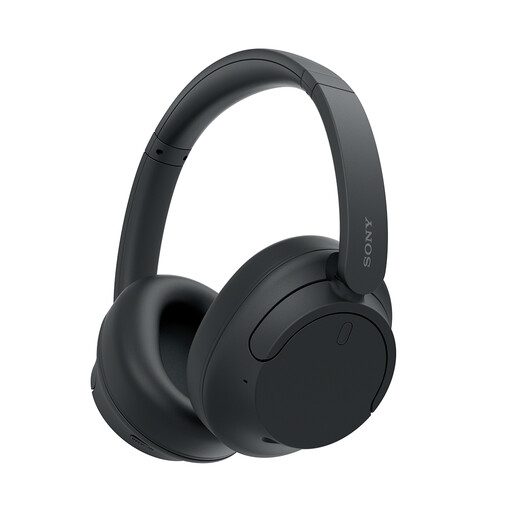
Consider these for listening to audio already downloaded to a separate device. Check the over-ear fit for the length of your journey and whether you can hear announcements when necessary.
Confirm the battery runtime you need with noise cancellation enabled.
 No image available
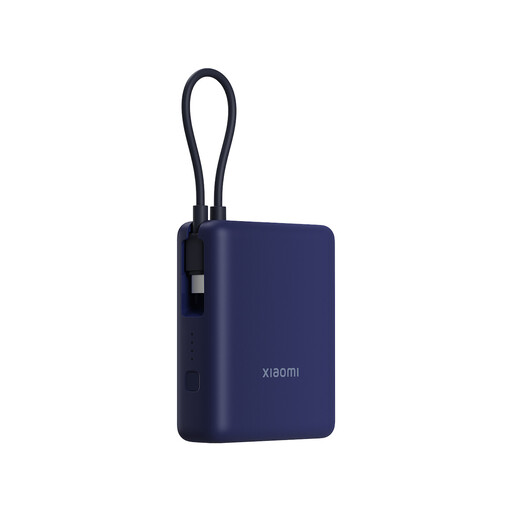
Consider backup power when suitable onboard charging is uncertain. Check the integrated cable and output against your particular device rather than assuming the stated capacity means a set number of charges.
Check the seller and any recall notice for the exact model before use.
 No image available
Consider this laptop if your work calls for a larger screen and locally stored files. Set up cloud files and check your required software offline before travelling.
15.6-inch display and Intel Core 5 120U. Assess battery life for the work you intend to do on the train rather than relying on a standby-time figure.
 No image available
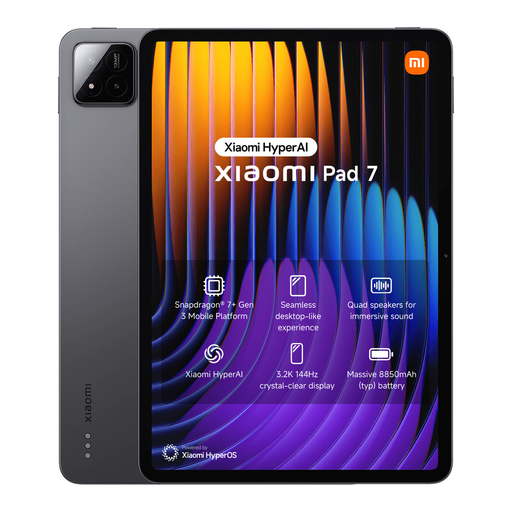
Consider this tablet for reading, notes or downloaded media if your chosen apps permit the offline tasks you need. Download content and try opening it offline before departure.
Check the charging equipment you will need for the journey.
No—check the facilities for your booked operator and service rather than assuming they will be available. Southeastern says passenger charging is limited to its highspeed trains, while Avanti West Coast specifies sockets at window seats in Standard Premium; neither arrangement establishes what your own seat or connection will provide.
Download or synchronise the required files while connected, then check that they open offline. For OneDrive, Microsoft says files marked “Always keep on this device” remain available offline, whereas online-only files save local space.
Check your train company’s luggage policy and storage arrangements before choosing a large bag or several accessories. National Rail says passengers can generally bring up to three items without extra charge, provided luggage is securely packed and light enough to carry; individual train companies may have different policies.
Match its output and cable to the device you intend to charge, buy from a reputable retailer and check recalls for the exact model. Electrical Safety First recommends reputable retailers, and the Office for Product Safety and Standards has recalled specified Anker power banks because their batteries could overheat; stop using a recalled unit.
No—use it as a contingency after checking your provider and plan, while keeping essential files and media available offline. Ofcom’s postcode checker does not guarantee performance along a train route; its 2026 testing found poor-quality mobile service in 58% to 83% of tests on surveyed railway segments in England, Scotland and Wales, depending on network.