Everyday home users replacing an old computer
If you mainly browse, email, manage documents and watch video, start with the services and files you use rather than specifications intended for gaming or specialist work.


Choose a Windows 11 laptop if an installed Windows program or device driver is essential, or if you cannot confirm that your usual tasks work in a browser. A Chromebook can suit browser-led email, documents and media, provided its update schedule and your printer are compatible; a refurbished Windows laptop calls for additional checks on Windows 11 eligibility and the individual unit’s condition. If the computer will stay at one desk, consider a desktop alongside the display and accessories it will need.
If you mainly browse, email, manage documents and watch video, start with the services and files you use rather than specifications intended for gaming or specialist work.
An installed program, printer utility or older peripheral may determine the operating system. Check the exact task and device before assuming a browser-based alternative will work.
A refurbished laptop is worth considering when its Windows 11 eligibility, stated condition and warranty meet your needs, and you can check the battery and controls on the individual unit.
Start with software and device compatibility, then check support and physical condition. Screen size, portability and desk accessories help distinguish the remaining options.
| Priority | What to check | Your needs |
|---|---|---|
| Software and accounts | List essential installed programs and sign-in tasks. Microsoft says a Chromebook uses Microsoft 365 in the browser, not the Windows or Mac desktop versions. | If I rely on an installed Windows program, I need a compatible Windows computer. If my documents and accounts work in the browser, a Chromebook is also an option. |
| Printers and connections | Check the exact printer model, connection type and any required utilities. Google says Chromebooks support compatible internet- or USB-connected printers, but not Bluetooth printing. | I want to keep using my printer and other devices without changing an essential workflow. |
| Operating-system support | Check Windows 11 eligibility for a refurbished Windows model, or the exact Chromebook’s Auto Update Expiration date. Microsoft ended Windows 10 support on 14 October 2025. | A replacement should have a support path that suits how long I intend to use it, rather than depend on Windows 10 alone. |
| Refurbished condition | Read the seller’s written condition and warranty terms. Ask about battery capacity, then check the keyboard, screen, charger and required ports on the delivered unit; Microsoft’s PC Health Check can report battery capacity on eligible devices. | For a refurbished laptop, I need to know whether the particular unit’s wear and controls are acceptable to me. |
| Where it will be used | Decide whether the computer needs to move around the home. For a desktop, check which display, keyboard, mouse, webcam and cables you will need. | If it stays at one desk, I can consider a desktop; if I use it in different rooms, a laptop form factor matters. |
Microsoft ended Windows 10 support on 14 October 2025. A computer may still operate, but Microsoft no longer provides its usual security updates, feature updates or technical assistance for Windows 10.
Check Windows 11 eligibility for the exact model and supplied configuration before buying it as a longer-term household computer.
Microsoft 365 is available through a Chromebook’s browser, but its Windows and Mac desktop versions cannot be installed there. Printer compatibility also depends on the model and connection.
Make a short list of essential programs, files, accounts and devices, then confirm how each would work on ChromeOS.
A cosmetic description alone cannot tell you the battery capacity or whether every key and required port works on the unit you receive.
Keep the written listing and warranty terms. Check the battery, keyboard, screen, charger and connections promptly against the seller’s description.
The National Cyber Security Centre warns that simply deleting files may not prevent personal data from being recovered.
Back up what you need and confirm you can access your accounts on the replacement. Then use the old device’s built-in erase or factory-reset process before selling, donating or recycling it.
These manufacturer ranges illustrate routes to compare; check the particular configuration and seller terms rather than treating a brand name as a specification.
Dell UK offers new computers and an Outlet range that includes certified refurbished laptops and desktops.
Lenovo UK lists Chromebooks in conventional laptop, 2-in-1 and detachable formats alongside its other computer ranges.
HP UK presents its Chromebook range for everyday browsing, work and streaming.
These models cover new Windows laptops and one Chromebook for home use. They do not stand in for the separate checks needed when considering a refurbished computer or a desktop.
 No image available
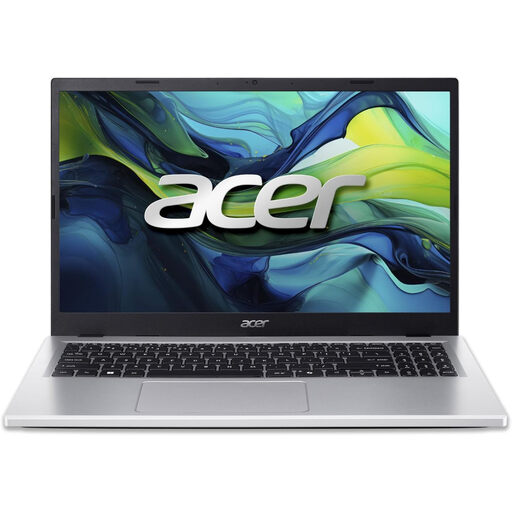
A Windows 11 Home laptop to consider when your household needs installed Windows software. Its listed configuration includes an AMD Ryzen 5 7535HS processor, 24GB DDR5 RAM and a 512GB PCIe SSD. Check the connections for any printer or peripheral you intend to keep.
 No image available
This Windows 11 Home option has an Intel Core i5-13420H processor, 8GB DDR5 RAM and a 256GB NVMe SSD. Check whether that storage capacity suits the files you keep locally. A stated maximum battery-life figure should not be treated as the duration you will necessarily get in use.
 No image available
For everyday Windows tasks, this model lists an AMD Ryzen 3 7320U processor, 8GB RAM and a 128GB SSD. It is specified with Windows 11 Home in S Mode: check whether your required installed applications can be used with that mode before choosing it.
 No image available
This laptop lists an Intel N150 processor, 8GB DDR4 RAM and a 128GB SSD for everyday computing. Its title says Windows 11 Home, while its detailed description says Windows 11 Home in S Mode. Confirm the supplied mode and whether it permits the applications you need before buying.
 No image available
Consider this Chromebook for tasks you can complete in the browser. It lists an Intel Core 5 120U processor, 8GB RAM and a 512GB SSD. Before choosing ChromeOS, check this model’s Auto Update Expiration date and whether your printer and essential services are compatible.
No. Browser-led tasks can make a Chromebook suitable, and Microsoft says Word, Excel, PowerPoint, OneNote and OneDrive can be accessed through Microsoft 365 in its browser. Choose a compatible Windows computer if an essential installed application or device workflow cannot be completed that way.
No. Microsoft says the Windows and Mac desktop versions of Microsoft 365 or Office 2016 cannot be installed on a Chromebook. Check that the browser versions provide the features your documents and workflow require.
Confirm Windows 11 eligibility for the exact model and configuration, and get the condition and warranty terms in writing. On delivery, check battery capacity where a report is available, then test the keyboard, trackpad, screen, charger, connections and any essential accessories against the seller’s description.
It might, but check the exact printer and connection before buying. Google says Chromebooks can print with compatible internet- or USB-connected printers; Bluetooth printing is not supported.
Back up needed files and make sure you can access your accounts on the replacement, then erase the old device before selling, donating or recycling it. The National Cyber Security Centre warns that deleting files alone may not prevent recovery and recommends using a built-in restore, factory-reset or erase feature.