Everyday channel viewers
You mainly want familiar broadcast channels, with straightforward power, channel and volume controls rather than a different controller for each device.


Choose the change that addresses the main difficulty: a programmable remote can help consolidate controls, start-up settings can affect which screen appears, and a different TV or receiver may change the viewing interface. Check the actual sequence of switching on, finding a channel and adjusting the volume, and assess the programme guide from the viewer’s usual position rather than assuming a particular screen or “smart” label will make it simpler.
You mainly want familiar broadcast channels, with straightforward power, channel and volume controls rather than a different controller for each device.
You choose programmes from the on-screen guide and want to check the menu text, layout and any enlargement controls from your normal viewing position.
You are helping someone retain an otherwise satisfactory television and want to consider remote programming, start-up settings or a receiver before replacing the screen.
A UK MoneySavingExpert Forum discussion described the difficulty of using two remotes and raised concerns about reading the programme guide. Start by identifying which part of the routine causes trouble, then check the relevant controls on the actual equipment.
Consider this when: You are replacing the screen anyway and want ordinary aerial channels available through an integrated Freeview tuner.
Trade-off: An integrated tuner does not establish that the guide is readable or that the TV starts directly on a channel. Freeview live viewing through the TV guide requires an aerial, according to Freeview.
Consider this when: The screen and controls work well, but switching on presents an unwanted home screen or input.
Trade-off: LG UK documents choosing Home or the last external input, but this does not guarantee start-up on an internal Freeview channel; access steps vary by webOS version.
Consider this when: The existing equipment works but switching between controllers is the main difficulty. One For All documents three-device control and a learning feature on its URC 6820 Zapper+.
Trade-off: Check that the remote works with the exact equipment and required commands; a different remote will not enlarge the on-screen guide.
Consider this when: You want to keep the screen but need documented receiver-menu enlargement or TV controls on the receiver remote. Manhattan’s T4 documents menu zoom and five learnable TV controls.
Trade-off: The box adds another device and connection. Its supplied remote uses infrared, and linked power depends on HDMI-CEC being enabled on the connected equipment.
| Concern | What to check | Who this matters to |
|---|---|---|
| Fewer routine controls | List the daily commands and check which device receives each one. Confirm power, channels, volume and mute work as needed. | If switching between remotes is the main frustration, I want the usual commands in one place. Around 33% of consumers in this decision scenario put controller consolidation first. |
| Readable programme information | Read channel names, programme titles and descriptions from the usual seat; try any available guide enlargement settings. | If choosing a programme from the guide is difficult, I want to see the actual text from the usual viewing position. Around 27% of consumers in this decision scenario prioritise guide readability. |
| Predictable start-up | Test switching on, reaching the intended channel and returning from an unwanted screen using the actual equipment. | If starting the TV brings up the wrong screen or input, I want a routine that reaches viewing without that detour. Around 27% of consumers in this decision scenario put predictable start-up first. |
| Keeping familiar equipment | Check the existing TV and receiver models, required remote commands and who will handle initial setup. | If the current screen is satisfactory, I would rather check a smaller change before replacing it. Around 13% of consumers in this decision scenario prioritise keeping familiar equipment. |
Device control, learning TV commands and linked power are separate capabilities, each with its own setup conditions.
Test the intended sequence on the actual equipment: switch on, reach a channel, adjust the volume and switch off. Keep the original remote available for setup and troubleshooting.
Allow time to programme and configure the controls.
A household report of difficulty reading a guide does not establish how another screen or interface will look to a particular viewer.
Inspect the exact programme guide from the usual viewing position and try its enlargement settings. Do not treat screen size, resolution or an “older person” label as proof of readability.
The supplied Manhattan T4 remote uses infrared and needs a clear line of sight to the front of the box.
Check the receiver’s position before settling on the setup. Manhattan documents an IR repeater arrangement for a closed cabinet.
A closed cabinet may require an IR repeater.
Manhattan distinguishes the T4 receiver from the T4•R recording model; pausing live TV is not the same as saving recordings. Internet access unlocks additional T4 features, while UK TV Licence requirements depend on viewing use.
Check broadcast reception, catch-up access, recording needs and licence coverage separately. GOV.UK says a TV Licence is required to watch or record live TV on any channel or service, or to use BBC iPlayer.
These brands are relevant through specific products and documented functions; the details do not establish that every product in a brand’s range will suit a particular household.
Relevant through UK televisions with integrated Freeview Play and support for configuring the start-up screen.
Relevant through programmable multi-device remotes, including the UK URC 6820 Zapper+.
Relevant through the T4 Freeview Play receiver and its documented menu, remote-learning and HDMI-CEC settings.
These Joybuy listings are televisions for households considering a screen replacement. Check the supplied remote, programme guide and start-up behaviour on the exact model; the product names alone do not establish that a TV will simplify this particular setup.
 No image available
Consider this television if replacing the screen is already part of the plan; check its remote, guide layout and start-up sequence before choosing it for this household.
The listing names a 55-inch QLED 4K HDR PRO Smart TV, with a 2.1 sound system, Miracast and Google Cast.
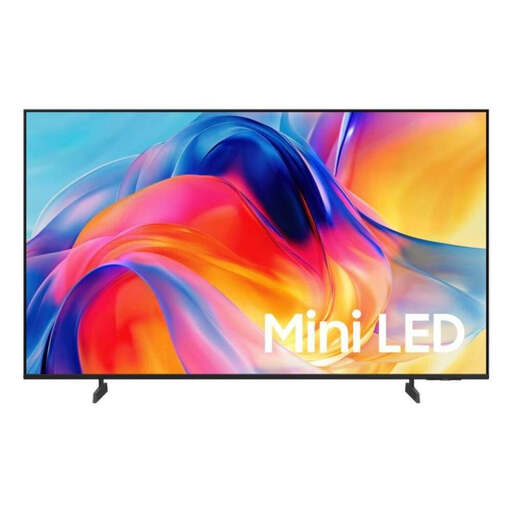 No image available
Consider this television if replacing the screen is already part of the plan; check its remote, guide layout and start-up sequence on the exact model.
The listing specifies a 109.2 cm (43-inch) 4K Ultra HD Smart TV with Wi-Fi in black.
 No image available
Consider this television if replacing the screen is already part of the plan; check the supplied remote, guide layout and start-up behaviour for the intended viewing routine.
The listing names Freely, Fire TV, HDR10+, Dolby Audio and an Alexa Voice Remote.
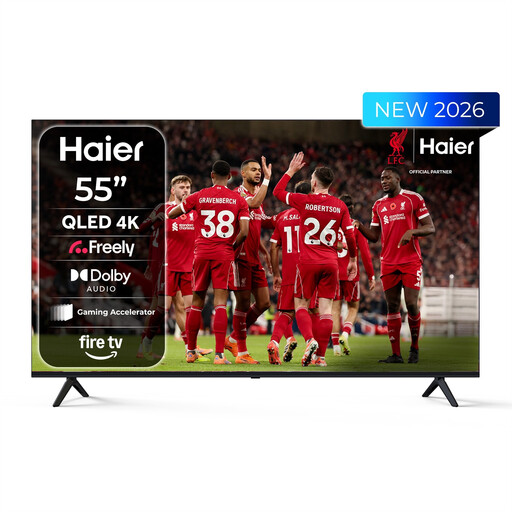 No image available
Consider this television if replacing the screen is already part of the plan; check the supplied remote, guide layout and start-up behaviour on the exact model.
The listing names Freely, Fire TV, HDR10+, Dolby Audio and an Alexa Voice Remote. It also says streaming requires internet access, some apps may require subscriptions, and Freely channel and app availability may change.
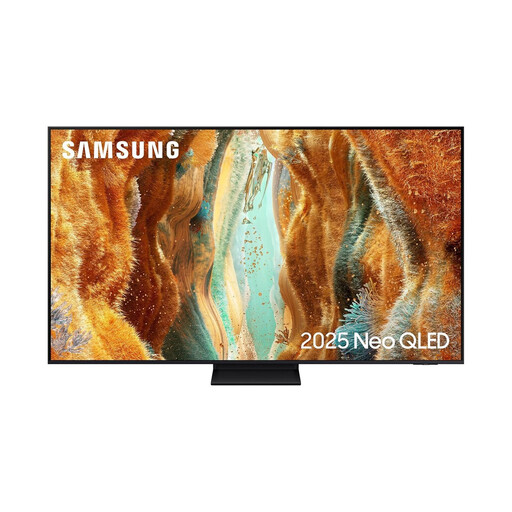 No image available
Consider this television if replacing the screen is already part of the plan; assess its actual guide and remote from the intended viewing position.
The listing names a 75-inch Vision AI Smart TV and a one-year warranty.
Ask to see the exact programme guide and descriptions, then read them from the intended viewing position. Try any documented enlargement controls; this is a practical household check, not a universal screen-size rule.
No. LG UK documents choosing Home or the last external input, not guaranteed start-up on an internal Freeview channel. Check the behaviour and settings on the exact television and webOS version.
Ordinary live Freeview viewing through the TV guide requires an aerial, according to Freeview. Manhattan’s T4 quick-start guide distinguishes standalone aerial viewing from additional features available with an internet connection; check catch-up requirements separately.
The supplied T4 remote uses infrared and needs a clear line of sight to the front of the box. Manhattan documents an IR repeater arrangement for a closed cabinet, so account for that equipment if the receiver will be concealed.
Confirm that it supports the actual TV and receiver and can operate the commands used in the household. One For All documents three-device control and learning for its URC 6820, while Manhattan’s T4 learning instructions require compatible infrared commands; retain the original remote for setup where needed.