What to check before buying
Work from the source device and television towards the connection: confirm the sharing protocol or video output, then the TV input, network and any required cable.
| Priority |
What to check |
Your needs |
| Device and protocol match |
Check whether the receiver explicitly supports AirPlay, Google Cast or the required Roku mirroring route. For Chrome casting, use an updated Chrome browser and keep the computer and Google streaming device on the same Wi-Fi network. |
I want the phones, tablets and computers used most often at home to connect without changing to an unsuitable sharing method. |
| TV input and display support |
Confirm that a free HDMI input works and can be selected with the TV remote. Check whether the television itself supports 4K or HDR before expecting those formats from a streaming player. |
I want to improve an older TV without replacing it, provided the existing set can accept the add-on. |
| Network or wired setup |
For wireless casting, check signal strength and same-network access in the room. For a wired setup, confirm HDMI output from the source device and the cable or adapter required. |
I need a dependable connection in the room where we watch, even when Wi-Fi is inconvenient. |
| Adapter and app compatibility |
Match the adapter to the exact phone, tablet or laptop port and confirm external-display support. Check whether the video app permits output through the chosen adapter or sharing route. |
I want to show local media, web video or photos without assuming that every USB-C port or app will behave the same way. |
Joybuy product options
These Joybuy options cover streaming-player, wired HDMI-adapter and wireless display-sharing routes for an older TV, subject to the compatibility checks above.
 No image available
Roku Streaming Stick 4K Dolby Vision
For an older TV with an available HDMI port when ongoing streaming and Apple AirPlay sharing are needed.
Stated features include direct HDMI connection, 4K/HDR formats, long-range Wi-Fi, voice remote and Apple AirPlay support.
4K, Dolby Vision, HDR10+ and HDR require a television that supports the relevant formats. Confirm source-device and app compatibility for the sharing method you plan to use.
Joybuy
 No image available
Baseus Metal Gleam Series II 10-in-1 USB-C Hub
A wired display route for a laptop with confirmed USB-C DisplayPort Alt Mode, especially where Wi-Fi is inconvenient.
The hub lists two HDMI outputs, up to 4K@120Hz and 4K@60Hz, Gigabit Ethernet and USB-C PD input.
It is unsuitable for a USB-C source port without DisplayPort Alt Mode. Check the laptop’s supported display mode, resolution, dual-display setup and included cable contents.
Joybuy
 No image available
Roku Streaming Stick 4KPlus
A Roku streaming upgrade for an HDMI-equipped older TV where regular app-based viewing and simpler remote control matter.
Listed features include 4K streaming, a long-range wireless receiver, Voice Remote Pro, a rechargeable battery, remote finder and private listening.
Check the exact model’s support for AirPlay, Android mirroring or Windows mirroring before relying on it for household sharing. A compatible TV is needed for 4K viewing.
Joybuy
 No image available
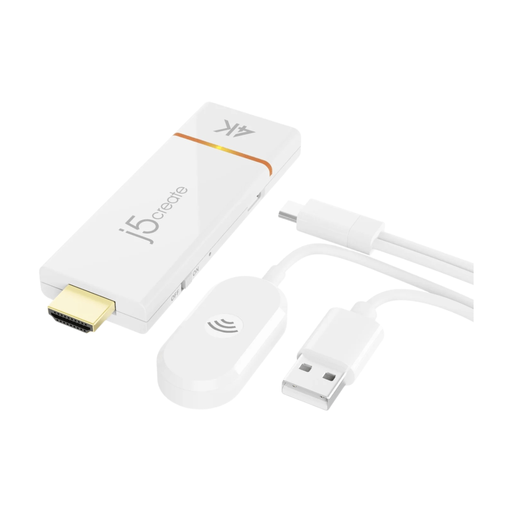
j5create JVAW56 ScreenCast HDMI Wireless Display
A wireless display-sharing option for occasional home photo or video sharing to an HDMI television.
The listing describes wireless video and audio display sharing, an HDMI display connection and a portable form factor.
Confirm supported operating systems, wireless protocols, power requirements and protected-app behaviour before buying.
Joybuy
Frequently asked questions
Will a streaming player work with a non-smart TV?
Usually, if the TV has a working HDMI input. Roku states that its 4K streaming players work with televisions that have HDMI connections, but 4K resolution and HDR require a compatible TV. Confirm that the input is free, selectable with the remote and physically accessible.
Is casting the same as screen mirroring?
No. Casting sends supported app or browser content to a compatible receiver, while screen mirroring replicates what is on the device screen. Roku describes mirroring as showing the phone, tablet or computer display on the TV, while Apple documents AirPlay for both streaming and mirroring.
Can an iPhone connect to an older TV by cable?
Yes, when the iPhone model and chosen adapter route support it. Apple documents Lightning Digital AV, USB-C Display AV and related adapters for connecting an iPhone to an HDMI or VGA display. Check the iPhone connector generation and the TV input before purchase.
Why might a USB-C-to-HDMI adapter show no video?
The adapter must match the source device’s actual display-output capability as well as the TV input. Apple documents supported Mac and iPad adapter combinations, and Microsoft notes that display connections depend on the device model and the cable or adapter used. Some apps may also block video or audio output through an adapter.


