
24/7 Customer Support

Free returns

Same-day & Next-day Delivery

Quality Guaranteed

Unlock Your Welcome Offers: FREE Delivery | Up to 80% OFF | Free 30-day JoyPlus trial
Download the APP
Navigating the world of high-end gaming displays can feel like a minefield of technical jargon and ambitious marketing claims. An OLED gaming monitor promises the ultimate visual experience, but making the wrong choice can lead to an expensive paperweight. As the Joybuy Product Recommendation Officer, my role is to help you sidestep the common purchasing traps and focus on what truly matters for your gaming setup in the UK.
Before you invest, let's look at the most frequent pitfalls. Many buyers are put off by outdated fears of screen burn-in, while others are lured by misleading "HDR" labels that fail to deliver. Perhaps the most common mistake is choosing a monitor that's a poor match for your primary use, forcing a frustrating compromise between visual detail and responsive speed. Understanding these issues is the first step to making a confident purchase.
To make an informed decision, focus on these non-negotiable specifications. They determine the performance, longevity and compatibility of your new display.
Instead of a generic list, we've matched our recommendations to specific types of UK gamers. Find the profile that best describes you to see which monitor aligns with your needs.
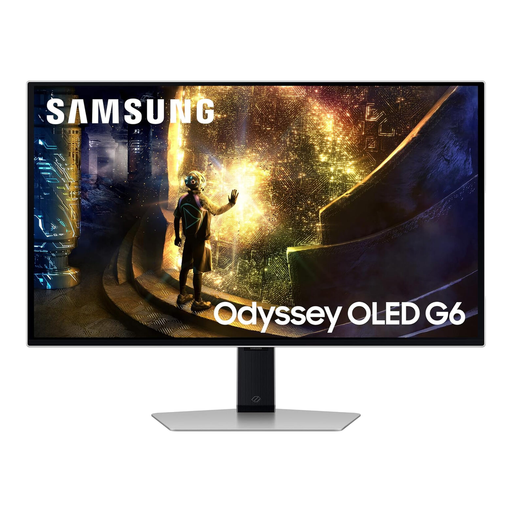
Why This Fits Their Persona: This user prioritises speed and reaction time above all. The 27-inch QHD (1440p) resolution is the sweet spot for competitive gaming, offering sharp visuals without demanding excessive GPU power, allowing them to maintain high frame rates.
It smartly sidesteps the resolution vs. speed dilemma by focusing on a blistering 240Hz refresh rate and 0.03ms response time. It also features Samsung's OLED Safeguard+ to actively combat burn-in fears.
Its core strength is providing elite-level motion clarity. It is both G-Sync compatible and supports FreeSync Premium Pro for tear-free gameplay on any system.
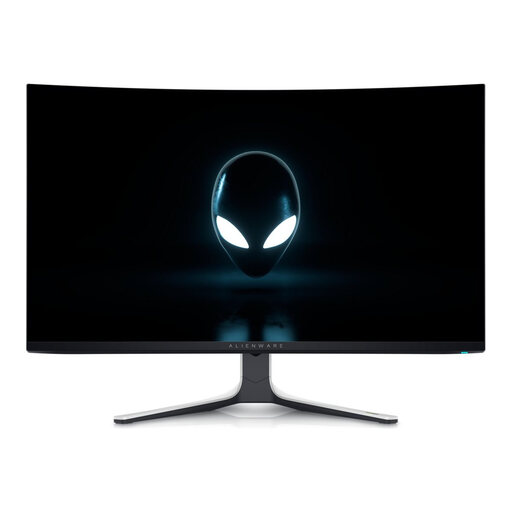
Why This Fits Their Persona: This user wants the most breathtaking visuals for AAA games and films. The large 32-inch curved 4K QD-OLED panel delivers unparalleled immersion, detail and colour, making it a perfect centrepiece for a high-end PC and console setup.
It delivers a true HDR experience with its VESA DisplayHDR True Black 400 certification, avoiding misleading claims. It also offers both 4K resolution and a 240Hz refresh rate, refusing to compromise on speed or fidelity.
The combination of 4K resolution on a QD-OLED panel provides stunning visual depth and vibrancy. Its HDMI 2.1 ports ensure full compatibility with the PS5 and Xbox Series X for 4K 120Hz gaming.
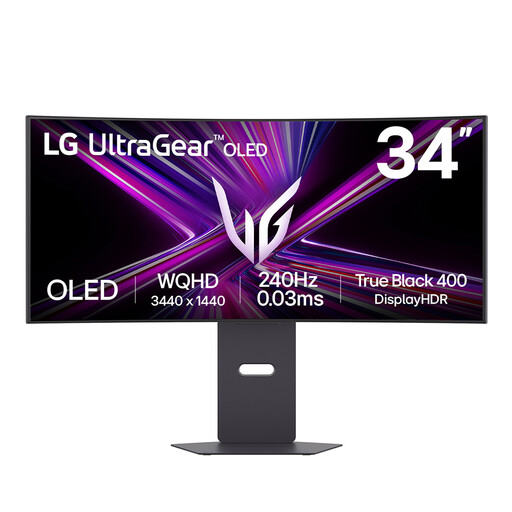
Why This Fits Their Persona: Perfect for sim racers, flight sim fans and multitaskers, this ultrawide gaming monitor provides an expansive field of view. The 800R curve wraps around the user, creating a deeply engaging experience that standard 16:9 monitors cannot replicate.
This monitor proves that ultrawide doesn't mean slow. It offers a high 240Hz refresh rate and is certified for VESA DisplayHDR True Black 400, ensuring both speed and a genuine, impactful HDR picture.
Its primary advantage is immersion. The 21:9 aspect ratio and tight curve fill your peripheral vision. It also includes a versatile USB-C port with 65W power delivery, simplifying cable management for laptop users.
We have compiled a complete, real-time list of products that fully satisfy these strict selection criteria and UK safety regulations.
Concerns about lifespan are valid, but the technology has matured significantly. Most OLED gaming monitors in 2026 come with a suite of "OLED Care" features, such as pixel shifting, automatic dimming of static elements (like taskbars) and periodic pixel refresh cycles. Many premium models also include custom heatsinks to manage temperature. With normal gaming and desktop use and by ensuring these protective features are enabled, you can reasonably expect many years of service, often backed by manufacturer warranties that may include burn-in coverage for the first few years.
Neither is definitively "better" for everyone; they just have slightly different strengths. Both offer the core gaming advantages of perfect blacks and instantaneous response times. QD-OLED panels tend to deliver higher colour volume, resulting in more saturated and vibrant visuals, which can make games look incredibly rich. WOLED panels are praised for their excellent contrast and, in some cases, may offer slightly better text clarity for productivity tasks. The best choice depends on whether you prioritise the most vivid colours (QD-OLED) or a more balanced all-around performance (WOLED).
Yes, to fully utilise a 4K OLED gaming monitor at a high refresh rate like 240Hz, you will need a powerful, modern graphics card. To achieve stable, high frame rates at 4K resolution, you should be looking at high-end GPUs from NVIDIA (e.g., GeForce RTX 4080 or higher) or AMD's equivalent. Furthermore, ensure your card has a DisplayPort 1.4 output that supports Display Stream Compression (DSC) or an HDMI 2.1 port, as these are required to transmit the massive amount of data needed for 4K at 240Hz.