
24/7 Customer Support

Free returns

Same-day & Next-day Delivery

Quality Guaranteed

Unlock Your Welcome Offers: FREE Delivery | Up to 80% OFF | Free 30-day JoyPlus trial
Download the APP
An OLED gaming monitor can deliver deep blacks, fast pixel response and strong contrast, but premium pricing does not guarantee the right fit for your setup. UK buyers often pay more than necessary because of three common traps:
The right display depends on how you play, how much desk space you have and whether you prioritise resolution, speed, immersion or flexible connectivity.
A 4K OLED gaming monitor provides 3840 × 2160 resolution and can show more fine detail than QHD, particularly on a 32-inch screen. However, maintaining high frame rates at 4K requires a capable graphics card. For competitive PC gaming, a QHD OLED monitor running at 240Hz may offer a more practical balance between sharpness and frame rate.
A 240Hz gaming monitor refreshes the image more frequently than a 120Hz or 165Hz model, but you need a game and system capable of producing high frame rates to benefit. Dual-mode models can be useful: the LG UltraGear 32GS95UV-B supports 4K at 240Hz and Full HD at 480Hz, allowing users to prioritise detail for single-player games or speed for esports titles.
For console gaming, check HDMI 2.1 support and the console’s supported resolution and refresh rate rather than paying solely for a PC-oriented specification.
A listed 0.03ms gaming monitor specification usually refers to grey-to-grey pixel response under stated conditions. It describes how quickly pixels can change, while input lag depends on the entire system, including the game, console or PC and signal path.
Adaptive sync helps the display coordinate its refresh rate with the graphics output. A G-SYNC compatible monitor may suit users with NVIDIA graphics cards, while a FreeSync Premium Pro monitor is designed around AMD’s adaptive-sync ecosystem. Some displays support both, including selected LG UltraGear and Philips Evnia models. Always confirm compatibility with your GPU and preferred connection.
A curved OLED monitor can make a wide screen feel more natural, particularly at close desk distances. An ultrawide gaming monitor such as a 21:9 or 32:9 model gives extra horizontal workspace for racing games, simulation titles, streaming tools and multiple windows. It can, however, require more desk width and may not be supported by every game.
For HDR, look for a clearly stated certification such as VESA DisplayHDR True Black 400. OLED panels can show strong contrast because individual pixels can dim independently, but HDR impact also depends on peak brightness, game support and room lighting. A matte or glare-reducing coating may be useful in a bright UK home office, although coatings can slightly alter the appearance of reflections and highlights.
Also check:
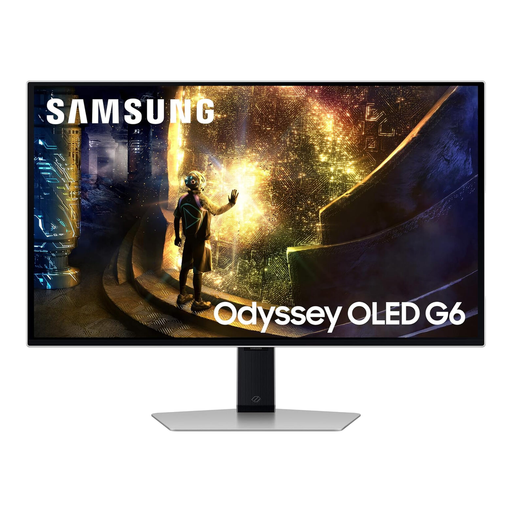
Why This Fits Their Persona: A compact 27-inch format offers a small footprint and QHD resolution without requiring the graphics power of 4K for every game.
Its specifications clearly pair QHD with 240Hz, making the performance target easier to match than a demanding 4K high-refresh setup.
QHD OLED panel, 240Hz refresh rate, 0.03ms GtG response time and HDMI 2.1 connectivity.
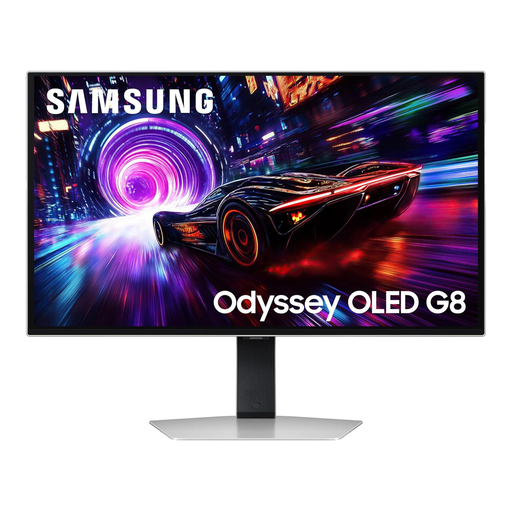
Why This Fits Their Persona: Designed for users who want detailed 4K PC gaming, fast motion and a flat screen suitable for both games and general desktop use.
Its 4K, 240Hz and HDMI 2.1 specifications are stated together, while OLED Safeguard+ features support more considered long-session use.
32-inch 4K QD-OLED panel, 240Hz refresh rate, 0.03ms GtG response time and DisplayHDR True Black 400 support.
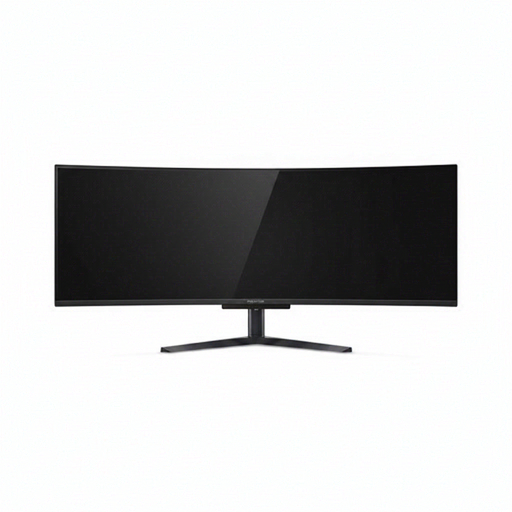
Why This Fits Their Persona: Streamers, simulation players and multitaskers with a wide desk can use one expansive screen instead of arranging several monitors.
The 32:9 format, 5120 × 1440 resolution and PIP/PBP support make its size purposeful rather than merely decorative.
49-inch QD-OLED display, 240Hz refresh rate, 0.03ms response time, USB-C with 90W power delivery and integrated KVM switch.
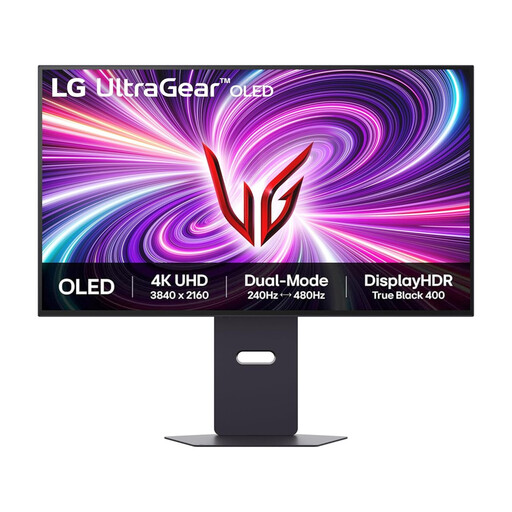
Why This Fits Their Persona: Suitable for a mixed setup where a PC handles high-refresh gaming and HDMI 2.1 connects a modern console.
Dual-mode operation makes the high refresh specification more flexible, while G-SYNC Compatible and FreeSync Premium Pro support different PC platforms.
4K at 240Hz, Full HD at 480Hz, 0.03ms GtG response time and two HDMI 2.1 ports.
We have compiled a complete, real-time list of products that fully satisfy these strict selection criteria and UK safety regulations.
It can be, provided you use the panel-care tools supplied by the manufacturer. Enable pixel shifting, logo dimming and automatic screen protection where available. Avoid leaving a static desktop or game menu visible at high brightness for extended periods, and allow the monitor to complete its care cycle when prompted.
Energy use varies with brightness, HDR content, screen size and daily hours. Bright scenes can draw more power than darker content, while larger ultrawide models generally require more energy than smaller screens. Check the product’s stated typical and maximum consumption, then compare it with your household electricity tariff.
Yes, but check the ports and supported modes. HDMI 2.1 is useful for modern consoles, while DisplayPort is commonly used for high-refresh PC gaming. Confirm that the monitor supports your console’s intended resolution, variable refresh rate and HDR mode before purchase.