
24/7 Customer Support

Free returns

Same-day & Next-day Delivery

Quality Guaranteed

Unlock Your Welcome Offers: FREE Delivery | Up to 80% OFF | Free 30-day JoyPlus trial
Download the APP
OLED gaming monitors offer deep blacks, strong contrast and very fast pixel response, but premium pricing does not automatically guarantee the right screen for your desk or games. A monitor can have an impressive specification sheet yet be unsuitable for your graphics card, console, room lighting or daily work.
This guide explains the main buying pitfalls, the specifications worth checking and a selection of OLED displays matched to different types of UK users.
A 240Hz gaming monitor can display up to 240 frames per second, but your PC must generate those frames to benefit fully. In demanding 4K games, a mid-range graphics card may operate well below that figure. Similarly, a 500Hz gaming monitor is primarily relevant to competitive players running lightweight esports titles at very high frame rates.
For console users, check the actual output limits of your PlayStation or Xbox. HDMI 2.1 is useful for compatible 4K and high-refresh-rate signals, but the console, cable and game must also support the chosen mode.
A quoted 0.03ms response time describes pixel transition performance under specified conditions. It does not mean every game will feel instant, nor does it replace a suitable refresh rate and low input latency. Look at the complete specification, including resolution, refresh rate, adaptive sync and the connection used.
A G-SYNC compatible monitor or FreeSync Premium Pro monitor can help match the display refresh rate to your GPU output, reducing tearing and stuttering when frame rates fluctuate.
OLED panels can experience image retention or permanent burn-in when static elements remain on screen for long periods, particularly at high brightness. This matters if you use the display for desktop work, editing timelines or applications with fixed menus.
Look for built-in OLED burn-in protection, such as pixel shifting, panel refresh, logo dimming, static-image detection or thermal management. These features reduce risk but do not make usage habits irrelevant. Use screen savers, allow panel-care cycles to run and avoid leaving a static desktop displayed unnecessarily.
A 4K OLED gaming monitor provides 3840 × 2160 pixels and is suited to detailed single-player games, video editing and content creation. At 32 inches, it offers a useful balance between desktop space and pixel density.
A WQHD OLED monitor normally uses 2560 × 1440 pixels. It requires less graphics processing power than 4K while retaining more detail than Full HD, making it a practical choice for competitive gaming.
For panoramic gaming and multitasking, an ultrawide gaming monitor may use a 21:9 or 32:9 aspect ratio. Check your desk width, game compatibility and whether your preferred applications scale correctly. A curved OLED monitor can make a wide screen easier to view, but the curvature should suit your seating distance.
Choose refresh rate based on your games and hardware:
Check whether adaptive sync works through your chosen input. Compatibility can vary between HDMI and DisplayPort, so consult the monitor’s manual before assuming every feature works on every connection.
An OLED monitor with HDMI 2.1 is useful for modern consoles and high-bandwidth PC connections. An OLED monitor with USB-C can simplify laptop setups, particularly when it supports video, data and power delivery. Power delivery ratings vary: 15W, 65W, 90W and 98W serve different laptop requirements.
Also check stand adjustment, VESA mounting, USB hub ports, KVM functionality and picture-in-picture support. These features can matter more in a mixed work-and-gaming setup than a small difference in peak brightness.
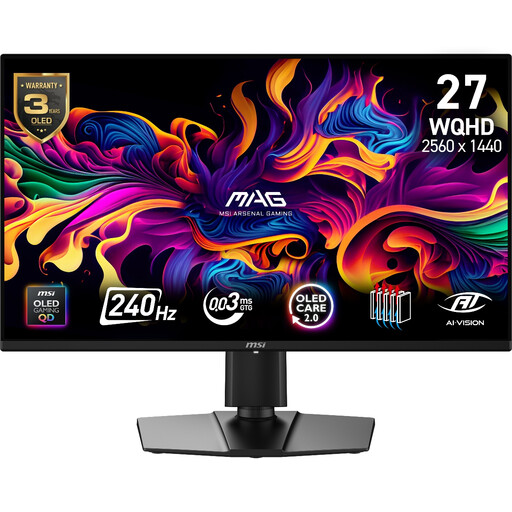
Why This Fits Their Persona: Its 27-inch WQHD format suits a standard UK desk and avoids the graphics demand of 4K while retaining a 240Hz refresh rate.
It offers a clearly specified 2560 × 1440 resolution, 240Hz refresh rate and OLED Care 2.0 features rather than relying on an isolated response-time claim.
QD-OLED panel, 0.03ms GtG response time, HDMI 2.1 and a three-year warranty including panel burn-in according to the supplied specification.
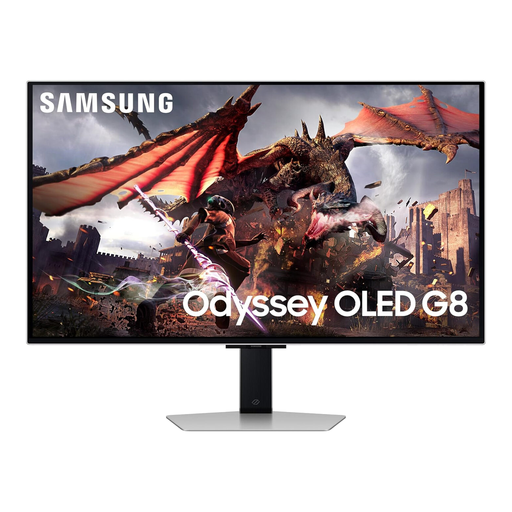
Why This Fits Their Persona: It combines 4K detail, smart features and glare-reduction technology for gamers who also use a monitor for films and general entertainment.
Its OLED Glare Free coating addresses reflections, while the 32-inch 16:9 format avoids the compatibility questions associated with some ultrawide games.
4K QD-OLED, 240Hz refresh rate, 0.03ms response time and HDMI 2.1 connectivity.
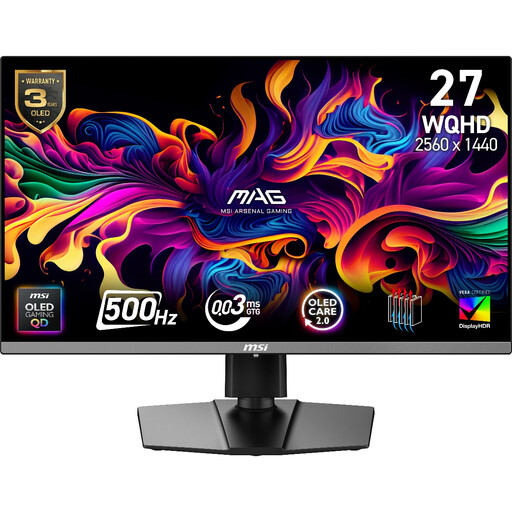
Why This Fits Their Persona: Competitive esports players with a high-frame-rate PC can use its 500Hz mode for fast WQHD gaming.
The high refresh rate is paired with specified HDMI 2.1 inputs, adaptive sync and OLED Care functions, making the feature easier to evaluate in context.
500Hz refresh rate, 0.03ms GtG response time, FreeSync Premium Pro and G-SYNC compatibility.
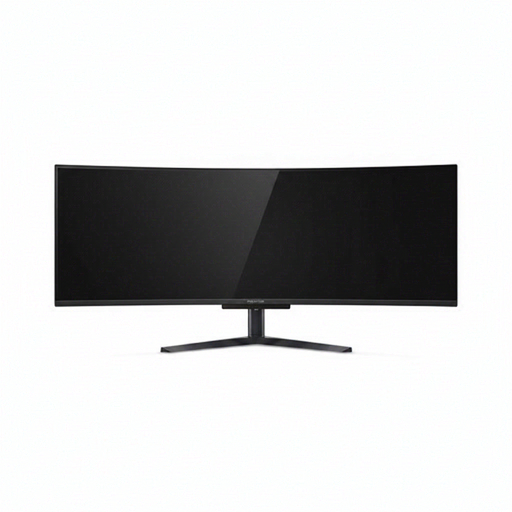
Why This Fits Their Persona: Its 32:9 layout suits users who want one screen for panoramic games, multiple windows and a broad creative workspace.
The product specification clearly identifies its 5120 × 1440 resolution, 1800R curve and 32:9 ratio, allowing buyers to check desk space and software compatibility first.
240Hz refresh rate, 0.03ms response time, USB-C with 90W power delivery and integrated KVM support.
We have compiled a complete, real-time list of products that fully satisfy these strict selection criteria and UK safety regulations.
They can be, particularly models with burn-in protection, screen savers and moderate brightness settings. If your work involves static spreadsheets or editing interfaces for many hours, vary content and use automatic display sleep settings.
Power consumption varies with screen size, brightness, HDR content and standby settings. Larger ultrawide displays and bright HDR scenes generally require more power than smaller WQHD models. Check the product’s energy information and turn the monitor off rather than leaving it active for long periods.
There is no single lifespan for every model. Panel wear depends on brightness, usage hours, static content and the effectiveness of the manufacturer’s protection system. Following the supplied care instructions and allowing automatic panel maintenance can help manage long-term use.