Choose an OLED TV if dark footage and bright subtitles against black backgrounds matter most: RTINGS.com reports deep blacks without haloing around subtitles on the OLED models it tested. Consider a Mini LED LCD TV if lectures are often left paused on slides or the screen also sees daytime use. Compare subtitle handling on the exact model, check whether its size makes lecture text readable from your seat, and follow the manufacturer’s guidance on static images.
Who is this for?
Dark-room lecture viewers
If you watch with the lights off, you may need to distinguish details in dark archival footage while following maps and subtitles. RTINGS.com’s OLED testing and LG’s specifications for its C4 describe display features relevant to that viewing setup.
Viewers who pause on slides
If a lecture, map or menu often stays on screen, take particular care with an OLED TV: Sony warns that long or repeated static images can cause image retention.
Mixed-use study-room viewers
If the same TV is used for lights-off lectures and daytime viewing, compare both conditions. Samsung describes Mini LED’s local-dimming approach, while RTINGS.com reports dark-room results that depend on the LCD model tested.
What matters when choosing?
OLED TV
Consider it when: Lights-off viewing of dark footage and subtitles is your main use; RTINGS.com reports deep blacks without subtitle haloing on the OLED models it tested.
Trade-off: Sony warns that long or repeated static images can cause OLED image retention, so regularly paused slides need care.
Mini LED LCD TV
Consider it when: Slides may remain on screen for long sessions or the TV also needs to work in a brighter room.
Trade-off: Mini LED uses local-dimming backlight zones, as Samsung explains, but subtitle haloing depends on the particular TV; check model-specific results.
| Concern |
What to check |
Who this matters to |
| Dark scenes and subtitles |
Look for model-specific black-level and subtitle-blooming results, particularly for white text on a dark background. |
If I watch archival footage with the lights off, I want to follow shadow detail without a distracting glow around captions. Around 42% of consumers would put dark-scene contrast and subtitle clarity first. |
| Slides, maps and text |
View representative lecture material from your usual seat; check screen size and whether the TV accepts your intended source device or service. |
When a map has small place names, I need to read them from where I sit rather than rely on a 4K badge. Readable lecture text would be the primary concern for around 33% of consumers. |
| Static images and ownership |
For OLED, read the exact model’s image-retention guidance. Compare the energy information for the size you plan to buy and ask about old-TV collection. |
I often pause on a slide, so I need a screen-use routine I can follow and clear information about owning the TV. For around 25% of consumers, that practical fit would come first. |
Buying pitfalls
-
Assuming 4K makes every slide readable
A panel’s resolution alone cannot tell you whether small labels will be comfortable to read; screen size, seating distance and the lecture recording also matter.
Try a representative slide, map and subtitle sequence from your normal seat before settling on a size.
-
Leaving an OLED on a paused slide
Sony warns that a static image shown for a long time or repeatedly can cause OLED image retention. LG describes screen-protection features, but they do not make prolonged static display risk-free.
If pausing on slides is routine, consider the Mini LED LCD route or follow the exact OLED model’s screen-protection and shutdown guidance.
-
Expecting every Mini LED TV to handle subtitles alike
Mini LED describes a backlight approach, not a fixed level of dark-room performance. The glow around white text can depend on the model’s local-dimming implementation.
Look for a demonstration or model-specific assessment using subtitles against a dark background.
-
Overlooking energy information and old-TV disposal
For a new UK TV, its energy information and the arrangements for taking away an old set can affect the purchase decision.
Compare the energy label and product information for the exact model, then confirm the retailer’s delivery and recycling arrangements before ordering.
GOV.UK says home collection may involve a transport charge under the applicable retailer take-back arrangements.
Brands to consider
LG
LG’s UK OLED C4 is a model-specific reference for dark-room viewing: LG lists a 4K OLED panel, pixel dimming and an ISF Expert (Dark Room) picture mode.
- The C4 specifications give you identifiable dark-room settings to assess on that model.
- LG describes OLED screen-protection features, but prolonged static slides still call for the model’s usage guidance.
Samsung
Samsung’s UK Neo QLED range provides Mini LED LCD models to consider when lectures share the screen with brighter-room use.
- Samsung explains that Mini LED uses local-dimming zones for more precise backlight control.
- That technology description does not establish how a particular model handles subtitles; check the exact TV.
Sony
Sony’s BRAVIA OLED models are relevant to dark-room TV shopping, with model choice and static-image habits both worth examining.
- Sony provides OLED model information and guidance that can be checked against the TV you are considering.
- Sony warns that long or repeated static images can cause OLED image retention.
Joybuy TV choices
These TVs cover both OLED and Mini LED options for lecture viewing. Choose a screen size for your seat, then check subtitle behaviour and your likely use of paused slides on the exact model.
 No image available
Hisense 55-inch U7Q Pro Mini LED 4K TV, 55U7QTUK Pro
Consider this Mini LED option if lectures are often paused on maps or slides.
The title specifies a 55-inch screen, 4K resolution and VIDAA OS. Check subtitle blooming on this model and whether small map labels are readable from your seat.
View on Joybuy
 No image available
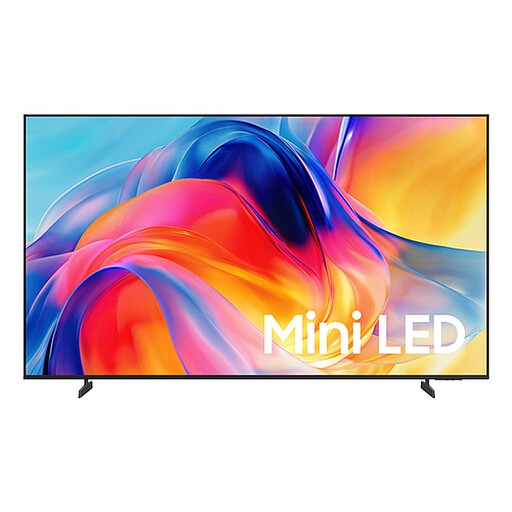
Samsung TU65M70H (2026) 65-inch Mini LED 4K TV
This is another Mini LED option to consider when static lecture slides are a regular part of viewing.
The title specifies a 65-inch screen and 4K resolution. Check its dark-scene subtitle handling and whether that size suits your seating distance.
View on Joybuy
 No image available
TCL 65Q7C 65-inch QD-Mini LED 4K Google TV
Consider this QD-Mini LED model if paused maps and slides make a non-OLED screen appealing.
The title specifies a 65-inch screen and describes up to 2048 local-dimming zones; that upper-limit figure does not establish how subtitles will look. Test lecture text from your usual seat.
View on Joybuy
 No image available
Sony 42-inch BRAVIA A90 OLED 4K TV, XR42A90K
This OLED model is worth considering if dark-room footage is your priority and a 42-inch screen suits your seat.
Check its subtitle handling with lecture material. Sony warns that long or repeated static images can cause OLED image retention, so follow this model’s screen-use guidance.
View on Joybuy
 No image available
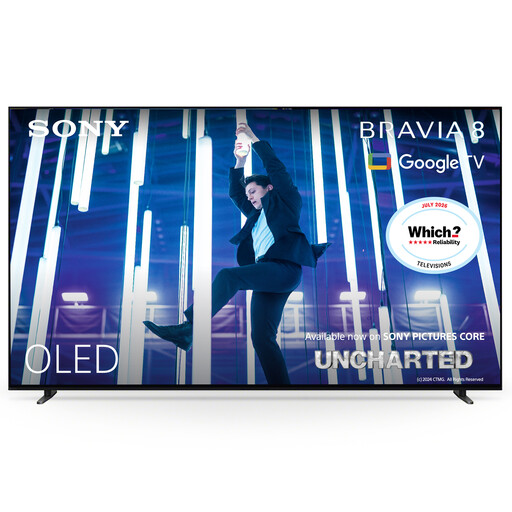
Sony 55-inch BRAVIA 8 OLED 4K TV, K55XR80BP
Consider this 55-inch OLED model for predominantly lights-off lectures if the screen size works from your usual seat.
Check small text and subtitles using representative material. If you often leave a slide paused, follow Sony’s OLED image-retention guidance for the exact model.
View on Joybuy
Frequently asked questions
Should I choose OLED or Mini LED for history lectures in a dark room?
Choose OLED when dark footage and subtitles against black backgrounds are the priority: RTINGS.com reports deep blacks without subtitle haloing on the OLED models it tested. Consider Mini LED LCD if slides are routinely left on screen or you also watch in a brighter room, and check local-dimming results for the exact model.
Can I leave a lecture paused on an OLED TV?
Avoid routinely leaving the same slide or menu displayed for a long time. Sony warns that long or repeated static images can cause OLED image retention; follow the exact TV’s screen-protection and shutdown guidance.
What energy information should I compare for a new UK TV?
Compare the energy label and product information for the exact model and screen size, rather than assuming energy use from OLED or Mini LED technology alone. GOV.UK guidance says dealers must display labels clearly and make the product information available for covered displays.
Can a UK retailer take away my old TV?
Ask the retailer which take-back and collection arrangements apply to your order. GOV.UK says covered distributors must offer free in-store take-back for relevant electrical equipment, while home collection may involve a transport charge; confirm the practical arrangements before checkout.


