Dark-room travel viewers
You mainly watch destination documentaries and travel series after dark and want night skies, interiors and shaded landscapes to retain depth rather than look grey.


For a TV used mainly to watch travel programmes in a dark room, start by comparing 4K OLED models: individually controlled pixels make deep blacks a central strength of the technology, according to Sony UK and Samsung UK. Mini LED deserves a look if the same TV is regularly used in a bright room and brightness matters more to you. Whichever route you take, check the exact model’s HDR formats, streaming services, dimensions, energy information and panel-care guidance.
You mainly watch destination documentaries and travel series after dark and want night skies, interiors and shaded landscapes to retain depth rather than look grey.
You pay close attention to foliage, water, architecture and sunsets. The formats supplied by your programmes and supported by the exact TV matter more to this choice than unrelated gaming features.
You watch travel programmes at night, but the same television also gets regular daytime use. That makes the trade-off between OLED’s dark-scene contrast and Mini LED’s brightness particularly relevant.
Choose when: Travel programmes in a dark room are the main use and deep blacks matter most; Sony UK and Samsung UK describe individually controlled OLED pixels as a source of dark-scene contrast.
Bear in mind: Check the model’s guidance if channel logos, menus or paused images are often left on screen; Sony UK describes image retention after prolonged display of a static image.
Choose when: Regular bright-room viewing makes brightness a higher priority; Samsung UK positions Mini LED as a brightness-oriented route.
Bear in mind: Mini LED uses a locally dimmed backlight rather than OLED’s individually lit pixels, so compare dark scenes as well as brightness.
| Concern | What to check | Who this matters to |
|---|---|---|
| Dark-scene contrast | Confirm the exact display technology and compare a familiar dark scene, paying attention to black levels and visible detail in shadows. | If I watch night-time landscapes and dim interiors, I want shadows to remain distinct rather than look grey; around 33% of consumers put dark-scene contrast first. |
| Colour and HDR | Check the exact model’s HDR formats against those delivered by your programmes and services. | When forests, water and sunsets are the draw, I want the programme’s HDR format to work with my TV; around 27% of consumers make colour and HDR compatibility their primary concern. |
| Streaming access | Confirm that the named UK service is available on the exact model and check any sign-in or subscription requirements. | If I stream directly from the television, I need straightforward access to the travel service I use; for around 20% of consumers, that access takes priority. |
| Fit and energy information | Measure the installation space, check the full dimensions and compare the model’s energy label, including SDR and HDR consumption figures where shown. | I need the screen to fit my furniture or wall space and want to assess its stated electricity use; around 20% of consumers put these practical checks first. |
HDR support differs by model, while the programme and service also determine which format reaches the TV.
Compare the exact model’s listed formats with those used by the travel-programme service you plan to watch.
For a dedicated dark room, brightness does not answer how dark scenes will look. Samsung UK distinguishes OLED’s dark-room contrast from the brightness-oriented Mini LED route.
Make dark-scene viewing the priority if that is the TV’s main job; give bright-room performance greater weight if daytime use is frequent.
The diagonal screen measurement does not tell you whether the television and its stand will fit the intended space.
Measure the installation area and compare it with the exact model’s full dimensions before ordering.
Sony UK describes image retention after a static image remains on an OLED screen for a prolonged period; that does not make every model or viewing pattern equivalent.
Read the exact model’s care instructions and warranty information, particularly if logos, menus or paused screens are regularly left displayed.
LG UK lists OLED televisions at several screen sizes, including 42-inch and 83-inch models.
Sony UK presents its OLED range around individually controlled pixels and dark-scene contrast.
Samsung UK presents both OLED and Neo QLED/Mini LED routes, making it useful for comparing dark-room and brighter-room priorities.
Panasonic UK & Ireland lists OLED models whose HDR specifications are worth checking against your travel-programme sources.
These OLED televisions relate to the dark-room route. Compare their stated screen sizes with your space, then check each model’s HDR formats and access to your travel-programme service.
 No image available
Consider this OLED model if dark-room viewing is the priority and an 83-inch screen suits your space.
Check its full installation dimensions, the HDR formats used by your chosen service and the current energy information.
 No image available
Consider this 42-inch OLED model for dark-room viewing if its full dimensions suit the installation space.
The product name lists Dolby Vision; check your preferred service’s formats and availability on Google TV, along with the model’s panel-care guidance.
 No image available
This 65-inch OLED model is a dark-room option if it fits your viewing position and installation space.
Its product name lists Dolby Vision. Confirm the formats and apps used for your programmes, and read the exact model’s OLED care guidance.
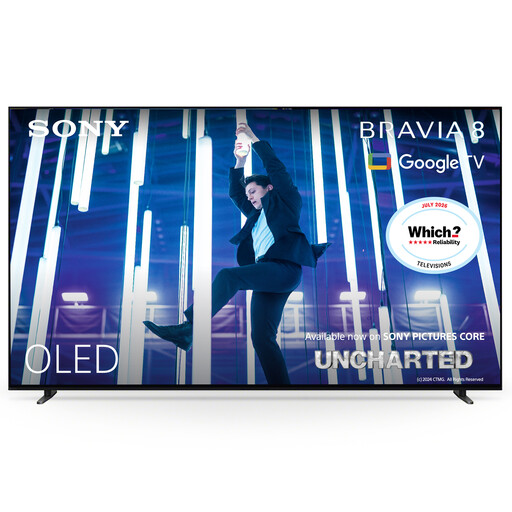 No image available
Consider this 55-inch OLED model for dark-room travel viewing if its dimensions work for your room.
The product name lists Dolby Vision. Check your service’s programme formats and Google TV app availability, as well as the model’s energy and panel-care information.
Yes, if dark-room viewing is the TV’s main use, OLED is a sensible place to start because its individually controlled pixels are suited to producing deep blacks, as Sony UK and Samsung UK describe. Compare Mini LED too if the set will regularly be used in a bright room and brightness is more important to you.
Yes, when the programme and service deliver HDR, the TV needs to support the relevant format to receive it. Panasonic UK & Ireland lists Dolby Vision IQ, HDR10+ Adaptive, HDR10 and HLG for its Z90B; check the exact TV rather than applying that list to other models.
No. Check the named UK service on the exact television before buying, including its sign-in and subscription requirements. A smart-TV platform name alone does not establish that a particular app or programme is available.
Compare the exact models’ energy labels and product information alongside your expected use. GOV.UK’s television-label documentation describes on-mode consumption in kWh per 1,000 hours for standard dynamic range (SDR) and high dynamic range (HDR) content; look at the relevant figures rather than relying on screen size alone.
They are a reason to read the exact model’s panel-care guidance, not to reject every OLED TV. Sony UK describes image retention following prolonged display of a static image; check the model’s protective features and warranty information if static content is routinely left on screen.