Bright-room, multi-seat viewers
If you watch from a dining table or kitchen island, daylight, ceiling lights and seats away from the centre can make reflections and side-seat visibility important checks.


Choose for the room before choosing a display type: measure the viewing distance and available space, then check reflections and the view from side seats. Investigate OLED if dark-stage detail matters most, a model with stated glare control if reflections are the main obstacle, or a straightforward 4K LED TV if its picture works in your layout. Whichever route you take, confirm how you will play your recordings and assess dialogue at normal household noise levels.
If you watch from a dining table or kitchen island, daylight, ceiling lights and seats away from the centre can make reflections and side-seat visibility important checks.
If wall or furniture space is limited, you need to balance a clear view of the stage with the distance from your usual seat and the space the TV occupies.
If you watch through an app, casting or a connected device, check the playback route and whether speech remains clear when the kitchen is in use.
For theatre recordings in a kitchen diner, the useful display route depends on what interferes with viewing most: reflections, the space available for the screen, or the presentation of dark scenes. These routes still need the same room and playback checks.
Consider it when: Dark-stage detail is a priority and you can position the screen away from direct reflections. LG describes pixel-level black on its 48-inch OLED models.
Trade-off: Those model claims do not tell you how a window or pendant light will appear on the screen in your room.
Consider it when: Direct reflections are the main problem. Samsung specifies a Glare Free treatment on its 43-inch QN90F.
Trade-off: Glare control is a claim to check on the exact model, not a property to assume from the Mini LED name.
Consider it when: A compact screen and a suitable route to your recording service take priority. Sony lists Google TV on its 43-inch BRAVIA 3.
Trade-off: Check reflections and the picture from side seats for the particular model; a smart-TV platform does not answer either question.
| Concern | What to check | Who this matters to |
|---|---|---|
| Reflections and side seats | View the intended screen position with windows and lights visible; check any glare-control claim on the exact model. | If daylight catches the screen or we sit around a table, I need a usable picture away from the central seat. Around 46% of consumers put reflections or side-seat visibility first. |
| Size and physical fit | Measure eye-to-screen distance and available wall or furniture space, including the stand footprint. | When the dining area is compact, I want to see the performers clearly without a screen that crowds the space. For around 27% of consumers, physical fit is the primary concern. |
| Dialogue and playback | Confirm your recording service’s app or connected-device route, then listen to dialogue with normal household activity. | If cooking noise competes with speech, I need both a dependable way to play the recording and dialogue I can follow. Around 18% of consumers chiefly prioritise playback and speech clarity. |
| Stage picture | Compare a dark-stage scene and a colourful scene under lighting similar to your own. | For productions with dark sets and spotlights, I care most about how the screen presents contrast and colour. That is the leading concern for around 9% of consumers. |
A TV still has to fit its stand or wall position and look comfortable from the dining seats. TCL gives roughly 1.37 m for a 43-inch screen and 1.53 m for a 50-inch screen as viewing-distance starting points, not fixed rules.
Measure from your usual seat to the proposed screen position, along with the available width, stand depth and side-seat positions.
Samsung states Glare Free for the QN90F, while LG makes different black-level claims for its OLED models. Neither the Mini LED nor OLED label alone establishes how a particular screen will handle your lights.
Check reflection-related claims for the exact model and look at the intended screen position when windows and overhead lights are in use.
A TV platform or audio-feature name does not establish that your chosen UK service has a compatible app or that dialogue will be clear over kitchen activity.
Confirm the service’s app for the exact TV platform, or check the connections needed for your laptop or media device. Listen to a dialogue-heavy scene in the room where possible.
Your chosen playback or audio setup may also call for a separate streaming device, HDMI cable or soundbar.
LG’s 48-inch OLED AI B6, model OLED48B65LA, is an example to examine if dark-stage presentation matters and a 48-inch screen fits your room.
Samsung’s 43-inch QN90F is a model-specific Mini LED option to examine when reflections and a compact footprint are priorities.
Sony’s 43-inch BRAVIA 3 offers a 4K Google TV route for viewers considering a compact smart TV.
These 42- to 50-inch TVs provide different size, display and playback-feature options for a kitchen diner. Measure your space and check your recording source before choosing between them; their order is not a verdict on how they will perform under your lighting.
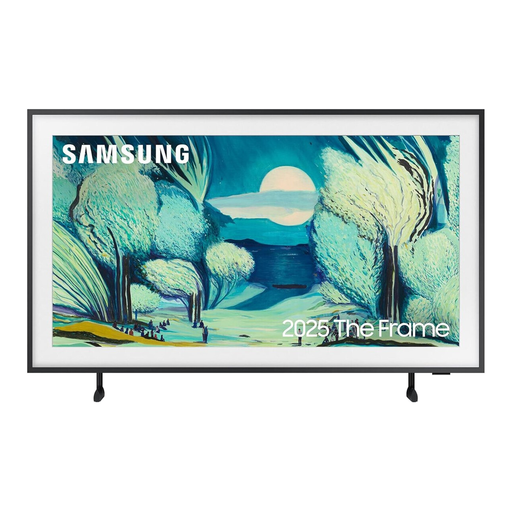 Image unavailable
Consider this 43-inch option if your measured viewing distance and available space suit a smaller screen. The listed variant is a 4K Ultra HD smart TV with Wi-Fi and a one-year warranty; check reflections and your recording service’s playback route for your setup.
 Image unavailable
Consider this 43-inch option where a compact screen and Google TV suit your planned setup. Its title lists Direct LED, 4K HDR and Dolby Atmos; check your theatre service’s playback route and the screen’s reflections at the proposed position. The listed 120Hz Game Accelerator is specified for FHD, not as a 4K refresh-rate claim.
 Image unavailable
Consider this 42-inch OLED if screen space is tight and you want to assess dark-stage scenes on an OLED display. The listed variant includes HDR, Google TV, Google Cast and Dolby Vision/Atmos; check its position against kitchen lights and confirm how you will access your recordings.
 Image unavailable
Consider this 50-inch model only if the measured viewing distance and wall or furniture space accommodate the larger screen. The title lists Direct LED, 4K HDR, Google TV and Dolby Atmos. Check reflections and playback compatibility; its listed 120Hz Game Accelerator applies to FHD rather than establishing a 4K refresh rate.
 Image unavailable
Consider this 48-inch OLED if you have measured space for it and want to compare dark-stage presentation. The listed variant includes 4K HDR, Google TV, Google Cast and Dolby Vision/Atmos. Check reflections, the view from side seats and access to your recording service before deciding.
Start by measuring from your usual seat to the screen position, then check the available wall or furniture space. TCL’s viewing-distance guide gives about 1.37 m for 43 inches and 1.53 m for 50 inches as starting references, not rules for every seating arrangement.
Investigate a model with stated glare control if visible reflections are your main obstacle; Samsung specifies Glare Free on its 43-inch QN90F. If dark-stage presentation matters more, compare a compact OLED such as LG’s 48-inch B6, while checking its intended position because the model’s black-level claims do not guarantee a reflection-free view.
Dolby Atmos support alone does not establish dialogue clarity in a kitchen diner. Confirm your recording’s playback route and listen to a speech-heavy scene with the room at its normal noise level; assess whether you need a separate audio setup.
Yes. TV Licensing states that a TV Licence is required for live and on-demand programmes on BBC iPlayer. If you use another service, check the rules for the way you watch rather than assuming every recorded programme has the same requirement.
Compare the energy label for each exact model and screen size rather than assuming a display type or brand determines its energy use. UK government guidance requires an accurate printed energy label for products within the rules’ scope.