Dark-room rugby regulars
If you usually watch evening matches with the lights low, black level, contrast and detail in darker parts of the picture may matter more to you than gaming features.


Start by comparing OLED TVs if the room is consistently dark and black level and contrast matter most to you; compare Mini LED alternatives if the room is sometimes brighter or you need to weigh up different screen sizes. For rugby, check the exact model’s panel refresh rate, 50Hz video-input support and adjustable motion settings rather than treating a gaming refresh-rate claim as proof of better broadcasts. Confirm access to your chosen match service separately from the TV’s picture specifications.
If you usually watch evening matches with the lights low, black level, contrast and detail in darker parts of the picture may matter more to you than gaming features.
If following players, camera pans and the ball is your priority, compare documented panel and video-input specifications alongside the motion controls you can adjust for your source.
If other people regularly join you, screen fit, seating positions, sound connections and access to the planned broadcast service all become part of the choice.
Consider it when: Matches are normally watched in a dark or dim room and black level and contrast lead your decision. Sony describes OLED pixels as individually controlled.
Keep in mind: An OLED panel does not, by itself, establish how an individual TV handles rugby motion; check the exact size and model.
Consider it when: The room is sometimes brighter or you are comparing different screen sizes and brightness-oriented models. Samsung identifies its QN80H as a Mini LED TV.
Keep in mind: A Mini LED label or advertised gaming motion feature is not a test of dark scenes or live rugby on the model you intend to buy.
| Concern | What to check | Who this matters to |
|---|---|---|
| Fast-action motion | Check the exact panel refresh rate, 50Hz video-input support and adjustable motion controls. Sony documents a 120Hz panel and 50Hz input formats for its K-65XR80; these specifications alone do not predict every broadcast result. | If keeping track of play during quick pans is my priority, I want motion settings I can assess with my usual source. Around 34% of consumers put fast-action clarity first. |
| Dark-room contrast | Confirm the panel technology for the chosen size and compare dark-scene settings where possible; do not assume that every size in a range has identical specifications. | When I watch with the lights low, I notice whether darker parts of the picture remain convincing. Dark-room contrast comes first for roughly 33% of consumers. |
| Group viewing and fit | Measure the installation space, consider the main seating positions and check audio connections if you plan to add a soundbar or receiver. | If friends or family join me for matches, the screen needs to fit the room and work for more than one seat. About 20% of consumers prioritise that shared-viewing setup. |
| Match access and setup | Check the intended broadcaster, subscription and compatibility with the exact TV app or external device. TV Licensing says a TV Licence is required to watch live TV or use BBC iPlayer in the UK. | I need to know that I can use my chosen service before picture features influence my decision. Access and setup are the primary concern for around 13% of consumers. |
Samsung markets Motion Xcelerator 144Hz on the QN80H, while LG describes up to 165Hz in 4K for compatible gaming on its C6. Neither claim establishes how a live rugby broadcast will look.
Check the exact panel specification and supported video-input formats, then assess the available motion controls with the source you expect to use.
OLED is a relevant starting point for dark-room contrast, but screen fit, group seating, motion settings and occasions when the room is brighter can change which model suits you.
Compare OLED and Mini LED models at a screen size that fits your space, keeping the same motion and service-access requirements for both.
A smart-TV platform does not establish which service carries a particular competition or whether your subscription includes it. TV Licensing also treats watching live TV and using BBC iPlayer as separate reasons to check licence coverage in the UK.
Confirm the broadcaster, subscription, app or connected-device compatibility and your household’s TV Licence coverage before purchase.
Sony is relevant to an OLED comparison: its UK specification identifies the BRAVIA 8 K-65XR80 as an OLED TV with a 120Hz panel and support for 50Hz video-input formats.
Samsung identifies its UK QN80H as a Neo QLED Mini LED TV and markets it with Motion Xcelerator 144Hz.
LG’s UK C6 OLED evo range is relevant when comparing OLED options for a dark-room setup.
These TVs offer OLED and Mini LED routes to consider for dark-room rugby viewing, with 55-inch, 65-inch and 75-inch options. Compare each exact variant’s motion specifications, room fit and compatibility with your chosen match service before deciding.
 No image available
Consider this OLED option when a 65-inch screen fits your dark-room setup and contrast is a priority.
The product name specifies 4K HDR, Google TV, Dolby Vision and Dolby Atmos. Check the motion controls and support for your planned rugby service on this exact variant.
 No image available
Compare this 65-inch Mini LED option if the room is not always dark and the screen fits your seating area.
The product name specifies 4K HDR, VIDAA OS, a built-in subwoofer and a 165Hz Game Mode Ultra feature. Confirm panel and 50Hz input specifications for your intended source; the gaming label does not establish rugby broadcast quality.
 No image available
Consider this larger Mini LED option for group viewing if a 75-inch screen and its installation dimensions suit the room.
The product name specifies 4K HDR, Google TV and a 144Hz native refresh rate. Check 50Hz input support, the configuration supplied with this size and access to your rugby service.
 No image available
Compare this Mini LED model when a 55-inch screen is a better fit for your space.
The product name specifies 4K HDR, VIDAA OS, a built-in subwoofer and a 144Hz Game Mode PRO feature. Check native panel and 50Hz input specifications separately from that gaming feature, along with your intended service’s compatibility.
 No image available
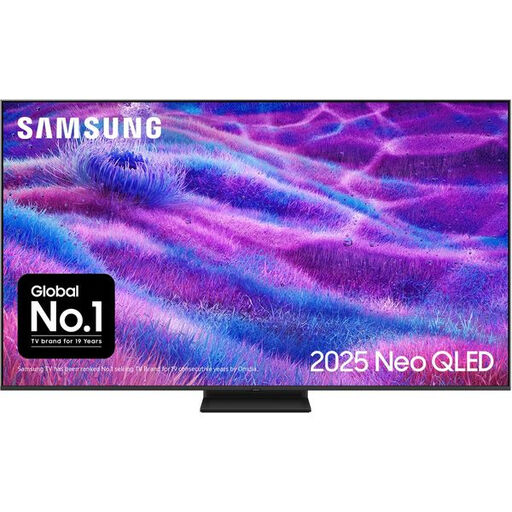
Compare this 65-inch option with the OLED and Mini LED TVs above if room brightness varies.
The product name specifies a 4K Smart TV with Wi-Fi. Confirm the exact panel type, native refresh rate, 50Hz input support and compatibility with your chosen rugby service before relying on it for this setup.
Start with OLED if the room stays dark and black level and contrast are your main priorities; compare Mini LED if the room is sometimes brighter or you are weighing up other screen sizes. Neither panel label establishes how a particular TV handles fast play, so check the exact model’s motion and input specifications too.
No conclusion about live rugby follows from a 144Hz claim alone. Samsung markets Motion Xcelerator 144Hz on the QN80H, while Sony documents a 120Hz panel and 50Hz video-input support for the K-65XR80; compare the exact TV’s panel, source compatibility and adjustable motion controls rather than treating a gaming feature as a broadcast test.
TV Licensing says you need a TV Licence to watch live TV through a channel or streaming service in the UK, and to use BBC iPlayer, including for on-demand programmes. The requirement is not limited to watching on a television, so check your household’s coverage for the way you plan to watch.
Compare the available motion settings using a match source you can access, then keep the setting you find easier to follow without an artificial-looking picture. Also check that the selected app or connected device is delivering the intended video format; Sony documents 50Hz and higher-rate video-input formats for its K-65XR80, but settings and supported formats need checking on your exact TV.