Dedicated home-cinema tennis viewers
If you normally darken the room for matches and films, an OLED comparison puts black levels and contrast in focus. Check the brightness of the exact model if you cannot always keep daylight out.


Choose an OLED TV if you can control the room lighting and place the greatest value on dark-scene contrast and a consistent picture for side seats. If tennis is often on while daylight or lamps reflect in the screen, compare Mini LED models for brightness and reflection handling instead. Whichever route you take, judge motion with sport rather than refresh rate alone, and check the connection to your existing sound system.
If you normally darken the room for matches and films, an OLED comparison puts black levels and contrast in focus. Check the brightness of the exact model if you cannot always keep daylight out.
If live matches often coincide with daylight, make screen reflections, usable brightness and motion handling part of the decision before choosing on dark-room contrast alone.
If viewers spread across a sofa or several chairs, check how the picture looks from the side seats. If you already use a soundbar or AV receiver, plan its TV connection at the same time.
Start with the light in your room, then assess fast-action motion on the exact TV and check the seating and audio setup. RTINGS identifies brightness and reflection handling as important considerations for sport in bright rooms; a panel label or refresh-rate figure cannot settle those checks on its own.
Consider it when: You can darken the room and want self-lit pixels for deep blacks during matches and films, particularly with viewers seated off-centre.
Allow for: Brightness and reflection handling differ between OLED models; do not assume a dark-room choice will suit a sunlit match.
Consider it when: Daylight or lamps regularly make the screen harder to see, provided the exact model handles your room’s reflections well.
Allow for: Mini LED uses locally dimmed backlighting rather than self-lit pixels. RTINGS notes that Mini LED is not a standardised performance class, so compare dark scenes by model.
| Concern | What to check | Who this matters to |
|---|---|---|
| Fast-ball clarity | Compare motion handling on the exact model, then adjust its motion settings while watching tennis or similarly fast sport. | When rallies and camera pans are hard to follow, I want the ball to stay clear without unnatural smoothing. Around 36% of consumers put motion clarity first. |
| Daylight and reflections | Note where windows and lamps reflect in the screen; compare model-specific brightness and reflection handling. | If matches are on while the room is bright, I need to see the court without a distracting reflection. Glare control is the primary concern for around 29% of consumers. |
| Contrast and side seats | Assess dark-room contrast and how the image changes from the seats furthest off-centre. | For evening matches and films with others, I care about dark scenes and a picture that still works from the ends of the sofa. Around 21% of consumers prioritise those viewing conditions. |
| Sound-system connection | Check the exact TV’s eARC-labelled HDMI port against your soundbar or AV receiver, including supported formats and cabling. | If I already have a home-cinema sound system, I want TV audio to reach it through the connection I intend to use. That setup is the main concern for around 14% of consumers. |
An OLED that looks convincing in a dark home cinema may be harder to watch when sunlight hits the screen. Brightness and reflection handling vary by model.
Map the windows and lamps around your seating position, then compare results for the exact TV if daytime tennis is important.
Mini LED implementations vary, and a stated 144Hz or 165Hz capability does not establish how a tennis broadcast will look.
Look for motion and reflection assessments of the exact model, and judge its motion settings with sport where you can.
HDMI ports alone do not establish that the TV, soundbar or AV receiver will support your intended eARC connection and audio formats.
Identify the TV’s eARC port and check both devices’ requirements before ordering.
An incompatible setup could require a different suitable cable or additional audio equipment.
GOV.UK says a TV Licence is needed to watch or record live television on any channel or service, or to use BBC iPlayer. Replacing a large TV also calls for a plan for the old set.
Check your licence coverage before watching live tennis, and ask the retailer about electrical-waste take-back or arrange local recycling before delivery.
GOV.UK notes that a retailer may charge for transport when collecting old electrical equipment from your home.
These model lines illustrate different routes to the home-cinema decision; their features should not be assumed to apply to every TV from the same brand.
LG’s G5 is a premium OLED reference for a cinema-led setup where some ambient light may remain.
Samsung’s QN90F is a Mini LED example for buyers comparing TVs for matches in a brighter room.
Sony’s BRAVIA 8 II offers a QD-OLED route for a cinema-oriented room, in UK-listed 55-inch and 65-inch versions.
These Mini LED TVs offer screen-size choices for a home cinema where daytime tennis is part of the plan. Mini LED backlighting does not, by itself, establish clear motion or low reflections: compare those qualities on the exact model against your room and seating arrangement.
 No image available
Consider this screen size if your home-cinema space and seating can accommodate a 75-inch TV.
The product name specifies 4K Ultra HD and Wi-Fi. For daytime tennis, check motion and reflections on this exact model; confirm audio connections against your existing equipment.
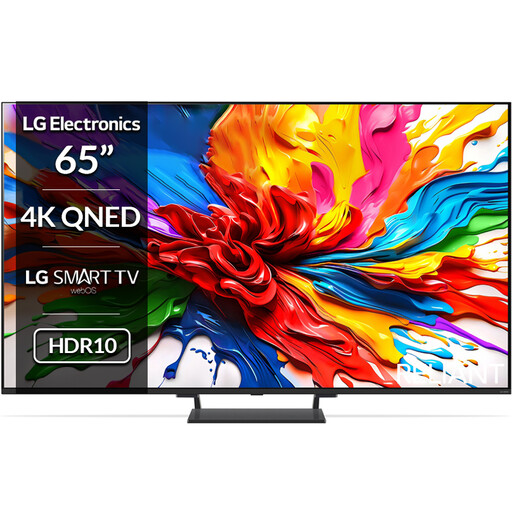 No image available
This 65-inch Mini LED model is worth comparing if you want a middle size between the 55-inch and 75-inch options here.
Check its motion and reflection handling for your tennis-viewing conditions, and confirm the eARC connection and audio formats if you use a soundbar or AV receiver.
 No image available
Consider the 55-inch size if it fits your seating plan better than a larger screen.
The product name lists a 144Hz Game Mode Pro and a built-in subwoofer. A game-mode figure does not show how tennis broadcasts will look, so check motion and reflections separately; verify eARC if connecting external audio.
 No image available
This is another 75-inch option to assess against the room’s seating distance and installation space.
The product name states a 144Hz native refresh rate and up to 2048 local-dimming zones. Neither figure establishes tennis-motion clarity or reflection handling; check those qualities and your required audio connection on the exact TV.
 No image available
The 65-inch format may suit a home-cinema layout where a 75-inch screen would be too large.
The product name lists a 165Hz Game Mode Ultra and a built-in subwoofer. Assess tennis motion and screen reflections independently of the game-mode figure, and check eARC compatibility before relying on an external sound system.
Choose an OLED model if you mainly watch in a darkened room and value deep blacks and a consistent picture across wider seating. If daylight or reflections regularly affect matches, compare the brightness and reflection handling of specific Mini LED models instead; neither panel label guarantees the result in your room.
No. A 120Hz, 144Hz or 165Hz specification is not a verdict on broadcast motion. Compare the exact TV’s motion handling and settings with tennis or similarly fast sport, including whether smoothing looks natural to you.
Check eARC support and the labelled HDMI port on the exact TV, then check the connected soundbar or receiver and suitable cabling. HDMI Licensing Administrator explains that eARC can carry audio from TV and connected sources to an AV receiver or soundbar over one HDMI cable; the formats you can use depend on the equipment.
Yes, if you watch or record live television on any channel or service. GOV.UK also says a TV Licence is needed to use BBC iPlayer; check your coverage before watching rather than assuming a streaming service removes the requirement.
Ask about electrical-waste take-back or arrange local recycling before the replacement arrives. GOV.UK says a retailer may charge transport costs when collecting old electrical equipment from a customer’s home, so confirm the collection arrangement in advance.