What matters when choosing?
Choose for the room before choosing a picture preset. OLED is a starting point for dedicated dark-room viewing; for a Mini LED LCD or a conventional LCD, assess independent contrast and black-uniformity results for the exact model rather than relying on its display label.
| Concern |
What to check |
Who this matters to |
| Blacks and intertitles |
Check exact-model contrast and black uniformity. For an LCD, inspect independent local-dimming tests for glow around bright text. |
In a dark room, I want shadowed scenes to look even and white intertitles to stand apart without distracting glow. Roughly 42% of consumers would put black-level consistency first. |
| Film processing |
Check for Filmmaker Mode or separate controls for motion smoothing, sharpening and noise reduction. |
When I play a restored film, I would rather avoid frames or image treatment added by the TV. Around 33% of consumers would make control over film processing their primary concern. |
| Daytime and film use |
Consider the room’s daytime light and required screen size; for a Mini LED LCD, check exact-model dimming performance. |
If one screen must serve a bright room as well as dark film nights, I need to balance those uses. About 25% of consumers would put that mixed-use fit first. |
OLED TVs on Joybuy
These OLED TVs relate to the dark-room viewing route. Compare their exact sizes and film controls before deciding which fits your setup.
 No image available
Samsung 55-inch OLED S90F 4K Vision AI Smart TV (2025)
Consider this OLED TV if dark-room contrast is your priority. Its product title identifies a 55-inch screen and 4K resolution; check independent black-uniformity results and whether its film settings give you the processing controls you want.
View on Joybuy
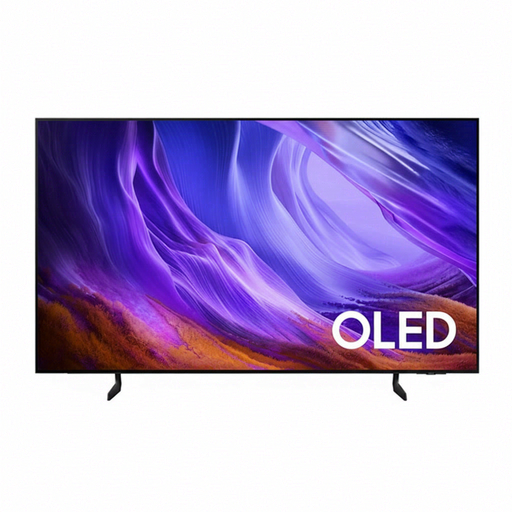 No image available
Black OLED TV
This OLED TV is relevant if you are prioritising dark-room viewing. Confirm the exact model, screen size, resolution and film-processing controls before choosing it, and consult independent black-uniformity testing if even blacks matter to you.
View on Joybuy
Common questions
Is OLED always the right choice for silent films?
No. OLED’s individually controlled pixels make it a useful starting point for dark-room viewing, but a Mini LED LCD may better fit a TV that also sees substantial daytime use. RTINGS’ contrast and lighting-zone guidance makes independent testing of the exact LCD model important, especially for bright intertitles against dark backgrounds.
Should I use Filmmaker Mode for silent films?
Use it if your TV supports it and you want to limit TV-added processing. According to Filmmaker Mode, it disables processing such as motion smoothing, sharpening and noise reduction; otherwise, look for separate controls and adjust them to your viewing preference.
Do I need a TV Licence in the UK to watch silent films?
It depends on how you watch them, not whether the film is silent. TV Licensing says you need licence coverage to watch or record live television on any channel or streaming service, or to use BBC iPlayer. If you only watch on-demand programmes on other services and do not watch live TV, it says a licence is not required for that viewing.
Do silent films call for a soundbar?
Not necessarily. If you plan to play a musical accompaniment, commentary or another soundtrack through external speakers, check the TV’s audio outputs and the connections your planned equipment requires. A soundbar does not resolve the screen’s contrast or picture-processing choices.


