Dark-room wildlife viewers
If you usually watch after dark, compare how individual TVs distinguish a night-time animal from a shadowed landscape rather than judging black levels alone.


For wildlife series watched mainly in a dark room, start by comparing OLED TVs: LG UK and Sony UK describe individually controlled pixels that can switch off, a useful distinction when assessing dark scenes. If the TV must also serve a brighter room, consider Mini LED, but judge its local dimming on the particular model. Whichever route you take, check HDR compatibility with your viewing sources and consider prolonged static-image use.
If you usually watch after dark, compare how individual TVs distinguish a night-time animal from a shadowed landscape rather than judging black levels alone.
If plumage, foliage and sunsets matter most to you, check the TV's HDR formats against the programmes, apps and devices you use. Format support alone does not establish colour accuracy.
If the same TV serves daytime viewing or a large shared room, weigh those needs alongside its performance with dark wildlife footage.
Choose when: Dark-room viewing is the main use and you want to assess scenes using individually controlled, self-lit pixels.
Bear in mind: LG UK warns that extended static-image display outside normal viewing conditions can cause image retention; follow the chosen model's care guidance.
Choose when: The TV also needs to serve a brighter, mixed-use room and a backlit display suits your requirements.
Bear in mind: Local dimming adjusts the backlight by area, so assess the particular TV with dark scenes rather than assuming it behaves like OLED.
| Concern | What to check | Who this matters to |
|---|---|---|
| Shadows and black levels | Compare familiar dark footage on the exact TV; on Mini LED, watch how local dimming handles small bright objects against darkness. | I want to distinguish an animal from its shadowed surroundings, not lose both in a dark patch. Around 36% of consumers put shadow separation first. |
| Colour and HDR | Match the TV's listed HDR formats with your usual app or player, and compare its picture modes. | Subtle differences in feathers, foliage and skies matter to me, and I want my usual programmes to play in a compatible HDR format. This is the primary need for around 29% of consumers. |
| Motion and fine detail | Try fast wildlife footage at different motion-processing settings; do not treat a gaming refresh-rate figure as a documentary-motion test. | When birds or other animals move quickly, I want to follow them without distracting processing. Around 21% of consumers make motion and detail their first concern. |
| Room and screen practicality | Check the screen's fit, daytime viewing conditions and energy labels for similarly sized TVs. | The TV has to work beyond night-time viewing, so room fit and everyday use take priority for me. Around 14% of consumers put these practical needs first. |
HDR playback depends on the programme's format and the TV, app or connected player supporting it.
Check the exact TV's listed formats against the sources you normally watch.
LG UK describes OLED pixels that can switch off individually; Samsung UK describes Mini LED backlighting adjusted through local dimming. Those mechanisms call for a model-specific dark-scene comparison.
If possible, compare familiar night-time footage and watch both shadow separation and areas around bright highlights.
LG UK identifies image retention as a conditional risk when static images remain on screen for extended periods outside normal viewing conditions.
If dashboards, paused screens or other static displays are a regular part of your use, read the exact OLED model's panel-care guidance before choosing.
An OLED or Mini LED label does not tell you how two differently sized TVs compare in rated electricity use. Energy Saving Trust says TV energy labels show consumption per 1,000 hours.
Compare the labels of similarly sized models and review their product information where available.
LG's OLED ranges are relevant if controlled dark-room viewing is your priority.
Sony's OLED models are another route for viewers comparing dark-scene presentation.
Samsung's Neo QLED range is relevant to a comparison between OLED and Mini LED backlighting.
These OLED and Mini LED TVs offer two routes to compare for wildlife viewing. Start with your room's lighting, then check each TV's size and compatibility with your usual HDR sources.
 No image available
Consider this model if you want to compare a larger OLED screen for dark-room wildlife viewing.
The product name specifies a 65-inch OLED TV with 4K HDR, Google TV and Dolby Vision. Check that your usual app or device supplies a compatible HDR format, and compare its energy label with other TVs of a similar size.
 No image available
Consider the 42-inch option if you are comparing OLED TVs for a smaller viewing space.
The product name specifies 4K HDR, Google TV and Dolby Vision. Confirm that the size fits your setup and that your usual viewing source delivers a format the TV supports.
 No image available
Consider this large-screen option if you have room for an 83-inch TV and want to compare it for dark-room viewing.
The product name specifies 4K Ultra HD, smart-TV features and Wi-Fi. Check the available space, viewing distance, panel specification and supported HDR formats before deciding.
 No image available
Consider this Mini LED model if the room is used in both dark and brighter conditions.
The product name specifies a 55-inch 4K HDR TV with VIDAA OS. If possible, assess its local dimming with familiar dark footage, and check HDR compatibility with your usual source.
 No image available
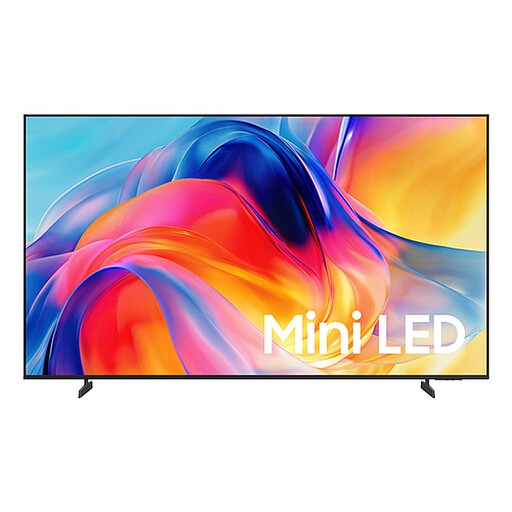
Consider this 65-inch Mini LED TV if you need to compare dark-room viewing with everyday use in mixed lighting.
The product name specifies 4K and smart-TV features. Assess dark scenes on the exact model where possible, and check its HDR formats and energy label before choosing.
Yes, if dark-scene separation is your main concern, OLED is a useful place to start comparing TVs. LG UK and Sony UK describe individually controlled pixels, while LG UK says they can switch off for true blacks; still judge HDR support, size and the particular TV's picture to suit your setup.
Consider Mini LED when the TV must also serve a brighter, mixed-use room. Samsung UK describes local dimming that adjusts Mini LED backlight brightness and contrast, but its dark-scene results should be assessed on the exact model rather than assumed from the display type.
No. Check the HDR formats supported by the exact TV and those delivered by your programme, app and any external player. For example, LG UK lists Dolby Vision, HDR10 and HLG for its OLED M4 model; that list does not apply to every TV.
Compare their energy labels, preferably between TVs of similar size. Energy Saving Trust explains that television labels show energy consumption per 1,000 hours, which is more useful for this comparison than assuming one display technology always uses less electricity.
Not necessarily for ordinary programme viewing. LG UK associates image-retention risk with static images displayed for extended periods outside normal viewing conditions; if repeated, long-running static displays are part of your routine, review the exact model's care guidance before choosing.