Dark-room atmosphere seekers
If dark boards, card art and shadows are central to your enjoyment, compare OLED and VA for black depth. RTINGS identifies contrast as particularly noticeable in dark-room viewing.


For deck-building games in a dark room, consider OLED if deep blacks matter most and you are willing to manage the risk from persistent card rows and menus. VA LCD is another contrast-focused choice for long-lived interfaces; IPS makes more sense when off-centre or shared viewing matters more. RTINGS’ panel comparisons support these trade-offs, but the right size, connections and warranty terms depend on the exact monitor and your setup.
If dark boards, card art and shadows are central to your enjoyment, compare OLED and VA for black depth. RTINGS identifies contrast as particularly noticeable in dark-room viewing.
If card rows, counters or menus stay in place for hours, weigh OLED’s dark-room picture against static-image risk. ASUS notes that prolonged high-contrast static images can cause OLED image persistence or burn-in.
If the screen also serves everyday desk tasks or people viewing from different angles, check text readability, dimensions and connections alongside contrast. RTINGS finds that IPS generally offers wider viewing angles than VA.
Choose it when: Deep blacks and separation between bright card art and dark backgrounds are your priority.
Accept the trade-off: Persistent high-contrast interface elements make panel-care habits and model-specific warranty terms important.
Choose it when: You want dark-room contrast and expect card layouts or desktop windows to remain visible for long stretches.
Accept the trade-off: VA’s contrast advantage over IPS does not establish how well a particular monitor handles motion or HDR.
Choose it when: Shared viewing or regularly looking at the screen off-centre matters more than the deepest blacks.
Accept the trade-off: RTINGS finds that IPS generally has lower contrast than VA, a difference worth considering in a dark room.
| Concern | Buying checks | Who it matters to |
|---|---|---|
| Dark-scene contrast | Compare panel type and, where available, independent contrast and black-uniformity results. If you use HDR, check the exact VESA certification tier. | I want dark boards and card art to retain depth rather than look washed out. Around 33% of consumers put dark-scene contrast first. |
| Persistent card interface | For OLED, check the exact model’s panel-care settings and warranty wording on burn-in. | My card rows and menus stay on screen through long sessions, so managing static-image risk comes before picture quality. Roughly 27% of consumers make interface resilience their primary concern. |
| Everyday desk use | Check size and resolution at your viewing distance, stand adjustment and inputs for your PC or console. | I also browse or work at this desk and need cards and text to be comfortable to read. About 20% of consumers prioritise this multi-use fit. |
| Low-light setup | Check that brightness is easy to adjust and consider whether indirect room lighting creates reflections. | A bright screen against a black room feels too stark during late-night play, so I want control over the whole setup. Around 20% of consumers put low-light viewing conditions first. |
Card rows, counters and menus can remain in similar positions for long periods. ASUS warns that prolonged static, high-contrast images can cause OLED image persistence or burn-in.
Check the exact monitor’s panel-care functions and warranty wording, and use its relevant safeguards. If fixed interfaces dominate your use, compare VA LCD as well.
An HDR label alone does not identify a VESA-tested performance tier, so it is a weak basis for comparing two monitors.
Look for the complete DisplayHDR or DisplayHDR True Black certification name and confirm that it applies to the exact model.
IPS can suit off-centre viewing, but RTINGS finds that VA generally has better contrast. That distinction matters when the room is dark and much of the game board is shadowed.
Decide whether viewing angles or black depth matter more in your setup, then compare individual monitors within the relevant panel type.
The gap between a bright display and completely black surroundings may make a long session uncomfortable. BenQ’s dark-room guidance recommends considering the lighting around the screen as well as its settings.
Lower the brightness to a level that works for you and, if useful, try soft indirect light positioned to avoid reflections.
The range includes OLED gaming monitors for shoppers considering a larger display.
A range to examine if you want a 27-inch QHD OLED gaming monitor.
An LCD route for shoppers interested in screen controls for dark scenes and changing room light.
These monitors cover VA LCD choices for contrast-focused play with persistent card layouts and OLED choices for shoppers prioritising deep blacks. Check each model’s size, connections and static-image considerations against your own setup.
 No image available
Consider this VA LCD option if dark-room contrast and long-lived card layouts are priorities.
The title lists 2560 × 1440 QHD resolution, 165Hz, HDMI and DisplayPort inputs, and a 100 × 100mm VESA mounting pattern. The listing says reaching 165Hz at 2K requires DisplayPort; HDMI may be limited to 144Hz or less depending on the graphics card.
 No image available
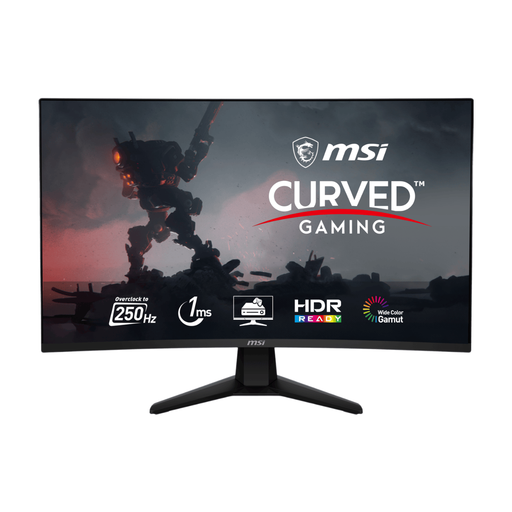
This VA LCD option may suit a fixed card-game interface; check whether FHD text and card detail work for you at 32 inches and your desk distance.
The title lists a 250Hz overclocked refresh rate. The listing states that HDMI supports FHD at up to 240Hz, so check the intended connection rather than treating the overclocked figure as universal.
 No image available
Consider this smaller VA LCD choice if desk space and persistent card-game UI shape your decision.
The title lists a 24.5-inch FHD screen, 100Hz refresh rate and HDMI input. The listing limits refresh rate to 100Hz through HDMI and 60Hz through VGA; match the connection to your device.
 No image available
This OLED choice suits shoppers who prioritise dark-scene blacks and can manage prolonged static card-game UI.
The title lists a 34-inch WQHD screen and 240Hz refresh rate. Check that its ultrawide shape fits your desk and the game interface, and read the exact model’s panel-care instructions and burn-in warranty terms before ordering.
 No image available
This OLED choice is worth considering if deep blacks are a priority in a 27-inch format, while fixed card rows remain a consideration.
The title lists QHD resolution and a 240Hz refresh rate. Check which panel-protection settings apply to the exact model and how its warranty treats burn-in; protective features do not remove the underlying static-image risk.
No. OLED suits a preference for deep blacks, but persistent card rows and menus make panel care and warranty terms important. RTINGS identifies VA LCD as another dark-room contrast route, without OLED’s permanent burn-in risk from repeated static imagery.
Look for the exact VESA DisplayHDR or DisplayHDR True Black certification name and tier on the model you intend to buy. A vague HDR label alone does not establish that the monitor has passed VESA’s certification tests.
Try lowering its brightness and assessing the display alongside soft indirect room light that does not reflect off the screen. BenQ’s dark-room guidance points to the stark difference between a bright display and black surroundings as a setup consideration, not a reason to rely on a particular monitor feature.
For a standard UK distance sale, the Consumer Contracts Regulations 2013 generally give a cancellation period ending 14 days after the consumer or their nominated recipient receives the goods, subject to the regulations’ conditions and exceptions; remedies for faulty or misdescribed goods are a separate matter. For end-of-life disposal, GOV.UK describes the UK WEEE framework for electrical equipment, so check an appropriate retailer or local collection route.