What to check before buying
Start with the furthest and most side-on seats, then judge the picture in the room’s usual lighting. Colour features and HDR support matter too, but a specification cannot show how well every guest will see a particular screen.
| Concern |
What to check |
Who this matters to |
| Colour and dark scenes |
Compare a familiar documentary scene in a film-oriented mode; confirm the exact model’s HDR formats and any colour credentials. |
I want paintings and low-lit gallery scenes to look convincing without heavy picture processing; around 42% of consumers would put colour and dark-scene presentation first. |
| Reflections and side seats |
View the exact size from the outer seats with room lights on, and check whether its stated screen features apply to that size. |
When daylight falls across the screen and guests sit off-centre, I need a picture they can still follow; glare and side-seat visibility would come first for around 33% of consumers. |
| Screen fit and narration |
Measure the furthest viewing position and available space; if adding audio, confirm the TV’s connection and your equipment’s compatibility. |
If distant guests struggle to see details or hear narration, I need the screen and sound setup to suit the room; around 25% of consumers would make that their primary concern. |
Joybuy TVs for this viewing setup
These 65-inch and 75-inch TVs offer different starting points for a group setup. Compare each screen’s fit, listed picture features and appearance from your planned seats rather than treating screen size or panel wording as a group-viewing result.
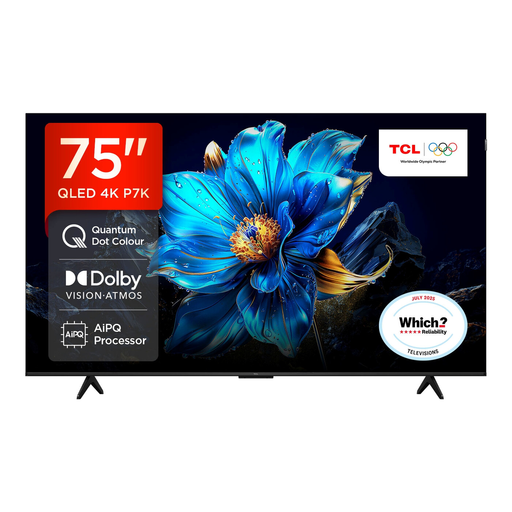 Image unavailable
TCL 75P7K 75-inch QLED Direct LED TV
Consider this 75-inch screen if the furthest guests need a larger picture; check its fit and appearance from the outer seats.
The product name lists 4K, Dolby Vision and Google TV.
View on Joybuy
 Image unavailable
Sony BRAVIA 8 K65XR80BP 65-inch OLED TV
Consider this OLED model if its picture presentation suits your documentary viewing; check whether 65 inches works for the furthest seat and inspect reflections from the sides.
The product name lists 4K HDR, Dolby Vision and Dolby Atmos.
View on Joybuy
 Image unavailable
Samsung QE75QN80FAU 75-inch 4K TV
The 75-inch size is worth assessing where guests sit farther away; inspect the exact screen in your usual lighting and from side seats.
The product name also gives the diagonal as 190.5 cm.
View on Joybuy
 Image unavailable
TCL 65V6C 65-inch Direct LED TV
Consider this 65-inch option if it fits the room and the furthest viewers can follow fine detail; check its picture from off-centre seats.
The product name lists 4K HDR, Google TV and Dolby Atmos.
View on Joybuy
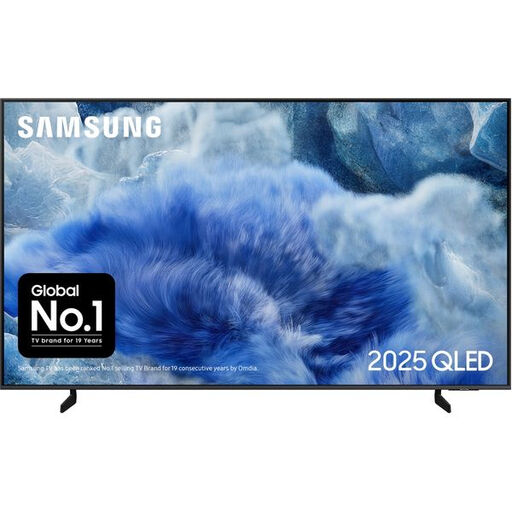 Image unavailable
Samsung Q8F QE75Q8FAAU 75-inch 4K TV
This 75-inch model is another screen-size option for a spread-out group; check room fit, reflections and the view from the outer seats.
The product name also states a 190.5 cm diagonal.
View on Joybuy
Common questions
Is a 65-inch TV large enough for a group?
It can be, depending on the furthest regular viewing position and what your group finds comfortable. Measure from that seat to the planned screen position; Hisense’s UK sizing guide gives 8–13 ft (2.4–4 m) as a planning range for 65–70-inch TVs, not a rule for every room.
Should I use Filmmaker Mode for art documentaries?
If the TV has it, Filmmaker Mode is a sensible picture setting to try before making adjustments for room light. Samsung says the mode preserves elements including aspect ratio, colours and frame rates on supported TVs; compare it with your other available modes using the material you watch.
Which energy information matters when comparing TV sizes?
Check the energy label and product information sheet for the exact model and size. UK GOV.UK guidance covers televisions under electronic-display energy labelling, while Samsung’s QN90F listings illustrate why a label for one size should not be assumed to apply to another.
Do art documentaries require a TV Licence in the UK?
It depends on how you watch them, not on the TV you choose. TV Licensing says licence coverage is required for live TV and BBC iPlayer; watching only on-demand programmes on other services does not require one, provided you do not watch live TV or use BBC iPlayer.
How can I dispose of a TV I am replacing?
A local household waste recycling centre is one option for an unwanted TV. GOV.UK says such centres accept waste electrical products; check local authority or retailer arrangements before transporting a large screen.


