Choose an OLED if you mainly watch concert films in a light-controlled room and prioritise contrast against dark stages. If daylight or lamp reflections are harder to control, compare glare-resistant OLED and Mini LED models under your room lighting rather than choosing by panel label alone. Whichever screen you choose, check its picture modes, the HDR formats used by your films and the connections needed for any external sound system.
Who is this choice for?
Dark-room concert-film viewers
If you usually watch with the lights down, contrast between stage spotlights and dark backgrounds may matter more to you than daytime viewing. FilmMaker Mode also gives you a way to watch without certain added picture processing, according to Filmmaker Mode.
Mixed-light living-room viewers
If the screen faces windows or lamps, or viewers sit away from the centre, assess reflections and viewing positions before settling on a TV. Samsung highlights glare treatment on its QE65S95FATXXU OLED, while Sony lists anti-reflection and wide-angle features for BRAVIA 9 Mini LED.
Surround-sound system builders
If you use a soundbar or AV receiver, the TV must fit your audio connection plan as well as your picture preferences. Dolby advises checking the connection between source devices and the soundbar when planning Dolby Atmos playback.
What matters when choosing?
OLED for a dark room
Consider it: If light-controlled concert-film viewing makes dark stage backgrounds and spotlight contrast your priority; LG describes per-pixel black levels for its OLED65G54LW.
Bear in mind: A dark-room preference does not settle how a particular screen will handle your daytime reflections.
Glare-resistant OLED
Consider it: If you want to compare OLED screens but also watch with lamps or daylight; Samsung lists Glare Free OLED HDR Pro for the QE65S95FATXXU.
Bear in mind: That treatment is a claim for the named model, not a feature to assume across similarly named OLED TVs.
Mini LED for a flexible room
Consider it: If concert films share the screen with daytime viewing or wider seating; Sony lists high peak luminance, X-Anti Reflection and X-Wide Angle for BRAVIA 9.
Bear in mind: Mini LED uses a backlit LCD design, so compare the exact screen under your lighting rather than expecting OLED black-level behaviour.
For a concert-film setup, decide which need takes priority, then check the exact TV alongside the films and equipment you plan to use.
| Concern |
Buying checks |
Who this matters to |
| Cinematic picture |
Check for FilmMaker Mode or another cinema picture mode on the exact TV, and compare dark scenes with the processing settings you would use. |
I watch with the lights down and want stage lighting to stand out without motion smoothing changing the presentation; around 33% of consumers put that picture preference first. |
| Reflections and seating |
Assess reflections in lighting like your own room and check the picture from your usual seats; confirm any advertised glare treatment applies to the exact variant. |
Windows, lamps or off-centre seats shape how I watch, so glare and viewing position are my main concern; roughly 25% of consumers prioritise that room fit. |
| External audio |
Check the TV and sound system for compatible HDMI ARC/eARC connections, then match the audio formats to your sources. |
I want concert-film sound through my soundbar or AV receiver rather than relying on the TV alone; about 25% of consumers make audio integration their primary need. |
| Sources and installation |
Match the TV’s HDR formats to your films and players, and check the exact screen size, mounting arrangement and soundbar clearance. |
My films and equipment have to work together, and the screen must fit its intended position; for around 17% of consumers, compatibility and installation come first. |
Buying pitfalls
-
Choosing by panel label alone
OLED, glare-resistant OLED and Mini LED address different room conditions; the technology name alone does not tell you how a particular screen will look beside your windows or lamps.
Start with your usual lighting and seating, then compare exact models for reflection handling, viewing angles and the picture settings you intend to use.
-
Keeping motion processing on without trying alternatives
Filmmaker Mode says its mode disables processing including motion smoothing, sharpening and noise reduction. Those settings can change the presentation of a concert film.
Try FilmMaker Mode on a familiar film if the TV supports it, then choose another setting if you prefer the result.
-
Assuming an Atmos badge completes the sound system
Dolby Atmos playback also depends on compatible content, source equipment, audio equipment, connections and settings.
List the services, player and sound system you will use, then check the audio formats and HDMI connection path across the whole setup.
Your setup may also call for a compatible soundbar or AV receiver, a suitable HDMI connection or a qualifying streaming-service tier.
-
Overlooking soundbar clearance
A soundbar can obstruct a low-mounted screen, and stand arrangements can differ by TV size.
Measure the cabinet, wall position and soundbar, then check the dimensions and stand options for the exact screen size.
Brands to consider
LG
LG’s OLED65G54LW is a reference point for a light-controlled cinema setup, rather than a specification guide to every LG TV.
- LG describes per-pixel black levels for the OLED65G54LW.
- Check the exact size, mounting arrangement and HDR-format support for the version you intend to buy.
Samsung
Samsung’s QE65S95FATXXU is an OLED example for viewers comparing screens for a room with reflections.
- Samsung lists Glare Free OLED HDR Pro and Dolby Atmos for that model.
- Do not assume another Samsung OLED or Neo QLED has the same glare treatment or sound features.
Sony
Sony’s BRAVIA 8 represents an OLED option, while BRAVIA 9 is a separate Mini LED option to examine for a brighter room.
- Sony lists Dolby Vision and Acoustic Surface Audio+ for BRAVIA 8; it lists X-Anti Reflection and X-Wide Angle for BRAVIA 9.
- Check features against the exact model and size rather than transferring specifications between the two ranges.
Joybuy product choices
These TVs offer different screen sizes and named display types to consider for concert films. Match each exact model to your room, film formats and sound system before choosing.
 No image available
Samsung S85F QE83S85FAE 83-inch 4K Smart TV
Consider this screen if an 83-inch TV fits your planned concert-film viewing position and installation space.
The product name specifies 4K resolution and Wi-Fi. Check its picture modes, HDR formats and audio connections against your films and equipment.
View on Joybuy
 No image available
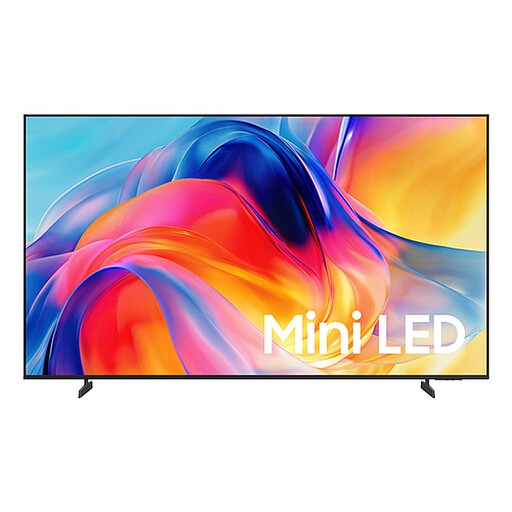
Samsung TU65M70H 65-inch 4K Mini LED Smart TV (2026)
Consider this Mini LED model if a 65-inch screen suits a room used for both concert films and daytime viewing; assess reflections under your own lighting.
The product name specifies 4K resolution. Check HDR formats and external-audio connections against your setup.
View on Joybuy
 No image available
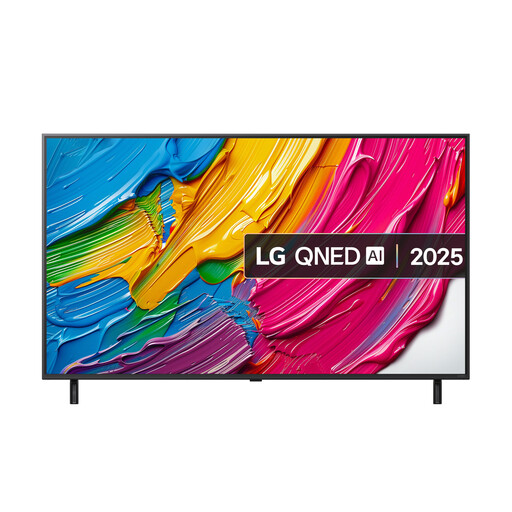
LG 65QNED80A6A 65-inch QNED 4K Smart TV
Consider this model if you want to plan a 65-inch concert-film setup around an external sound system.
The product name lists eARC; confirm that its connection and supported formats suit your soundbar or receiver. Check the TV’s HDR formats against your films.
View on Joybuy
 No image available
Sony BRAVIA 8 K65XR80BP 65-inch OLED 4K TV
Consider this OLED model for a light-controlled room, particularly if your concert films use Dolby Vision.
The product name lists Dolby Vision and Dolby Atmos. Check its available cinema picture modes and HDMI ARC/eARC connection if you intend to use a soundbar or receiver.
View on Joybuy
 No image available
Hisense U7Q Pro 55U7QTUK Pro 55-inch Mini LED 4K TV
Consider this 55-inch Mini LED model if it fits your concert-film viewing space; compare its screen under the lighting you normally use.
The product name lists a built-in subwoofer. Check its cinema picture modes and HDMI ARC/eARC connection before planning an external sound system.
View on Joybuy
Frequently asked questions
Should I use FilmMaker Mode for concert films?
Try FilmMaker Mode if your TV supports it and you prefer a presentation with less added processing. Filmmaker Mode says it disables features such as motion smoothing, sharpening and noise reduction; you can choose another picture mode if you prefer its appearance.
Does a Dolby Atmos badge mean I will hear Atmos from concert films?
No: the concert film, source device, connection and audio equipment must also support the intended Atmos playback path. Dolby advises checking how source devices connect to the soundbar; a streaming service may also require a qualifying tier.
What should I check before connecting a soundbar or AV receiver?
Check that the TV and audio device support the HDMI ARC/eARC connection you plan to use. Then confirm the source device’s audio-output settings and the formats supported throughout the playback chain, as Dolby advises for soundbar setups.
Can I plan soundbar placement from a TV range’s product image?
Use the dimensions and stand options for the exact screen size instead. Sony’s BRAVIA 8 information distinguishes soundbar-position suitability by configuration, so measure both the intended TV position and your soundbar before ordering.


