Dark-room contrast seekers
You usually watch after dark and want to judge whether shaded borders, soil and evening garden scenes remain distinct rather than looking broadly grey.


Prioritise OLED if you regularly watch in a genuinely dark room and want pixel-level light control for black areas and shaded garden scenes. Consider Mini LED if you also want a large-screen option or expect to watch with more ambient light; it controls a backlight rather than lighting each pixel individually. Compare the exact models with familiar footage before deciding how their colour and shadow detail look to you.
You usually watch after dark and want to judge whether shaded borders, soil and evening garden scenes remain distinct rather than looking broadly grey.
You want foliage, flowers and subtle variations in green to look convincing, rather than choosing a TV solely because its shop display looks vivid.
You often watch in the dark but will also use the TV with more room light, or need to consider a large-screen Mini LED alongside room fit and picture quality.
Consider it when: Your room is regularly dark and pixel-level light control is your priority. LG UK, Samsung UK and Sony UK describe OLED pixels as individually controlled.
Keep in mind: That technology description does not establish how a particular TV will render foliage or shaded detail; check the model and the programme source.
Consider it when: You also want a large-screen option or will use the TV with more ambient light. Samsung UK describes its Mini LED TVs as using local backlight control.
Keep in mind: Local dimming is not pixel-level light control, so compare dark scenes on the exact model rather than assuming it will look like OLED.
| Concern | What to check | Who this matters to |
|---|---|---|
| Dark-scene contrast | Compare OLED and Mini LED using a familiar shaded scene. Look for visible detail without making black areas appear grey. | When I watch evening gardens, I want to make out the planting within the shadows; around 50% of consumers put dark-scene contrast first. |
| Natural colour and detail | Use familiar footage to assess greens, flower colours and fine texture, and try the available picture modes. Which? assesses TV picture quality across different resolutions after adjustment. | If foliage looks unnaturally vivid, I would rather have believable shades and clear texture; around 30% of consumers prioritise natural colour and detail. |
| Room fit and mixed use | Check the exact screen size against your space, compare the TVs in your usual lighting and review the energy information for the model and size. | I need the screen to fit my room and work for viewing outside the dark-room setting too; for around 20% of consumers, those practical needs come first. |
OLED pixels produce and control their own light; Mini LED TVs use locally dimmed backlights. Similar contrast claims do not establish identical dark-scene results.
Compare familiar shaded footage on the exact TVs if you can. If you plan to assess one at home, check the retailer’s return terms before purchase rather than assuming you can return it after use.
A vivid display mode may not reflect how you want foliage, flowers and shaded detail to look at home. Which? assesses colour, sharpness, contrast and viewing angle when testing TVs.
Try a familiar gardening programme and compare its bright and shaded scenes. Note the original picture settings before changing them so you can restore them if needed.
Screen sizes and models within one range need their own purchase checks. UK government energy-information guidance covers electronic displays, including televisions.
Review the energy label and product information sheet for the precise model and screen size you intend to buy.
GOV.UK’s TV Licence guidance bases the requirement on how you watch: it covers programmes watched or recorded as they are broadcast, as well as BBC iPlayer use.
Check the guidance against the channels and services you intend to use, whether you watch on the new TV or another device.
A reference point for comparing OLED evo with LG’s QNED range when weighing dark-room contrast against other screen options.
Relevant when comparing Samsung OLED models with its Neo QLED Mini LED range.
Relevant for comparing BRAVIA OLED’s individually controlled pixels with a BRAVIA Mini LED option.
These TVs include OLED and Mini LED options for comparing dark-room viewing with screen size and mixed-room needs, plus a smaller Direct LED model. Check each TV’s exact identity and picture features against the viewing conditions that matter to you.
 No image available
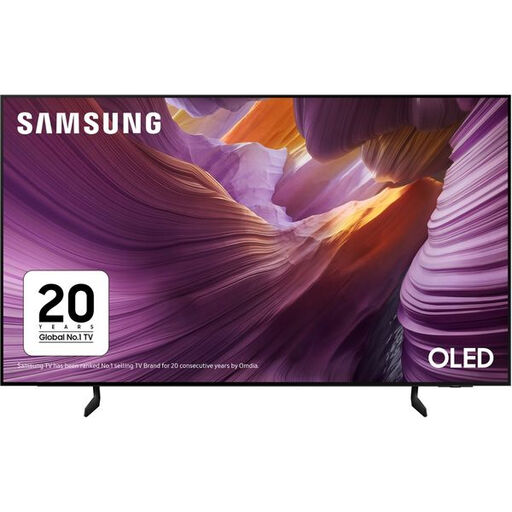
Consider this listed OLED model if pixel-level light control is your priority for a dark room.
The listing names a 65-inch 4K smart TV, but its product information also names QE65S85BAE. Confirm which model is being offered and check its specifications before buying.
 No image available
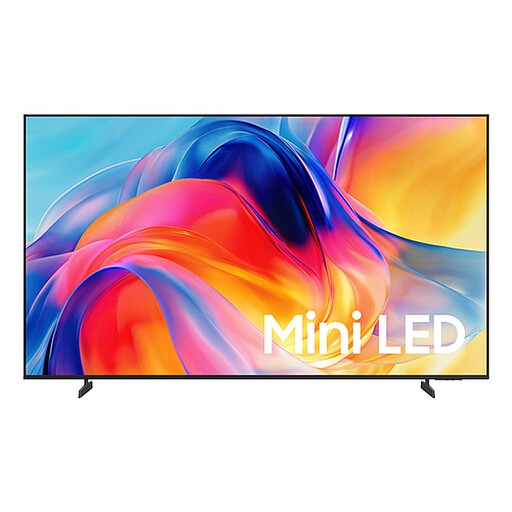
Consider this Mini LED option if you want to compare backlight-based contrast control with OLED for your room.
The listing identifies a 65-inch 4K smart TV with Supreme Mini LED Dimming and Tizen. Check dark scenes on the exact model, along with its UK energy information.
 No image available
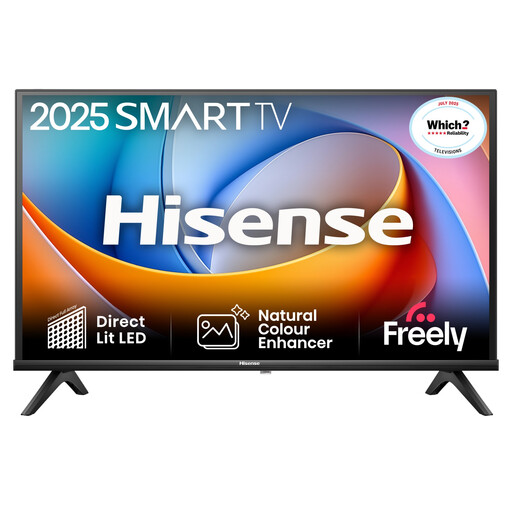
Consider this smaller screen if fitting a 40-inch TV into your space matters more than choosing one of the OLED or Mini LED routes.
The name specifies Direct LED, Full HD, HDR and VIDAA OS. Those features alone do not establish how it will handle shaded garden scenes, so assess its picture with familiar footage.
 No image available
Consider this model when a 75-inch Mini LED screen suits your room and viewing plans.
The listing specifies 4K, Google TV and local dimming described as up to 512 zones. That is not a confirmed zone count for this variant or a measure of its dark-scene performance; check the precise specification and UK energy information.
 No image available
Consider this 75-inch Mini LED model if screen size and backlight control are central to your choice.
The listing specifies 4K, Google TV and local dimming described as up to 2048 zones. Confirm the figure for this exact variant rather than treating it as a measured picture-quality result, and check how shaded footage looks in your usual lighting.
Prioritise OLED if individually controlled pixels and dark-scene contrast matter most to you; consider Mini LED if a large screen or use with more ambient light also shapes the purchase. LG UK and Samsung UK describe the different light-control methods, but compare exact models with familiar footage before judging their colour and shadow detail.
Start with a familiar dark scene and a bright outdoor scene, noting the original settings before you change them. Adjust the picture until shaded details remain visible and bright areas look comfortable; Which? advises using dark material when assessing brightness rather than relying on a shop display mode.
Check the energy label and product information sheet for the exact model and screen size. UK government energy-information guidance covers electronic displays, including televisions; do not assume that figures for another size in the same range apply to yours.
Under GOV.UK’s TV Licence guidance, you need a licence to watch or record programmes as they are broadcast, or to use BBC iPlayer. The requirement depends on the service and how you watch, not on which TV you buy; check the guidance for your intended viewing.