Regular side-seat film watchers
If you usually sit noticeably off-centre, assess whether colour and contrast remain convincing from that position, not just from directly in front. LG UK and Sony UK describe side-viewing benefits for their OLED TVs.


Start by comparing OLED TVs if you regularly watch from a side seat: LG UK describes a wide viewing angle for its OLED technology, while Sony UK says its BRAVIA 8A OLED keeps colours consistent from the sides. In a bright room, also consider an LCD or Mini LED TV whose exact model specifies both a viewing-angle feature and reflection control; a panel label alone does not establish how the picture will look from your seat.
If you usually sit noticeably off-centre, assess whether colour and contrast remain convincing from that position, not just from directly in front. LG UK and Sony UK describe side-viewing benefits for their OLED TVs.
Windows or lamps may reflect on the screen at your usual seat. Check reflection handling alongside the viewing-angle feature: Samsung UK lists both for its QN90D, but that pairing should not be assumed for other models.
If dark-scene detail matters most but someone occasionally watches from the side, compare the film picture from both seats. Sony UK describes OLED as a route for movie detail in dark scenes and makes a separate side-viewing claim for its BRAVIA 8A.
Consider when: your usual seat is off-centre and dark-scene detail is central to your film viewing. LG UK and Sony UK describe these qualities in their OLED materials.
Bear in mind: those descriptions are not a test of every model from your seat. Sony UK Support also notes that prolonged static images can cause image retention, so follow the chosen TV’s panel-care guidance.
Consider when: you watch from the side in a room where daylight or lamps create reflections. Samsung UK lists a wide-viewing-angle feature with an anti-reflection screen for its QN90D.
Bear in mind: the QN90D statement is model-specific; LCD, QLED or Mini LED branding alone does not establish either feature on another TV.
| Concern | What to check | Who this matters to |
|---|---|---|
| Picture from the side | Check viewing-angle information for the exact model and size, then inspect a familiar scene from your intended seat if possible. | If I usually sit to one side, I want the film’s colour and contrast to remain convincing without moving seats. Around 50% of consumers place that off-centre consistency first. |
| Dark-scene detail | Check the exact TV’s picture modes and HDR formats against the films and sources you use; compare a dark scene rather than relying on a vivid shop display. | When a short film relies on shadow and deliberate colour, I care most about how those scenes look. For around 30% of consumers, film-picture detail is the primary concern. |
| Reflections and room light | Note where windows and lamps appear from your seat, and check anti-reflection claims for the precise model and size. | If daylight catches the screen from my side of the room, reflections can distract me even when the viewing angle seems suitable. Reflection control comes first for around 20% of consumers. |
OLED, QLED, Mini LED and LCD name broad display approaches, not a guaranteed result from your particular seat. Samsung UK’s viewing-angle and anti-reflection statement applies to the cited QN90D, while LG UK and Sony UK make their OLED claims within their own product materials.
Look for a claim covering the exact model and screen size, and view the picture from your usual seating direction where possible.
A film-focused picture may still be difficult to enjoy if a window or lamp reflects towards the side seat. Samsung UK pairs anti-reflection with its QN90D viewing-angle feature.
Check the room’s light sources from your seat before comparing reflection-handling features on the specific TVs you are considering.
Sony UK Support says an afterimage can follow a prolonged static image and cautions against frequent manual panel refreshes.
Read the chosen OLED TV’s care instructions, allow its automatic maintenance routines to operate as directed and use manual refresh only as the manufacturer advises.
Energy Saving Trust explains that TV and display energy labels use an A-to-G scale. The label gives you a separate consideration from viewing angle or picture settings.
Compare the consumption information for the exact screen sizes on your shortlist, alongside their suitability for your seat and room.
Electricity use over time will depend on the TV, your viewing hours and your tariff.
LG’s OLED range is worth examining when a regular side seat and film contrast are your main priorities.
Samsung provides an LCD and Mini LED route to examine when a bright room makes reflections important.
Sony’s OLED materials address both dark movie scenes and, for the BRAVIA 8A, viewing from the sides.
These OLED and Mini LED TVs offer different screen sizes and film-viewing features to shortlist for a side-seat setup. Check how each exact model looks from your seat; the display type or a viewing-angle statement alone does not settle that choice.
 No image available
Consider this size if a 42-inch TV suits your room; assess its picture from your actual side seat before choosing it.
The product name specifies 4K HDR, Google TV and Dolby Vision. Check the energy label and OLED care instructions for this model.
 No image available
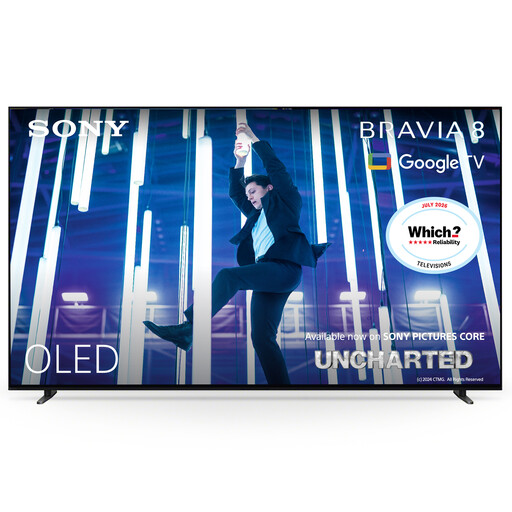
This is a 55-inch OLED option for a film-viewing setup; check the fit in your room and the picture from your side seat.
The product name specifies 4K HDR, Google TV and Dolby Vision. Check this variant’s energy label and OLED care guidance.
 No image available
Consider the 83-inch size only if you can accommodate its viewing distance and installation position; assess the picture from every seat you intend to use.
The product name specifies a 4K Ultra HD smart TV with Wi-Fi. Confirm the exact display specification, mounting requirements and energy label before purchase.
 No image available
This 55-inch Mini LED option is worth assessing if you need to balance a side seat with room lighting; inspect both the off-centre picture and any reflections.
The product name specifies 4K HDR and VIDAA OS. Check the viewing-angle claim for this variant, along with its reflection handling and energy label.
 No image available
If a 75-inch screen fits your room, assess this model from the intended side seat rather than relying on a general wider-viewing-angle claim.
The product name specifies QD-Mini LED, 4K HDR and Google TV. Check its reflection handling, installation dimensions and energy label.
No, but OLED is a sensible place to start when a consistent picture from the side is your main need. LG UK describes wide viewing angles for OLED, and Sony UK makes a side-viewing colour claim for its BRAVIA 8A; compare the exact TV from your seat and check reflections if the room is bright.
The technology name alone cannot answer that question. Samsung UK lists a wide-viewing-angle feature and anti-reflection screen for its QN90D, but you should check the specifications and off-centre picture of any other model separately.
Check the exact model’s picture modes and HDR formats against the films and sources you use. LG UK lists FILMMAKER MODE, Dolby Vision IQ, HDR10 and HLG for its OLED A2, illustrating why it is worth checking a model’s own feature list rather than assuming every TV has the same options.
No; use it to compare energy information, not side-seat performance. Energy Saving Trust explains that TV and display labels use an A-to-G scale, so compare the consumption information for your shortlisted screen sizes separately from their picture characteristics.