What should you check before buying?
Choose the panel route around your usual room lighting, then compare exact models for dark scenes, reflections and the formats your films actually use.
OLED
Consider it when: You usually watch with the lights low and care most about depth in dark scenes. Which? notes that OLED pixels can switch off for black areas.
Bear in mind: Judge a particular model’s reflections and room fit rather than assuming its panel type settles every viewing condition.
Mini LED
Consider it when: You often watch with room lights or daylight present and want to compare brighter-screen options.
Bear in mind: Mini LED remains a backlit LCD technology; look closely at how the exact model handles bright objects against dark backgrounds.
| Concern | What to check | Who this matters to |
|---|
| Dark scenes and action |
Compare dark-scene and motion results for the exact model, particularly if you watch with controlled lighting. |
I want to follow a night chase without dark areas looking grey or rapid movement becoming distracting. Around 44% of consumers put dark-scene contrast and action clarity first. |
| Bright-room viewing |
Assess reflections and screen brightness for your usual viewing conditions; do not rely on the Mini LED label alone. |
Films are usually on while my living room is bright, so I need the picture to remain comfortable to watch. Bright-room visibility comes first for around 33% of consumers. |
| Formats and film modes |
Check your content and devices against the TV’s supported HDR formats, picture modes and intended sound-system connections. |
I use several services and want my films and planned audio setup to work as intended, not just a long list of logos. For around 23% of consumers, compatibility is the primary concern. |
Joybuy TVs for the two viewing setups
These OLED and Mini LED TVs offer starting points for comparing controlled-light and brighter-room adventure-film viewing. Match screen size to your space, then check exact-model picture, installation and format details before choosing.
 No image available
Samsung S85F QE83S85FAE 83-inch 4K TV
Consider this large-screen option if your main question is whether an 83-inch TV fits your adventure-film viewing space. Check the panel type, supported HDR formats and picture modes for this exact model before choosing it for either lighting setup.
Listed size: 83 inches (2.11 m); 4K Ultra HD. Check viewing distance, room dimensions and delivery access.
View on Joybuy
 No image available
Sony BRAVIA A90 XR42A90K 42-inch OLED TV
The OLED panel makes this a model to compare for films watched with controllable room lighting. Which? explains why individually lit OLED pixels matter for black areas; check this TV’s own picture performance rather than treating panel type as a test result.
The product title identifies a 42-inch 4K TV with Dolby Vision and Dolby Atmos. Check that its size, picture modes and supplied installation parts suit your setup.
View on Joybuy
 No image available
Sony BRAVIA 8 K65XR80BP 65-inch OLED TV
Compare this OLED model if you want a larger screen for dim-room film viewing. Its panel approach is relevant to dark scenes, but film motion and reflection handling still need exact-model assessment.
The product title identifies a 65-inch 4K TV with Dolby Vision and Dolby Atmos. Confirm its other HDR formats, picture modes and installation dimensions against your plans.
View on Joybuy
 No image available
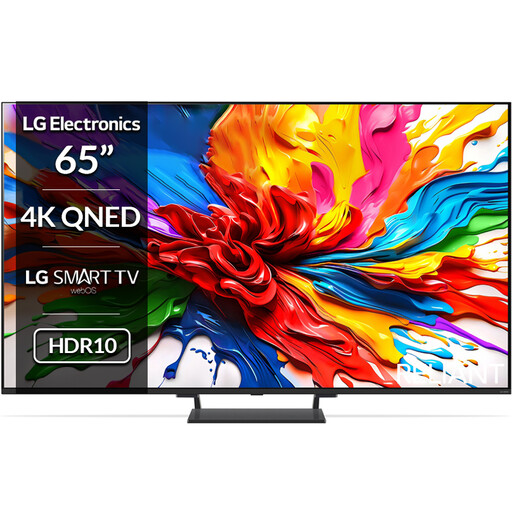
LG 65QNED93A6A 65-inch QNED Evo MiniLED TV
This is a Mini LED model to compare if room light is an important part of your choice. Assess reflections and difficult dark scenes on this TV rather than assuming its backlight determines the result.
The product title identifies a 65-inch 4K TV. Confirm the HDR formats and film picture modes you need on the exact model.
View on Joybuy
 No image available
TCL Q7C 75Q7C 75-inch QD-Mini LED TV
Compare this large Mini LED TV for a room where ambient light affects film watching, while checking its actual reflection and dark-scene performance. Its listed refresh rate does not establish how film motion will look.
The product title specifies 75 inches, 4K, up to 2,048 local dimming zones, a 144 Hz native refresh rate and audio by Bang & Olufsen. Check viewing distance, delivery access and the HDR formats used by your films.
View on Joybuy
Questions about film-focused TVs
Should I choose OLED or Mini LED for adventure films?
Start with OLED if you mainly watch in controlled light and dark scenes are your priority; compare high-end Mini LED TVs if your room is often bright. Which? explains OLED’s individually switchable pixels and Mini LED’s more focused LCD backlighting, but reflections, blooming and motion should still be assessed on the exact models you are considering.
Do I need Dolby Vision for the films I watch?
You need matching format support across the film, playback device and TV to use Dolby Vision. Which? identifies several HDR formats, including HDR10, HDR10+, HLG and Dolby Vision; check what your usual services provide before making any one logo a deciding factor.
What should I check before wall-mounting a TV?
Check the exact model’s supplied stand or bracket, mounting instructions, dimensions and cable clearance. The LG G4 listing, for example, describes a primarily wall-mounted design with a flush-mounted bracket, but that arrangement does not apply automatically to other TVs or sizes.
Which energy information helps me compare TVs?
Compare the energy label and product information sheet for each exact model and screen size. GOV.UK says products within its energy-labelling scope must display a label at the point of sale and have a product information sheet; screen size by itself is not a substitute for those model-specific details.
What if a newly bought TV is faulty?
A faulty or misdescribed TV may give you legal remedies beyond a retailer’s voluntary change-of-mind policy. Citizens Advice’s guidance for England explains that goods which are broken, not fit for purpose or not as described may qualify for a refund, repair or replacement; consult the guidance applicable where you live for the relevant remedy and conditions.


