What matters when choosing?
Choose the display route around your usual lighting conditions, then compare the exact models for picture behaviour, room fit and access to the programmes you watch.
OLED
Consider it when: The room is usually dark and black backgrounds or subtitles draw your attention; OLED needs no local-dimming zones for contrast, as RTINGS explains.
Trade-off: Brightness, reflection treatment and smart-TV features differ by model and size, so an OLED label alone cannot settle the choice.
Mini LED
Consider it when: The same TV will also be used in brighter conditions and you want to assess a brighter-room alternative to OLED.
Trade-off: Its backlight-zone control can leave halos around bright details; RTINGS also highlights LED black uniformity as a dark-room consideration. Check results for the exact model.
| Concern |
What to check |
Who this matters to |
| Blacks and halos |
Compare OLED with the exact Mini LED model’s independent results for blooming and black uniformity, particularly around subtitles. |
With the lights down, I want dark backgrounds to stay dark without distracting glows around bright graphics; around 36% of consumers put dark-room contrast first. |
| Colour and stream clarity |
Check the TV’s stated upscaling and HDR-format support against the resolution and formats of your usual programmes and services. |
When a programme moves between food close-ups and on-screen instructions, I want both to look clear across the streams I use; roughly 29% of consumers prioritise colour and programme clarity. |
| Size and placement |
Measure from your usual seated position to the proposed screen location, then check the TV’s dimensions and stand or mounting requirements. |
I need recipe text to be readable from my normal seat without choosing a screen that crowds the room; around 21% of consumers place size and positioning first. |
| Everyday use |
Compare model-specific SDR and, where applicable, HDR energy information; confirm your required apps on the exact UK TV. |
If this is my household’s main TV, I need my services to work and want to understand its energy use; about 14% of consumers put those practical checks first. |
Joybuy TV choices
These OLED and Mini LED TVs offer options for a mainly dark-room screen or one also used in brighter conditions. Compare their exact sizes, streaming features and dark-room picture results against your own room before choosing.
 No image available
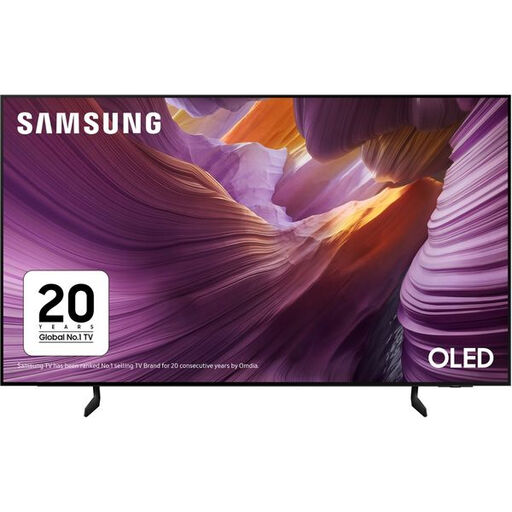
Samsung QE65S85FAE 65-inch 4K OLED TV (1-year warranty)
Consider this OLED model if watching with the lights down is your main use: OLED contrast does not depend on backlight zones. Its listed 65-inch size needs to fit your usual viewing position.
Confirm that the set and its specifications match model QE65S85FAE rather than the similar QE65S85BAE code before ordering.
Joybuy
 No image available
Samsung QE75QN80FAU 75-inch 4K Mini LED TV
This Mini LED option is worth examining if the same TV will be used with the lights down and in brighter conditions. The listed 75-inch screen makes measuring your viewing distance and available space particularly important.
For dark-room viewing, check independent results for blooming and black uniformity on this exact model and size; the display type alone does not establish those results.
Joybuy
 No image available
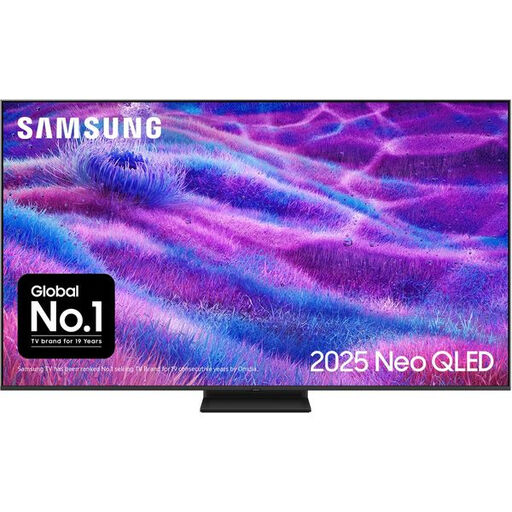
Samsung QE65QN80FAU 65-inch 4K Mini LED TV (1-year warranty)
This 65-inch Mini LED TV is another option if your viewing alternates between a darkened room and brighter conditions. Measure the space from your normal seat to judge whether this size suits it.
Check independent dark-room tests for haloing and black uniformity on the QE65QN80FAU, as well as support for the streaming apps you use.
Joybuy
 No image available
Hisense 55U7Q Pro / 55U7QTUK Pro 55-inch Mini LED TV
Consider this 55-inch Mini LED model if that screen size suits your room and you want to compare a TV for both darker and brighter viewing. Its title specifies 4K HDR and VIDAA OS.
Check independent dark-room picture results for the exact model, and confirm that VIDAA supports your required UK streaming services.
Joybuy
 No image available
TCL 65Q7C 65-inch QD-Mini LED Google TV
This 65-inch 4K HDR Mini LED model is an option to compare if the screen will serve more than dark-room viewing. Its title identifies Google TV and describes local dimming as having up to 2,048 zones, rather than a fixed zone count for every configuration.
Confirm the specification for the exact 65Q7C variant and your required apps, then consult independent dark-room tests for halos and black uniformity.
Joybuy
Frequently asked questions
Should I choose OLED or Mini LED for cookery shows with the lights down?
Consider OLED first if dark-room blacks and avoiding backlight-zone halos are your priorities: RTINGS explains that OLED does not need local dimming for contrast. Mini LED is worth comparing if the TV will also be used in brighter conditions, provided you check independent blooming and black-uniformity results for the exact model.
Which picture setting should I try in a dark room?
Try a cinema, filmmaker or similarly restrained preset as a starting point, then set brightness to a comfortable level for your room. Compare dark scenes, captions and bright food close-ups using familiar programmes rather than judging only from a shop’s vivid display mode.
Do I need a TV Licence for BBC cookery programmes on iPlayer?
Yes: TV Licensing states that you must be covered by a TV Licence to download or watch BBC iPlayer, including cookery programmes, on any device. Check your coverage before using the service.
How do I compare the energy use of two TVs?
Compare the exact models’ energy labels rather than screen size alone. GOV.UK’s television-label documentation identifies SDR efficiency information; compare SDR consumption in kWh per 1,000 hours and HDR figures where shown, keeping the viewing mode the same between models.
How should I decide on screen size?
Measure from your usual seat to the proposed screen position, as TCL UK’s size guidance advises. Then check the available wall or furniture space and whether captions and recipe details are comfortable to read; a viewing-distance chart is a starting point, not a fixed rule.


