What matters when buying?
OLED for a controllably lit room
Consider it when: Dark auditorium scenes and film-oriented presentation are central to how you watch.
Allow for: The panel label alone does not tell you how reflections will look in your room.
Mini-LED for a room with reflections
Consider it when: Daylight or lamps regularly reflect in the planned screen position.
Allow for: Anti-reflection treatment is model-specific; do not assume it comes with every Mini-LED TV.
For consumers choosing a TV chiefly for opera recordings in a UK home cinema, identify your primary need before comparing individual models.
| Concern |
What to check |
Who this matters to |
| Stage picture and HDR |
Match the TV’s stated HDR formats to your recordings and playback source; check its picture modes. |
If dark sets, spotlights and costumes are what draw me into a performance, I want picture settings and format support that suit my sources. Around 31% of consumers put this picture need first. |
| Screen size and placement |
Measure the main viewing distance, screen position and space for a stand, mount or soundbar. |
When I watch from a fixed seat, I want to follow the whole stage and read subtitles without choosing a screen that overwhelms the space. Around 25% of consumers make size and placement their primary concern. |
| External audio |
Confirm eARC support on both devices and identify the TV’s labelled eARC HDMI socket. |
If I plan to hear an opera through an AV receiver or soundbar, I need a connection that works with my chosen equipment. For around 25% of consumers, external-audio integration comes first. |
| Reflections and seating angles |
Assess windows and lamps from your seats; confirm anti-reflection features for the exact model and size. |
When daylight reaches the screen or guests sit to one side, I want the picture to remain comfortable to watch without rearranging every seat. Around 19% of consumers prioritise room visibility. |
Joybuy TV choices for opera viewing
These OLED and Mini-LED choices cover several screen sizes for an opera-viewing setup. Compare the precise model’s room fit, supported formats and audio connections before choosing between them.
 No image available
Samsung S90F 55-inch 4K OLED TV (2025)
A 55-inch OLED option to assess for a controllably lit opera-viewing room. Check its picture-format support against your recordings, and confirm the eARC socket and receiving-device compatibility if you plan to add external sound.
View on Joybuy
 No image available
Samsung S85F QE83S85FAE 83-inch 4K TV
Consider this larger screen only after measuring the main viewing distance and the space available for the TV and any sound system. Check the external dimensions, picture formats and audio connections for this exact variant.
View on Joybuy
 No image available
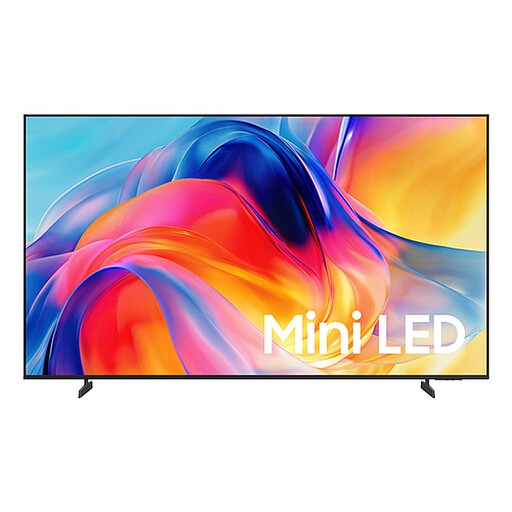
Samsung TU65M70H 65-inch 4K Mini-LED TV (2026)
A 65-inch Mini-LED option if that size suits your seating and screen position. For a room with strong reflections, check this model’s anti-reflection features; also confirm playback-format compatibility and the audio connection you intend to use.
View on Joybuy
 No image available
Hisense U7Q Pro 55U7QTUK Pro 55-inch 4K Mini-LED TV
This 55-inch HDR TV is worth examining if a smaller Mini-LED screen fits your room. Its name specifies VIDAA OS and a built-in subwoofer; check the exact model’s reflection handling and audio-output connections before relying on either for your setup.
View on Joybuy
 No image available
TCL Q6C 75Q6C 75-inch 4K QD-Mini LED Google TV
A larger-screen Mini-LED choice for a room that can accommodate its viewing distance and physical dimensions. The product name specifies HDR; check which formats match your opera sources, along with reflection handling and the connection needed for external sound.
View on Joybuy
Frequently asked questions
What does eARC change for an opera home cinema?
eARC can send audio from a TV to a compatible AV receiver or soundbar through one HDMI connection. HDMI Licensing Administrator says it supports high-bitrate formats including Dolby TrueHD and Dolby Atmos, but is not defined to be backwards compatible with ARC; check both devices and the TV’s labelled socket.
How should I choose TV size for opera recordings?
Start by measuring from your main seat to the planned screen position, then check the TV’s external dimensions and stand or mounting requirements. Which? gives illustrative viewing distances of about 3.3 m for a 55-inch TV and about 3.7 m for an extra-large set; use those as starting points, not fixed rules for every room.
What should I compare on a UK TV energy label?
Compare the SDR and HDR figures for the exact model rather than relying on screen size or a single efficiency letter. UK government television-label documentation specifies on-mode energy consumption in kWh per 1,000 hours, so check that you are comparing figures for the same picture mode.
Do opera recordings require a TV Licence?
A TV Licence is required to watch or record programmes as they are broadcast, according to GOV.UK; the rule concerns how you watch, not which TV you buy. If you use a prerecorded disc or an on-demand service, check the rules for that viewing method, including any BBC iPlayer use.


