Dark-room animation fans
You mainly watch films in the evening or control the room lighting, and you pay particular attention to black backgrounds and detail in shadowed scenes.


Choose an OLED TV if deep blacks and separation between bright and dark parts of an animated film matter most in a dim room. If you usually watch in a bright living room, start by comparing Mini LED and QLED models instead. In either case, assess the exact TV’s picture in your usual lighting and check its size, settings and energy information before buying.
You mainly watch films in the evening or control the room lighting, and you pay particular attention to black backgrounds and detail in shadowed scenes.
You often watch during the day or with the lights on, making the picture’s visibility in ambient light and a screen size that fits the room central to your choice.
You are willing to adjust brightness, contrast and colour settings rather than rely on the TV’s default picture mode.
Consider it when: Dark scenes are your priority and you can control the room lighting. Which? describes OLED’s deep blacks and smooth motion as relevant strengths for film viewing.
Check carefully: An OLED label does not tell you how a particular model handles reflections in your room.
Consider it when: You mostly watch in daylight or substantial ambient light. Which? associates QLED’s quantum-dot technology with brighter, more vibrant images.
Check carefully: Compare dark scenes on the exact model; the technology name alone cannot establish its shadow detail or reflection handling.
| Concern | What to check | Who this matters to |
|---|---|---|
| Dark-scene contrast | Watch a dark scene on the exact model, or consult an independent assessment of its black levels and shadow detail. | If bright characters against a dark background are central to my viewing, I want their outlines and nearby shadows to remain distinct. Around 40% of consumers would put dark-scene separation first. |
| Bright-room visibility | Assess the screen in lighting similar to your room, paying attention to reflections and picture modes. | When I watch during the day, I want the image to remain easy to see without closing the curtains. Bright-room visibility would be the main concern for around 30% of consumers. |
| Fit and everyday setup | Check the exact model’s stand or mounting dimensions, available picture controls and UK energy label. | I need the TV to fit its planned position and be straightforward to adjust and use regularly. For around 30% of consumers, those practical considerations would come first. |
OLED, QLED and Mini LED identify technologies, not the full picture you will see. Processing, reflections and settings can differ between models.
Start with your room lighting and viewing priorities, then compare exact model numbers using a reliable review, an in-store viewing where possible and the manufacturer’s specifications.
A default mode may not give you a comfortable balance between dark detail and bright highlights in your room.
Keep a note of the original settings and try both a dark and a bright animated scene. Adjust gradually; Which? advises setting contrast so the picture is comfortable without looking washed out.
The energy label and product information sheet let you compare the particular TVs on your shortlist rather than judge electricity use by display technology alone.
For a new TV sold in the UK, check the energy label and product information sheet for its exact model alongside its size and picture characteristics.
LG’s OLED evo C6 range is relevant if you are considering OLED for film viewing in controlled light.
Samsung’s Neo QLED range is worth examining if daytime viewing makes Mini LED a relevant route.
Sony’s BRAVIA 8A is an OLED model family to examine if screen-based sound is part of your film setup.
These Joybuy TVs cover the Mini LED and QLED route for animated-film viewing, with 55-, 65- and 75-inch options. Choose a size that fits your planned position, then assess the exact model’s picture in the lighting you normally use.
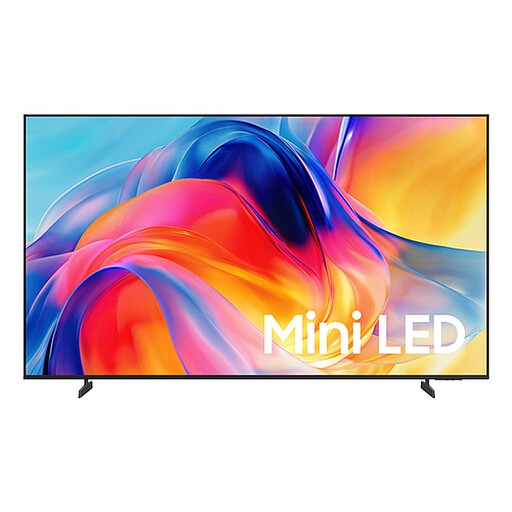 Image unavailable
A 65-inch option to consider if you are comparing Mini LED TVs for viewing in a bright room.
The product name specifies a 4K Mini LED display. Check the exact model’s dimensions and UK energy information against your planned setup.
 Image unavailable
Consider this model if a 75-inch screen suits your seating area and you are comparing larger Mini LED or QLED options.
The product name specifies 4K resolution. Assess shadow detail and reflections on the exact model, and confirm its installation requirements and UK energy information.
 Image unavailable
A 55-inch Mini LED option for consumers weighing bright-room viewing against the space available for a TV.
The product name specifies HDR and VIDAA OS, and describes a 165Hz Game Mode Ultra. Confirm the stand footprint for your furniture and check the exact model’s UK energy information.
 Image unavailable
A larger-screen option for consumers considering QD-Mini LED for animated films.
The product name lists HDR, Google TV, a 144Hz native refresh rate and up to 512 dimming zones. Those figures do not establish picture quality on their own; check the 75-inch model’s fit and energy information.
 Image unavailable
Consider this 65-inch QD-Mini LED model if that size works better for your room than a 75-inch screen.
The product name lists HDR, Google TV, a 144Hz native refresh rate and up to 2,048 local dimming zones. Compare actual dark-scene viewing separately, and confirm mounting details and UK energy information for this variant.
Start with OLED if deep blacks in a dim room are your main concern; start with Mini LED or QLED if you usually watch in a bright room. Which? describes deep blacks as an OLED strength and associates QLED technology with brighter, more vibrant images, but the exact TV and your room lighting still matter.
Try a dark scene and a bright scene before settling on a picture mode. Note the original settings, then adjust gradually so shadow detail stays visible and highlights remain comfortable; Which? cautions against contrast that makes the picture look washed out.
Check the energy label and product information sheet for the exact model. UK guidance from the Department for Energy Security and Net Zero and the Office for Product Safety and Standards says in-scope products must display an energy label at the point of sale and have a product information sheet; the cited rules do not cover second-hand products.
Confirm the exact model’s dimensions, stand-foot spacing or wall-mount specification, and weight before choosing its position. Check that the furniture or mounting arrangement suits the TV rather than relying on its screen size alone.