Dark-room contrast purists
You mainly watch space, wildlife or cinematic documentaries after dark. Black backgrounds and the separation of small bright objects matter more to you than daytime versatility.


Choose OLED if you mainly watch astronomy programmes in a dark room and want pixel-level control of black backgrounds around bright objects. LG UK explains that OLED pixels can switch off independently; a Mini LED TV with local dimming is an alternative when the same screen must also suit brighter daytime viewing, but its backlight controls zones rather than individual pixels. Check the exact model’s dark-scene performance, supported formats and everyday-use requirements before deciding.
You mainly watch space, wildlife or cinematic documentaries after dark. Black backgrounds and the separation of small bright objects matter more to you than daytime versatility.
You watch astronomy programmes at night, but also use the TV during the day. Dark-scene handling matters without being the only condition for choosing a display.
You want a screen size that fits your room, access to the services you use and settings you can live with, alongside a picture suited to evening viewing.
Choose when: Black space backgrounds are your priority in a darkened room; independently controlled pixels can switch off without a backlight, as LG UK explains.
Bear in mind: If logos, guides or paused screens are often left displayed, follow the exact model’s OLED care guidance and check its warranty terms.
Choose when: You also need the TV for brighter daytime viewing or prefer an LCD-based alternative.
Bear in mind: Its backlight dims in zones, so assess bright objects against black backgrounds on the exact model rather than assuming pixel-level control.
| Concern | What to check | Who this matters to |
|---|---|---|
| Black levels and halos | Identify OLED or a local-dimming LCD. For Mini LED, seek a credible demonstration or independent test with bright objects against black. | In a dark room, I want stars to stand apart from space without a distracting glow around them. Around 50% of consumers put black levels and halo control first. |
| HDR and picture control | Check the exact TV’s HDR formats, the formats delivered by your app or playback device, and its available picture modes. | I want the programme and my playback setup to work with the TV’s picture options, rather than choosing on a 4K badge alone. For around 30% of consumers, format and image control are the primary concern. |
| Everyday fit | Measure the viewing space; check required apps, the product’s energy information and warranty, plus OLED care guidance if applicable. | The TV also has to suit daytime programmes and my room, while fitting how often I leave menus or other fixed images on screen. Everyday ownership comes first for around 20% of consumers. |
A 4K TV cannot add detail or HDR to a programme that the app or playback device does not deliver in those formats. Resolution also does not describe how the screen handles black backgrounds.
Check the format of the programmes you watch, the playback chain and the TV’s contrast characteristics before making resolution the deciding factor.
Local dimming describes backlight control, not how a particular model handles a small bright object against black. Its behaviour matters especially for stars and subtitles.
Compare credible dark-scene demonstrations or independent tests for the exact model, rather than relying on the words Mini LED in its name.
Persistent logos, guides and paused images make OLED care relevant. Samsung UK says its Logo Detection can dim a stationary image area to help prevent image retention; that feature does not make care guidance unnecessary.
Keep the model’s normal protection features enabled, avoid routinely leaving static screens displayed for extended periods and read its care and warranty terms.
For UK viewing, GOV.UK says a TV Licence is needed to watch or record programmes as they are broadcast and to watch on-demand BBC programmes on iPlayer. The requirement depends on what you watch, not simply on owning a TV.
Check whether your astronomy viewing includes live programmes or BBC iPlayer when planning how you will use the screen.
LG’s OLED range is relevant if your main decision is how a screen handles dark backgrounds.
Sony is relevant when comparing local-dimming LCD models with OLED and checking model-specific picture options.
Samsung has both OLED and Neo QLED Mini LED lines to consider for night-time and mixed-light use.
These OLED and Mini LED models offer two ways to approach astronomy viewing: prioritise individually controlled pixels for a mainly dark room, or assess a local-dimming LCD for mixed daytime and evening use. Screen size, programme formats and dark-scene performance still need checking against your setup.
 No image available
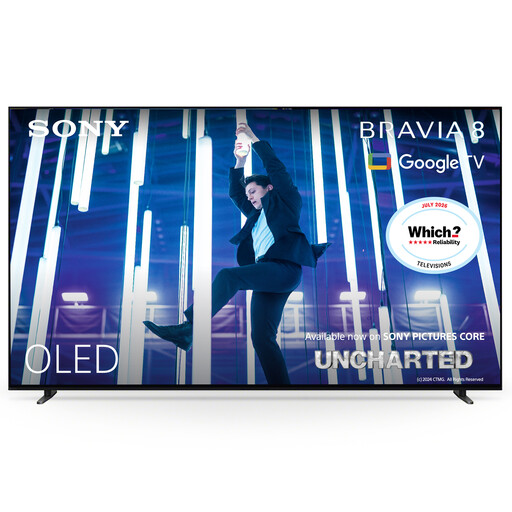
Consider this OLED model if a 55-inch screen fits your room and dark backgrounds are your priority. Check your chosen streaming apps, the OLED care guidance and the terms of the one-year warranty named in the product listing.
 No image available
This is another 55-inch OLED option for viewers focused on dark-room contrast. Its product name lists Dolby Vision and Google Cast; check that your programmes and playback setup use the formats you need, and review the exact model’s OLED care and warranty terms.
 No image available
Consider this larger Mini LED option if the TV must serve both evening documentaries and other viewing. Its product name states up to 2048 local-dimming zones, but that figure alone cannot tell you how stars or subtitles will look against black; assess dark-scene evidence for this model and check your required apps.
 No image available
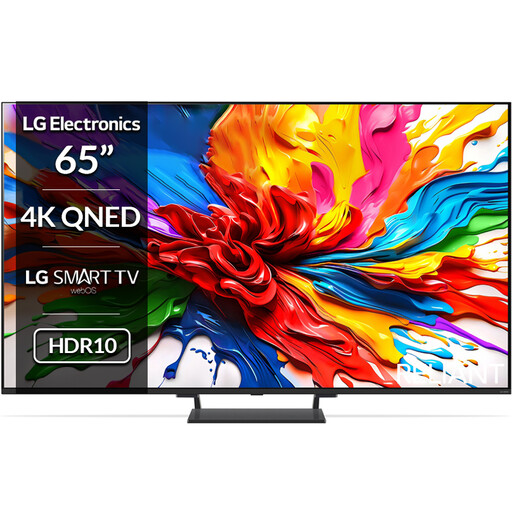
This 65-inch Mini LED model is an LCD-based option if your TV will be used beyond dark-room programmes. Check dark-scene demonstrations for the exact model, whether the screen fits your room and whether its apps carry the services you use.
 No image available
This 65-inch Mini LED model is worth considering when the screen must handle both astronomy programmes and mixed everyday viewing. Its product name identifies VIDAA OS; check your required apps and seek exact-model evidence of how its local dimming handles bright objects on black.
No. OLED’s independently controlled pixels make it a direct choice for black backgrounds in a dark room, as LG UK explains, but a local-dimming Mini LED model may suit a TV used frequently in brighter conditions. Compare the exact models and your viewing habits rather than treating either display label as a complete verdict.
No. HDR is useful only when the programme and playback chain deliver a format the TV supports; it is not a requirement for watching a documentary. Check the format offered by the service you use and the HDR compatibility of the exact TV and playback device.
Start with a Cinema or similarly less-processed mode available on your TV, then adjust it for your room. Sony UK describes its Cinema mode as balancing brightness, colour depth and edges, but mode names and controls vary by model.
In the UK, you need a TV Licence to watch or record programmes as they are broadcast, or to watch on-demand BBC programmes on iPlayer, according to GOV.UK. Owning the TV alone is not the deciding factor; check the service and viewing mode you intend to use.
No. The GB television energy label provides an A-to-G efficiency rating, according to GOV.UK, not a measure of black levels or halo control. Compare energy information between otherwise suitable models, and judge dark-scene performance separately.