What should you check before choosing?
Start with a task you do often, then check its input method, website access and sign-in steps on the device you intend to use.
| Priority | What to check | Your needs |
|---|
| Forms and typing |
Try entering and correcting information in several fields. Check document uploads and whether a keyboard and pointer work with the device. |
I regularly fill in longer forms or work with documents, so I want to try those tasks without relying solely on a phone screen. |
| Service access |
Open the websites and apps you use. Check browser support, required sign-in steps and whether pages remain usable with zoom. |
I need access to the services I use, not just a convenient device format. In the Department for Science, Innovation and Technology’s 2025/26 survey, among UK adults who had used a government digital service in the previous 12 months, 70% had accessed one through a website on a computer, laptop or tablet and 60% through a website on a mobile phone. These access modes could overlap; they do not measure purchase preferences. |
| Sign-in and recovery |
Check the screen lock, credential storage, account-recovery method and availability of device and app updates. Do not set up a passkey on a shared device. |
I want to keep access to my accounts if I change devices. GOV.UK One Login warns that someone who can unlock a shared device may be able to use a passkey stored on it. |
| Display and input |
Try text size, magnification, spoken feedback and the typing or pointing controls you need. Verify features on the supplied model and software version. |
Larger text or a different way to navigate could make my usual websites easier for me to use; screen size alone will not tell me whether the controls suit me. |
| Home connection |
Check how the device connects to your home internet and whether your usual websites and calls work where you plan to use it. Check mobile-data capability separately if you need access away from home. |
My setup needs to work in the rooms where I use online services, whether I choose a portable device or a computer that stays in one place. |
Joybuy device options
These options cover laptops for typing and forms, a tablet bundle for touch use with physical input, and a smartphone for portable tasks. Compare each with the websites and controls you need at home.
 No image available
ASUS Vivobook 15 X1504VA, 15.6-inch laptop
A laptop format to consider for regular typing, forms and document tasks. The product name specifies an Intel Core 5 120U, 24 GB of memory and a 1 TB SSD. Try the display and input controls you need on the exact configuration.
View on Joybuy
 No image available
Acer Aspire Lite AL15-36P-C29Z, 15.6-inch laptop
A laptop option for forms and regular typing, listed with an Intel N150, 8 GB DDR4 memory and a 128 GB SSD. Confirm the supplied Windows 11 Home edition, including whether it is in S Mode, before choosing it for particular apps or services.
View on Joybuy
 No image available
Lenovo IdeaPad 1, 15-inch laptop
A laptop format for home websites and longer entries, with an AMD Ryzen 3 7320U, 8 GB of memory and a 128 GB SSD in the product name. It specifies Windows 11 Home in S Mode; check that this edition suits the apps and services you intend to use.
View on Joybuy
 No image available
TABWEE T20 10.1-inch tablet with keyboard, mouse and stylus
A touch-first option with a listed keyboard and mouse for tasks that involve more typing. Confirm the supplied Android version—the product information conflicts—and try browser zoom and the accessories with the websites you use.
View on Joybuy
 No image available
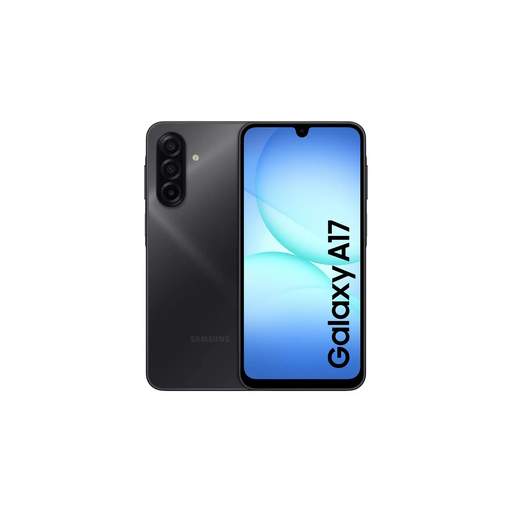
Samsung Galaxy A17 5G A176 Dual Sim, 4 GB/128 GB, Grey
A smartphone option for portable websites, apps and short account tasks. Try a representative form before relying on a phone for longer entries. Check whether you have a compatible charging adaptor, as the product information says one is not included.
View on Joybuy
Frequently asked questions
Should I use a laptop instead of a smartphone for online forms?
Choose a laptop if longer forms, uploads and regular typing are central to your tasks; a smartphone can still suit quick access and app-led steps. Ofcom’s 2025 report identifies form completion as a potential challenge on smartphones compared with laptops or PCs, so try a typical form on the device before deciding.
Can a tablet replace a laptop for online services?
A tablet may cover the websites and forms you use, but check the exact setup before relying on it as your only device. Try browser zoom, longer entries and any compatible keyboard or mouse you plan to use; Android physical-keyboard accessibility settings can depend on the Android version.
What should I check before using a passkey?
Use a personal device with a screen lock you control, and check where its credential manager stores the passkey and how you would recover account access. GOV.UK One Login warns against setting up a passkey on a shared device; the National Cyber Security Centre also advises keeping devices and apps updated.
Which display and input controls should I try?
Try the controls relevant to your tasks—such as larger text, magnification, spoken feedback, keyboard input or a pointer—while completing a representative webpage task. Apple, Google and Microsoft document such features for their respective systems, but check availability on the exact device and software version you would buy.


