Choose a console or PC around the games and platforms your regular group uses, then check whether the exact game mode lets everyone join the same session. A console may fit a shared living-room setup, while a PC or laptop makes sense for a group playing PC titles; either way, check online-play membership, voice-chat compatibility and the home connection before buying accessories.
Who is this setup for?
Friends on different platforms
If the group uses a mixture of PC and consoles, check each game’s cross-play support and the voice-chat route before choosing a device. Discord documents console calls on PS5, Xbox Series X|S and Xbox One, but that does not establish cross-play for a particular game.
Families sharing a living-room setup
Consider who will use the screen and controllers, and set up each child’s account and communication controls. Ofcom advises using the correct account age so platform restrictions apply as intended.
PC players buying for a particular game
Compare a desktop or laptop with the games the group actually plays. Microsoft Xbox Support notes that system requirements vary by game, so a gaming label alone is not a compatibility check.
What should you check before buying?
Start with the group’s games and platforms; choose hardware and chat accessories only after you know how everyone will play together.
| Priority | What to check | Your needs |
|---|
| Playing together |
List each friend’s platform and game version. Check the publisher’s supported cross-play platforms, mode and settings; cross-platform support for one title does not establish it for another. |
I want to join the same session as my regular group, even if we use different devices. |
| Console membership |
Sony says most PS4 and PS5 online multiplayer games need PlayStation Plus. Microsoft Xbox lists online console multiplayer in Game Pass plans but makes free-to-play multiplayer open to Xbox players; Nintendo UK describes online play for supported Switch titles through Nintendo Switch Online. Check the exact game and plan. |
I need to know whether our games require an ongoing membership before choosing a console. |
| PC requirements |
Compare each intended game’s minimum and recommended requirements with the exact PC or laptop configuration, including its operating system and storage. Microsoft Xbox Support says requirements vary by game. |
Our group plays PC titles, and I want hardware chosen for those games rather than for a gaming label. |
| Voice chat |
Choose between in-game, platform-party and Discord chat. Check the headset connection and microphone on the exact device; Discord documents linked-account console calls on PS5, Xbox Series X|S and Xbox One. |
Talking with friends matters to me, and the headset must work with the chat route we will use. |
| Home connection |
Check Wi-Fi coverage, router position and other devices using the connection. If a cable run is practical, check the gaming device’s network port and the cable route before choosing Ethernet accessories. |
In a shared home, I would check the connection where we play before changing the display or gaming device. |
| Shared-room use |
Check whether local play needs another compatible controller and whether a display supports the output you intend to use. For a child’s account, review age and communication settings; Ofcom advises registering the correct age. |
We share a screen or device, so local controls and who can communicate online matter alongside the hardware. |
Common buying mistakes
-
Choosing hardware before checking the group’s games
A more capable device cannot enable a multiplayer combination that the intended game or mode does not support.
Write down the main games, each player’s platform and the intended modes, then check the publishers’ current cross-play information.
-
Assuming the console covers online access
Membership conditions differ. Sony says most PS4 and PS5 online multiplayer games need PlayStation Plus, while Microsoft Xbox identifies an exception for free-to-play multiplayer on Xbox.
Check the exact game’s online-play requirements and whether the relevant membership plan includes multiplayer before choosing a plan.
A recurring membership may be part of the setup for the games you intend to play.
-
Assuming every Bluetooth headset connects to a console
Microsoft Xbox Support says Xbox One does not support a Bluetooth headset connection. A headset’s connection method therefore matters as much as its microphone.
Check the headset against the exact console generation, controller and chat service; confirm any required connection accessories before buying.
-
Leaving a child’s communication settings until later
The age registered on an account affects access to platform features and content, according to Ofcom.
Register the correct age, review privacy and chat controls, and discuss who the child will play and communicate with before enabling voice chat.
Platform brands to consider
These platform rules help narrow the setup; a brand name alone does not confirm support for your group’s particular game or chat method.
PlayStation
A console route for groups using PS4 or PS5 games.
- Sony says PlayStation Plus includes online multiplayer.
- Sony says most PS4 and PS5 online multiplayer games require PlayStation Plus; check the game’s cross-play and chat features separately.
Xbox
A console and Windows PC ecosystem to consider when it matches the group’s games.
- Microsoft Xbox lists online console multiplayer in Game Pass plans and says free-to-play multiplayer is open to Xbox players.
- Microsoft Xbox Support says Xbox One does not connect to Bluetooth headsets; check the headset’s supported connection method.
Nintendo
A console route for groups playing supported Nintendo Switch or Switch 2 titles.
- Nintendo UK describes online play with friends in supported titles through Nintendo Switch Online.
- Check the intended title’s online modes and how the group will communicate; membership does not establish those features for every game.
Joybuy options for your setup
These options cover headsets for voice communication, a laptop for PC gaming and a controller for Xbox or Windows play. Match each one to your games, devices and chat method before buying.
 No image available
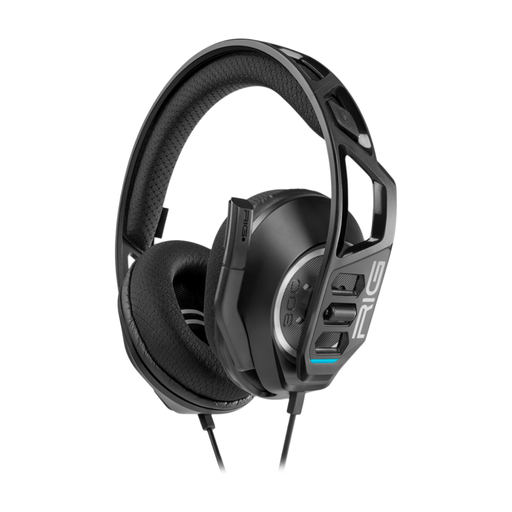
Nacon RIG 300 PRO HN Wired Headset – Black
A wired headset to consider when your group uses voice chat. Confirm that its connection and microphone work with your exact device, controller and chosen chat route.
 No image available
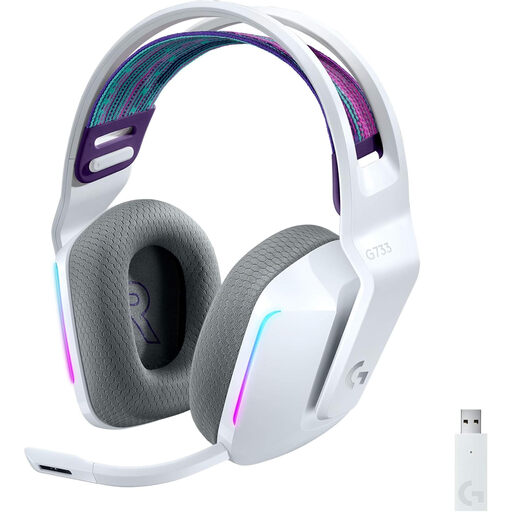
Logitech G G733 Lightspeed Wireless Headset – White
A wireless headset option where a cable would be inconvenient. Check connection and microphone support on the intended host and game; for Nintendo Switch, the stated use is docked-mode stereo audio through a USB dongle.
 No image available
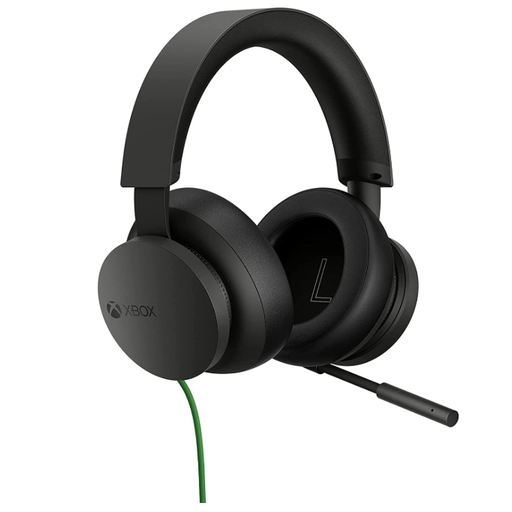
Official Xbox Stereo Wired Headset – Black
A wired headset for an Xbox or Windows setup. Check that your exact controller has a compatible connection and that your intended game or chat service supports the microphone; do not assume it works with other consoles.
 No image available
Lenovo LOQ Essential 15ARP11 – Ryzen 7 170, RTX 5050, 16GB RAM, 1TB SSD
A laptop option when the group plays PC games. Its stated configuration also includes a 15.6-inch FHD 144Hz display; compare the exact games’ requirements with this configuration, as the display specification does not establish achievable frame rates.
 No image available
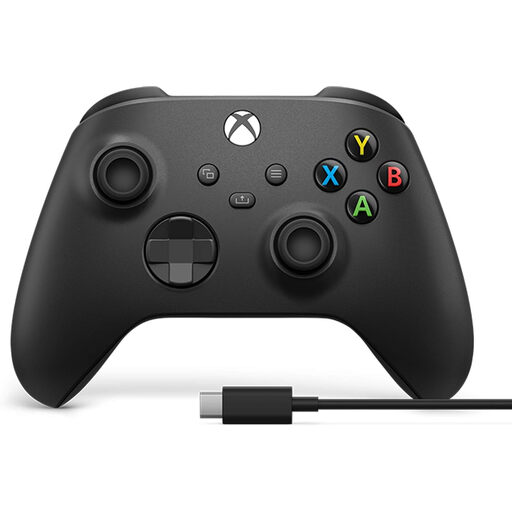
Xbox Wireless Controller + USB-C Cable – Series X|S, One and Windows
Consider an additional controller if your Xbox or Windows setup needs one for local play. Check support for the exact device and game; a controller headset connection alone does not establish microphone compatibility with every chat setup.
Frequently asked questions
Do I need a membership to play online with friends on a console?
It depends on the platform and game. Sony says most PS4 and PS5 online multiplayer games need PlayStation Plus; Microsoft Xbox lists multiplayer in Game Pass plans but opens free-to-play multiplayer to Xbox players; Nintendo UK describes Nintendo Switch Online play for supported titles. Check the exact game before choosing a membership.
Can friends on different consoles and PCs always play together?
No. Cross-play must be supported by the particular game and intended mode. Check the developer’s current platform and version information for every player before buying hardware for the group.
Can console players use Discord voice chat with PC friends?
Discord documents direct calls on PS5, Xbox Series X|S and Xbox One after the relevant console account is linked. Check that the headset and microphone also work with the exact console and chat setup.
Will any Bluetooth headset connect directly to an Xbox console?
No. Microsoft Xbox Support says Xbox One does not support Bluetooth headset connections. Check the headset maker’s compatibility information for your exact Xbox model and controller rather than relying on a Bluetooth label.
Should I change my broadband before buying gaming hardware?
Not automatically. Check Wi-Fi coverage, router location, wiring and simultaneous use at home first. Ofcom identifies in-home conditions and device limitations as factors in broadband performance; if the device can reach the router by cable, a compatible Ethernet connection is another setup option to assess.


