Buying priorities
Work from the game and social group backwards: confirm where the child can play, set account rules, then choose hardware and connection options that fit the shared space.
| Priority |
What to check |
Your needs |
| Games and platform |
Check the exact game version, the platforms used by regular playmates, stated cross-play support and multiplayer membership terms. |
I want the child to join the games their friends or family actually play, without discovering after purchase that the platform combination is unsupported. |
| Child accounts and communication |
Create a separate child or supervised account; set content, privacy, friend, voice, text, invite and cross-network permissions. Use PEGI information alongside platform controls. |
I want social play to fit household rules for chat, purchases, playtime and age-appropriate content, rather than relying on one unrestricted adult account. |
| Local multiplayer connection |
Use device diagnostics where available and review download speed, upload speed, packet loss, latency and MTU. For a fixed Xbox, assess whether Ethernet to the router or modem is practical. |
I need to identify whether the gaming device’s own connection is causing multiplayer problems before changing wider home Wi-Fi equipment. |
| Shared-room routines |
Decide whether voice chat is allowed before choosing a microphone headset. Check per-child playtime controls, approval settings and activity-management options on the selected platform. |
I want children to play with agreed contacts while keeping chat, noise and household routines manageable. |
Joybuy product options
Joybuy options for console and PC gaming routes in a shared family home. Confirm game availability, cross-play, membership conditions and child-account settings before choosing an ecosystem.
 No image available
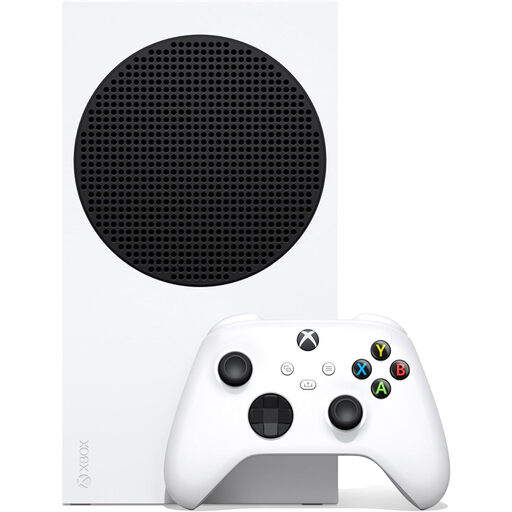
Xbox Series S 1TB
A console option for households whose intended games and regular playmates use Xbox or support the required cross-play combination.
1TB SSD and all-digital game access are stated. This model has no disc drive, so confirm that digital purchasing suits the household. Check each game’s multiplayer access terms before purchase.
Joybuy
 No image available
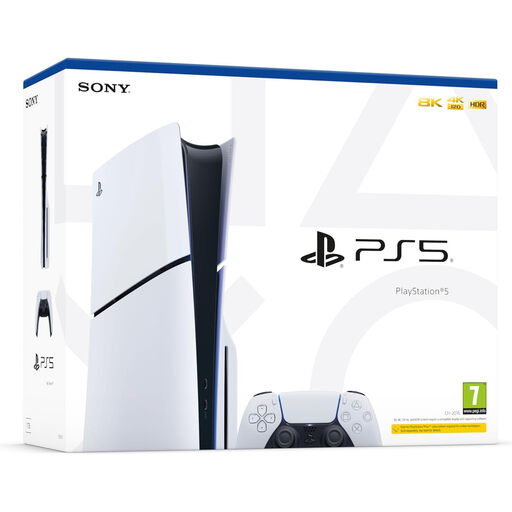
Sony PlayStation 5 Console Disc Edition Slim
A PlayStation route for families that have confirmed their games and playmates fit the PlayStation ecosystem or the game’s stated cross-play support.
The listing states a built-in Ultra HD Blu-ray drive, PS5 and PS4 game compatibility, Gigabit Ethernet and expandable M.2 storage. Some high-frame-rate and visual features depend on compatible games and displays.
Joybuy
 No image available
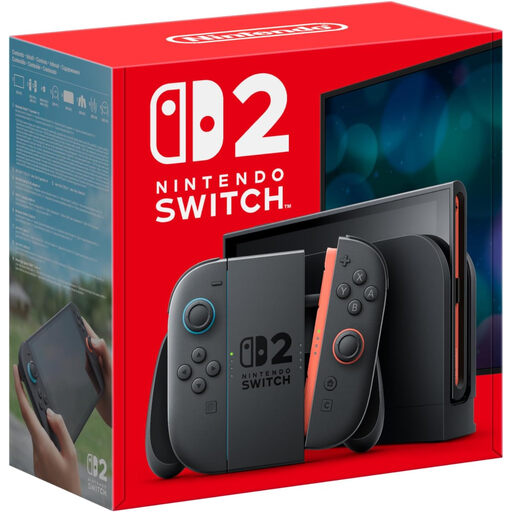
Nintendo Switch 2 Console UK Version
A Nintendo option where the intended games and regular playmates use Nintendo hardware or the game confirms cross-play.
The listing states handheld and docked use, 256GB storage and a dock with Gigabit LAN. Compatibility is stated for most, not all, existing Switch games, so check any existing library individually.
Joybuy
 No image available
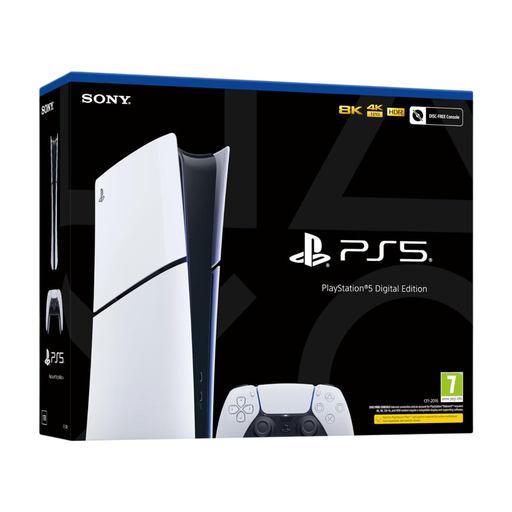
Sony PlayStation 5 Console Digital Edition Slim
A digital PlayStation route for families planning to manage games through a PlayStation Network account.
The listing states Ethernet, Wi-Fi 6 and support for PS5 and supported PS4 digital titles. No disc drive is included; an optional disc drive is sold separately for the specified series.
Joybuy
 No image available
Lenovo LOQ Essential 15ARP11 Gaming Laptop
A PC route to compare against each intended game’s requirements and stated cross-play support.
The listing states an RTX 5050 Laptop GPU, 16GB DDR5 memory, 1TB NVMe SSD, Wi-Fi 6, Gigabit Ethernet and a 15.6-inch 144Hz Full HD display. Gaming performance depends on the game and settings.
Joybuy
Frequently asked questions
Can a child play online with friends on a different console or PC?
Sometimes, but not automatically. Microsoft Xbox Support states that some games support play across Xbox, Nintendo, PlayStation and, in some cases, PC. Check the exact game’s supported platforms and cross-play settings before buying a device or subscription.
Do UK households need a paid membership for console online multiplayer?
It depends on the platform and game. Microsoft Xbox Support states that Game Pass is required for console online multiplayer except free-to-play titles; PlayStation Plus includes online multiplayer; Nintendo UK states that many Switch and Switch 2 games require Nintendo Switch Online, while some free-to-play titles do not.
Should each child use a separate account rather than a parent’s account?
Yes, where the household wants child-specific controls. PlayStation states that child accounts in a family can have parental controls, playtime, privacy and spending settings, while Xbox and Nintendo also provide family or supervised-account controls. Enter the child’s correct age because platform restrictions can depend on it.
Is a gaming headset appropriate for a child who plays only with known friends?
It can be, provided the household has decided that voice chat is appropriate and has checked the child account’s communication permissions. Xbox family settings can control multiplayer, cross-network play and voice or text communication, while PlayStation and Nintendo offer child communication controls.
When should a household try Ethernet rather than replace the Wi-Fi setup?
For a fixed Xbox with online-play problems, first use the console’s connection and multiplayer diagnostics. Microsoft Xbox Support describes wired networking as its fastest and most reliable connection method and provides statistics including download speed, upload speed, packet loss, latency and MTU.


